
Payment Gateway Integration for US, UK and EU Online Stores
A practical guide to integrating a payment gateway for stores selling in the US, UK and EU, covering provider choice, checkout models, PCI scope, Strong Customer Authentication, webhooks, testing, refunds and disputes.
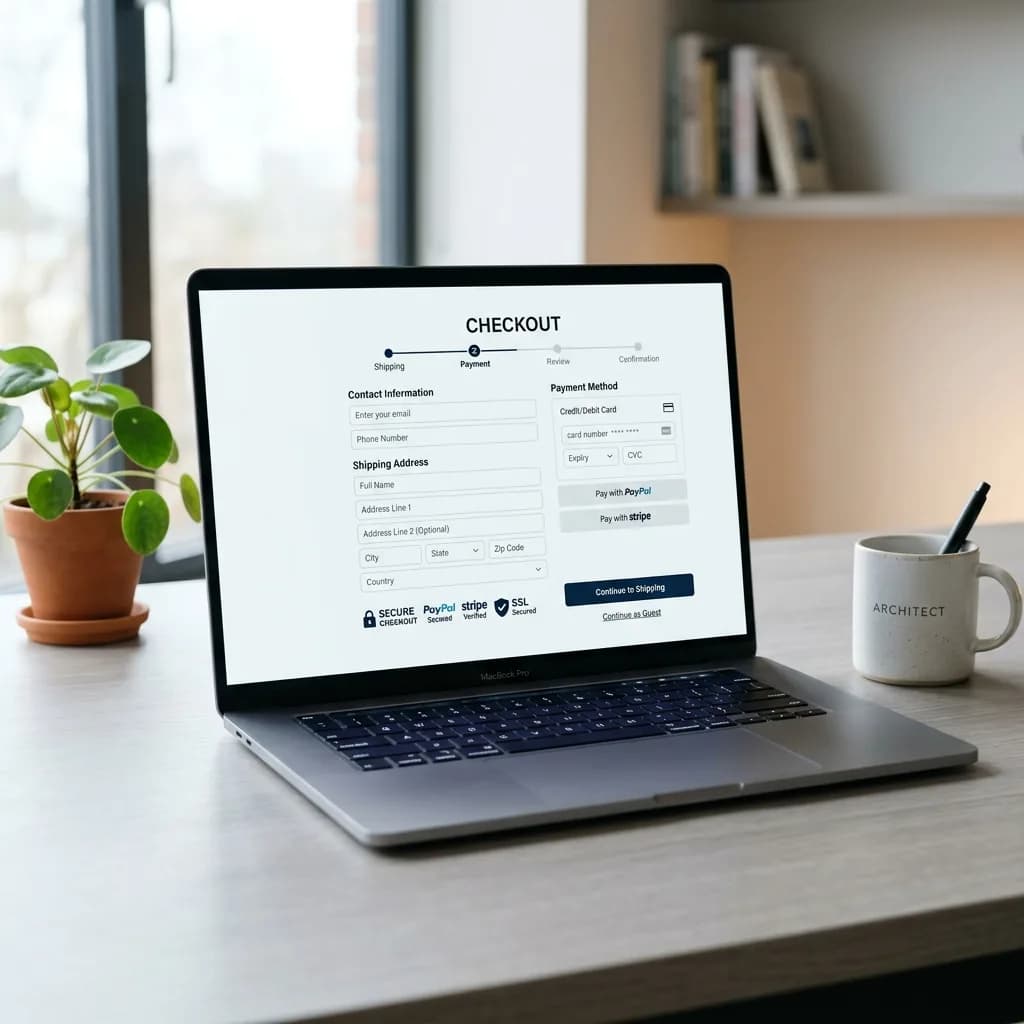
A payment gateway integration is a business, compliance, operations and software project at the same time. The code that renders a card form is the smallest part of it. Before a customer can pay reliably, the business has to pick a provider that supports its country and product category, decide how much of the checkout it wants to control, understand what that choice does to its PCI DSS obligations, handle European authentication rules, turn asynchronous payment events into correct order states, and give finance a way to reconcile orders, refunds, disputes and payouts.
This guide is written for store owners, service businesses that take online payments, and the developers and project managers who implement them, with a focus on merchants selling to customers in the United States, United Kingdom and European Union. Examples use Stripe because its documentation is public and detailed, but the same principles apply to PayPal, Braintree, Adyen, Square and most modern processors.
If you are still choosing the whole store platform, start with the E-Commerce Platform Selection Guide. If a checkout already exists and conversion is the problem, the E-Commerce Checkout Optimization Guide is the better starting point.
Choose the Provider Before You Design the Checkout
People use "gateway", "processor" and "merchant account" interchangeably, but they are different jobs, and it helps to know who is doing which one in your setup.
| Term | Practical meaning |
|---|---|
| Payment gateway | The technical service that lets the website start a payment and receive the result |
| Acquirer | The bank or licensed institution that lets a merchant accept card payments |
| Payment service provider (PSP) | A company that bundles gateway, acquiring, fraud tools, reporting and payouts |
| Merchant account | The approved business profile that receives funds |
| Plugin or app | Platform-specific code connecting WooCommerce, Shopify or another platform to the provider |
| API and SDK | Programmatic interfaces used by custom sites and apps |
Most small and mid-size merchants in the US, UK and EU use an all-in-one PSP rather than a separate gateway and acquirer. Common choices include Stripe, PayPal (including its Braintree service for developers), Adyen, and Square, plus the platform's own option such as Shopify Payments. Each has different country availability, supported payment methods, onboarding checks and restricted business categories, and those details change, so confirm them in the provider's current documentation rather than a tutorial.
What to compare
Do not compare providers on the headline transaction fee alone. A slightly cheaper rate is expensive if onboarding is slow, refunds are manual, or payout reports cannot be matched to orders.
| Area | Questions to answer in writing |
|---|---|
| Eligibility | Does the provider accept your legal entity, country and product category? |
| Payment methods | Cards, Apple Pay, Google Pay, PayPal, bank debits, local European methods such as iDEAL or Bancontact where relevant |
| Currencies | Which currencies can you charge in, and which can you settle in? |
| Integration | Hosted checkout, embedded components, plugin, API, subscriptions, saved cards, authorize-then-capture |
| Platform support | Official plugin or app for WooCommerce, Shopify or your framework, and who maintains it |
| Authentication | Support for Strong Customer Authentication and 3-D Secure 2 for European cards |
| Reporting | Payout reports with order references, fee breakdowns, exports and API access |
| Refunds and disputes | Partial refunds, dispute notifications, evidence submission workflow |
| Ownership | Who owns the account, admin roles, two-factor login, audit logs |
If the business model is unusual (subscriptions with free trials, marketplaces with payouts to sellers, regulated goods, pre-orders), ask the provider before development:
`text
We operate [business model] selling [products/services] to customers in
[countries] from [legal entity and country]. We need [payment methods],
[currencies] and [subscriptions / saved cards / marketplace payouts /
authorize-then-capture]. Is this eligible, and which integration do you
recommend?
`
Keep the written answer with the project records. For the account-opening side (documents, policies and underwriting), see the Merchant Account and Payment Setup Guide.
Write the payment requirements down
A short requirements register prevents vague briefs like "add online payment":
| Field | Example |
|---|---|
| Payment purpose | Physical product checkout, booking deposit, invoice, subscription |
| Amount type | Cart total, fixed price, deposit plus balance, metered |
| Currencies | USD, GBP, EUR |
| Customer locations | US only, UK and EU, worldwide |
| Capture model | Immediate capture, authorize then capture, recurring |
| Refund model | Full, partial, store credit |
| Order dependency | Stock reservation, booking slot, invoice number |
| Owner | Finance, operations or product owner |
Hosted, Embedded or API-Driven Checkout
The integration model decides three things at once: how much of the checkout you control, how much engineering and testing you take on, and how large your PCI DSS scope is.
| Model | Good fit | Trade-offs |
|---|---|---|
| Payment link or invoice | Services, quotes, early validation | Little order automation |
| Hosted checkout (redirect) | Most small stores, subscriptions, fast launch | Less visual control; customer briefly leaves your domain |
| Embedded hosted form | Checkout on your page with provider-hosted fields | Your page scripts now matter for security |
| Embedded components or JavaScript SDK | Custom checkout UX with provider-hosted card fields | More front-end and state-handling work |
| Direct API card handling | Rare; large merchants with dedicated security teams | Full PCI DSS scope |
Stripe, for example, offers Checkout as a prebuilt flow that can be hosted by Stripe or embedded on your site, and Elements for a custom flow where the card fields are still served by Stripe inside iframes. PayPal, Braintree, Adyen and Square offer comparable hosted and drop-in options.
Choose the simplest model that meets the real requirement. A hosted checkout from a well-known provider often converts well precisely because customers recognise it, and it removes a large amount of security responsibility. Embedded checkout is justified when the experience genuinely needs it and the team can maintain and test it.
What the model does to your PCI DSS scope
PCI DSS applies to every business that accepts cards, even when a provider does the processing. Stripe's integration security guide is explicit that compliance is a shared responsibility and that merchants must attest to it annually, and it notes that handling raw card numbers yourself can mean meeting more than 300 security controls.
For e-commerce, the self-assessment questionnaire (SAQ) your acquirer or provider asks for usually depends on the integration:
- SAQ A is for merchants that fully outsource card data capture, either by redirecting to the provider's payment page or by embedding the provider's payment form in an iframe. Under PCI DSS v4.0.1, the PCI Security Standards Council added an eligibility criterion for the iframe case: the merchant must confirm its site is not susceptible to attacks from scripts that could affect its e-commerce systems. PCI SSC FAQ 1588 explains this can be supported either by implementing controls aligned with requirements 6.4.3 and 11.6.1 (managing and monitoring payment-page scripts) or by confirmation from a compliant provider about its embedded solution. The criterion does not apply to pure redirects or fully outsourced payment functions.
- SAQ A-EP is for e-commerce merchants whose website does not receive card data but does control elements of the payment page that affect how card data is captured, for example a page that builds or posts the payment form itself. It carries considerably more requirements, including the script-management controls.
- SAQ D applies when your systems store, process or transmit card numbers.
Which SAQ applies is decided with your acquirer or provider, not by the developer's preference, so confirm it before you commit to an architecture. The practical rule: never let raw card numbers, CVV codes or authentication data touch your servers or logs. You can safely store the non-sensitive details a provider returns, such as card brand, last four digits and expiry.
Strong Customer Authentication and 3-D Secure 2 in the UK and EU
Strong Customer Authentication (SCA) comes from the EU's revised Payment Services Directive, PSD2, and the UK kept equivalent rules after leaving the EU. According to Stripe's SCA documentation, the requirement took effect on 14 September 2019 and, for card payments, is met with 3-D Secure. It affects you if your business is based in the European Economic Area, you serve customers there, and you accept cards. Banks can decline card payments that should have been authenticated and were not.
What this means for an integration:
- Use SCA-ready products. Stripe Checkout, the Payment Intents API with Elements, and Stripe Billing trigger 3-D Secure 2 when the bank requires it. Integrations built on legacy APIs that cannot handle an authentication step see more declines. Other major providers have equivalent SCA-ready flows.
- Expect exemptions, but do not rely on them. Some low-risk transactions can be exempted, but the customer's bank can still request authentication, so the flow must always be able to show a challenge.
- Handle the "requires action" state. A payment can pause while the customer completes a challenge in their banking app. Your order logic must treat this as pending, not failed.
- Saved cards and subscriptions. Authenticate the card when it is first saved (on-session) and flag later charges as off-session, merchant-initiated transactions. Record a clear mandate at checkout: the customer's permission to charge the card, the expected frequency, and how the amount is determined.
- Liability shift. When a payment is successfully authenticated with 3-D Secure and later disputed as fraud, liability typically shifts to the card issuer. When an exemption is applied instead, that shift does not apply.
US merchants selling only to US cardholders are not subject to SCA, but many still use 3-D Secure selectively through fraud rules, and any US store that accepts European cards will see authentication requests from European banks.
Order States, Webhooks and Idempotency
A reliable integration trusts server-side confirmation from the provider, not the customer's browser.
Use explicit order states
| State | Meaning |
|---|---|
| Checkout started | Customer has entered checkout details |
| Payment initiated | Payment session or intent created with the provider |
| Requires action | Waiting for 3-D Secure or another customer step |
| Processing | Provider is confirming (common with bank debits) |
| Paid | Confirmed by a verified server-side event or API lookup |
| Failed | Provider confirmed a decline or failure |
| Cancelled or expired | Customer abandoned, or the session timed out |
| Partially refunded / Refunded | Money returned in part or full |
| Disputed | Customer has opened a chargeback |
Never mark an order paid because the customer landed on a success page. Redirects can be interrupted, refreshed, delayed or forged. The customer can also return before the server notification arrives, so the confirmation page should show a pending state and poll the order until the server confirms it.
Build the webhook handler properly
Stripe's webhooks documentation sets out practices that apply to any provider's server-to-server notifications:
- 1Verify every event. Check the signature using the provider's official library and the endpoint's signing secret. For Stripe this requires the raw, unmodified request body, so make sure your framework does not parse it first. Reject events with an invalid signature or an old timestamp to prevent replay.
- 2Return a 2xx quickly. Acknowledge the event before slow work such as emails or accounting updates, then process it from a queue. Slow endpoints time out and get retried.
- 3Expect duplicates. Providers retry deliveries (Stripe retries for up to three days in live mode). Log processed event IDs and skip ones you have already handled.
- 4Do not assume order. Events are not guaranteed to arrive in the order they were created. If a later event arrives first, fetch the current object from the API instead of guessing.
- 5Subscribe only to the events you need, and use a separate signing secret per endpoint and environment.
- 6Confirm the details. Match the order ID, amount and currency against your own record before changing state.
PayPal, Adyen and Square document equivalent signature checks and retry behaviour; read the relevant page for your provider rather than copying a Stripe pattern verbatim.
Make payment creation idempotent
Customers double-click, browsers retry and networks drop. Stripe's idempotent requests let you send an Idempotency-Key header with any POST request: Stripe stores the result of the first request with that key and returns the same result for retries, and keys can be pruned after at least 24 hours. Generate a random key (a V4 UUID is fine) per logical operation, such as "create payment for order 1042", and never use personal data as the key.
On your own side, apply the same idea: unique order references, allowed state transitions only (a refunded order cannot jump back to paid), and receipts, fulfilment and analytics that fire once per order even if the event arrives twice. If the cart total changes after a payment session was created, expire that session and create a new one so an old price can never complete an order.
Security and Credential Handling
Payment security is part of provider approval, customer trust and legal exposure, not a clean-up task for later.
- HTTPS everywhere, with TLS 1.2 or higher on payment pages and webhook endpoints.
- Secret API keys and webhook secrets stored in environment variables or a secrets manager, never in source code or front-end bundles. Publishable keys can be public where the provider's docs allow it.
- Separate test and live credentials, and separate webhook endpoints per environment.
- Restricted API keys scoped to what each system needs.
- Two-factor authentication and named user accounts on the provider dashboard; no shared logins.
- A key-rotation procedure, including rolling webhook signing secrets.
- A short, reviewed list of third-party scripts on checkout pages. Every analytics, chat or A/B testing script on a payment page is part of your attack surface, and for iframe integrations it bears directly on SAQ A eligibility.
- A Content Security Policy that allows the provider's domains and little else.
- Logs that never contain card data, secrets or full personal data.
- Plugin and dependency updates tested on staging before production.
The business, not the developer or agency, should own the merchant account, the dashboard, the recovery email, and the bank account that receives payouts. Grant developers limited roles.
Testing Before Launch
Real customers will find the unhappy paths quickly if the team does not. In the provider's test mode, cover at least:
- Successful card payment, and payment with a wallet such as Apple Pay or Google Pay
- Declined card and insufficient funds
- A card that requires 3-D Secure, with both successful and failed authentication (Stripe publishes 3-D Secure test cards for this)
- Customer cancels or closes the tab during payment
- Customer returns before the webhook arrives, and webhook arrives with no customer return
- Duplicate webhook delivery and out-of-order events
- Amount or currency mismatch between session and order
- Expired session, and cart changed after the session was created
- Item goes out of stock between initiation and payment
- Mobile browsers and slow connections
- Full and partial refunds from the admin and, if used, via API
- Subscription renewal, failed renewal and cancellation if you sell recurring plans
Then, where the provider allows it, run a few low-value live transactions and confirm the charge, the order state, the receipt email, the dashboard record, the payout reference, the refund and a single purchase event in analytics. Keep screenshots and order references as evidence.
Refunds, Disputes and Reconciliation
The integration is not finished when a customer pays. Finance and support need a complete loop.
Reconciliation data
For every paid order, store the website order ID, provider payment or charge ID, payment method type, amount, currency, fee where the provider reports it, payout or settlement reference when available, refund status and dispute status. Finance should be able to export orders and match them to the provider's payout report and bank deposits. Most providers pay out net of fees, so bookkeeping needs gross sales, fees, refunds and net deposits recorded separately.
Refund workflow
Decide who can approve refunds, whether they are issued from the store admin or the provider dashboard (not both, or records drift), whether partial refunds are allowed, whether returned stock must be received first, how the customer is notified, and how the refund appears in analytics and accounting. Refunds touch inventory, revenue reporting, tax records and fees, so they deserve the same testing as payments.
Disputes and chargebacks
A dispute happens when a cardholder asks their bank to reverse a payment. Stripe's disputes documentation describes the process: the funds are withdrawn, and you can submit evidence before a deadline set by the card network. To be ready:
- Subscribe to dispute events so the order is flagged immediately.
- Keep evidence retrievable: order details, delivery tracking, customer communication, the terms accepted at checkout, and for digital services, access logs.
- Use a clear statement descriptor so customers recognise the charge on their bank statement, which prevents "I don't recognise this" disputes.
- Make it easy to contact you and get a refund; a quick refund is almost always cheaper than a dispute.
- Remember that 3-D Secure authenticated payments usually move fraud liability to the issuer, which is one more reason to keep the SCA flow working.
Analytics, Consent and Platform Notes
Measure payments accurately
GA4's recommended e-commerce events include begin_checkout, add_shipping_info, add_payment_info, purchase and refund. Fire purchase only after trusted payment confirmation, send a unique transaction ID so refreshes do not double-count, and add custom events for payment failures and authentication drop-offs. Payment redirects can break attribution, so add the provider's checkout domain to your referral exclusions. In the UK and EU, analytics and advertising tags need prior consent under ePrivacy and PECR rules, and Google requires Consent Mode v2 signals for ad measurement of EEA and UK users; build this into checkout rather than bolting it on. The E-Commerce Analytics Setup Guide covers validation in detail.
WooCommerce
WooCommerce works with official plugins from Stripe, PayPal, Square and others. Prefer the provider-maintained or WooCommerce-maintained plugin, check compatibility with current WordPress and WooCommerce releases, confirm it uses the provider's hosted fields, test webhook handling and refunds, and apply updates on staging first. If no plugin fits, a custom WooCommerce payment gateway plugin is an option, but it moves maintenance and security responsibility onto you.
Shopify
Shopify's checkout is hosted by Shopify, which removes most card-data responsibility from the merchant. Payment options depend on your country, your plan and whether Shopify Payments is available to you; third-party gateways are possible but check Shopify's current terms for how they are charged. Checkout customisation is limited to what Shopify's checkout extensibility and your plan allow. For the ownership and cost trade-offs, see the Shopify vs WooCommerce Guide.
Custom sites and Next.js applications
Keep payment creation, secret keys and webhook verification in server-side code (route handlers or server actions), store order and payment state in your database, read raw request bodies for signature checks, use environment variables per environment, and write automated tests for signature verification and state transitions. Custom work makes sense when the business needs a flow plugins cannot support reliably, such as deposits with later balances or complex subscriptions. For help scoping it, see e-commerce solutions or contact us.
Frequently Asked Questions
Which payment gateway is best for a small online store?
There is no universal best choice. The right provider depends on your country and entity, product category, customer locations, currencies, payment methods, platform, subscription needs, reporting and support. Shortlist two or three providers, confirm eligibility in writing, and compare total operational effort as well as fees.
Is a hosted checkout bad for conversion?
Not necessarily. A recognisable hosted checkout can build trust, reduces PCI scope and is maintained by the provider. A fragile custom checkout often performs worse. What matters is that the flow is clear, fast on mobile, supports the wallets your customers use, and recovers well from failures.
Do I need 3-D Secure if I am based in the US?
SCA is a European and UK requirement, so a US merchant selling to US cardholders is not bound by it. If you sell to European customers, their banks may still request authentication, so use an SCA-ready integration that can handle 3-D Secure challenges.
When should an order be marked paid?
Only after trusted confirmation from the provider: a verified webhook or a server-side API lookup, with the amount and currency matched to your order. Never rely on the customer reaching a success URL.
Do I still need PCI compliance if I use Stripe, PayPal or Shopify?
Yes. Outsourcing card capture reduces your scope, often to SAQ A, but you still have obligations, including an annual attestation and, for embedded payment forms, confirming your pages are protected against malicious scripts. Confirm the applicable questionnaire with your provider or acquirer.
Who should own the payment provider account?
The business should own the account, dashboard, bank relationship, credentials and recovery email. Developers and agencies should get limited, named access that can be removed at handover.
This article is general information, not legal, tax or compliance advice. Confirm current requirements with your payment provider, acquirer and advisers.
Related posts
European Accessibility Act for E-Commerce Websites: What Stores Must Do
A practical guide to the European Accessibility Act (Directive (EU) 2019/882) for e-commerce and consumer service websites: who is in scope, the microenterprise exemption, EN 301 549 and WCAG, accessibility information, enforcement and a remediation plan for WooCommerce and Shopify stores.
Read article →
ADA Website Compliance for Small Businesses: A WCAG 2.2 AA Guide
A plain-English guide to ADA website compliance for US small businesses: Title III and websites, the DOJ Title II rule for governments, why demand letters happen, why overlays do not make a site compliant, a WCAG 2.2 AA checklist and what to put in an accessibility statement.
Read article →

Google Consent Mode v2 and Cookie Consent: A Setup Guide for Business Sites
How to set up Google Consent Mode v2 alongside a compliant cookie banner: ePrivacy and PECR consent rules, the GDPR consent standard, the four consent parameters, basic versus advanced mode, CMP requirements, WordPress and Shopify implementation, Tag Assistant testing and common mistakes.
Read article →
Author
Anushka Dahanayake
Anushka Dahanayake builds SEO-focused websites, e-commerce platforms, dashboards, and automation systems for businesses worldwide.