
E-Commerce Checkout Optimization: A Practical CRO Guide
A practical checkout CRO framework for finding friction, fixing payment and form issues, improving accessibility, and measuring conversion without guessing.
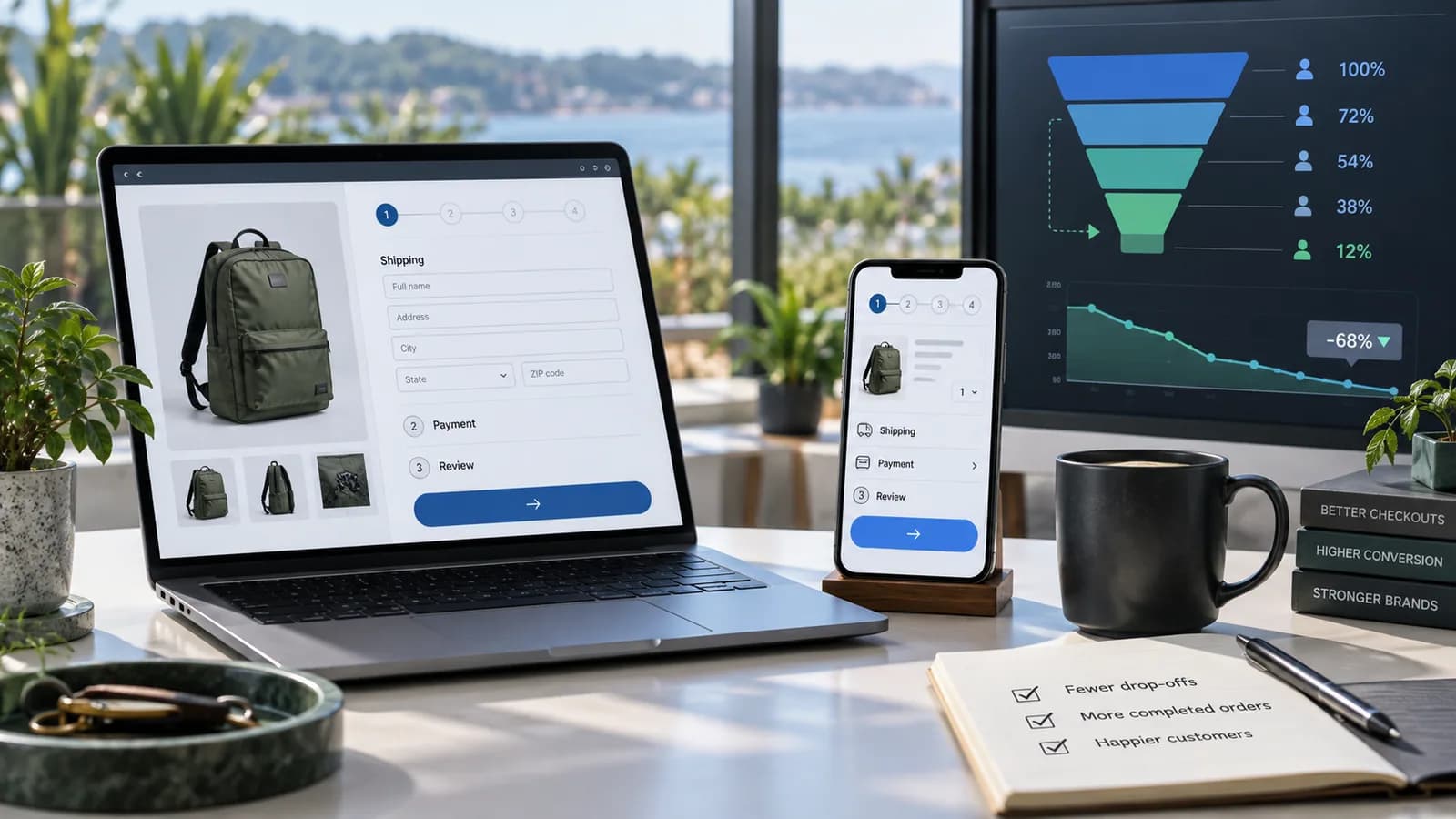
Checkout optimization is the work of making it easier, clearer, safer, and more reliable for a ready customer to complete an order. It is not only a design task. A checkout can lose orders because of unclear costs, forced accounts, weak mobile forms, unavailable payment methods, slow shipping calculations, broken analytics, address errors, failed fraud review, missing trust signals, or accessibility barriers.
The best checkout improvements begin with evidence. You define the funnel, measure each step, watch real behavior, review support issues, test edge cases, and then remove friction in priority order. Small cosmetic changes can help, but the larger gains usually come from resolving the reasons customers hesitate, get blocked, or lose confidence.
This guide gives e-commerce teams a practical checkout CRO process: what to measure, which checkout problems to audit first, how to improve forms and payment, how to avoid accessibility traps, and how to score checkout readiness out of 100 before spending money on experiments.
For platform-level decisions, start with the E-Commerce Platform Selection Guide. If the checkout is still being planned, pair this guide with the E-Commerce Website Requirements Checklist. For the traffic side of the funnel, improve product discovery with the Product Page SEO Guide and the E-Commerce Category Page SEO Guide.
Key Takeaways
- Measure checkout as a funnel, not as one blended conversion rate.
- Separate cart friction, checkout friction, payment failure, fulfilment constraints, and tracking errors.
- Let eligible customers buy without creating an account before purchase.
- Show total cost, delivery options, return terms, and payment choices before the final commitment.
- Reduce typing with good defaults, autocomplete, address lookup, and billing/shipping reuse.
- Keep errors specific, visible, recoverable, and close to the field that needs attention.
- Support wallets and local payment methods when they match the market and order economics.
- Design authentication and repeated-entry flows to satisfy WCAG 2.2 expectations.
- Treat payment security and PCI responsibility as business requirements, even when using a provider.
- Test changes against revenue, margin, fraud, refunds, support load, accessibility, and tracking quality.
What Checkout Optimization Really Means
Checkout optimization is conversion-rate optimization applied to the final buying path. The aim is not to pressure a customer into buying. The aim is to remove unnecessary effort, uncertainty, and technical failure between purchase intent and a confirmed order.
A good checkout answers five questions quickly:
- What am I buying?
- What will it cost in total?
- When and how will I receive it?
- Can I pay with a method I trust?
- What happens if something goes wrong?
If those answers are missing or delayed, customers hesitate. If the checkout asks for avoidable work, customers postpone. If a form or payment step fails without a clear recovery path, customers leave.
Checkout optimization is cross-functional
The checkout touches:
- Product and variant data
- Price, discounts, tax, and currency
- Stock reservations and inventory rules
- Shipping rates, delivery promises, and fulfilment locations
- Customer accounts and identity
- Payment gateways and fraud rules
- Email, SMS, receipts, and order status
- Analytics, consent, and attribution
- Accessibility and legal obligations
- Support, refund, return, and dispute operations
This is why checkout work should not be handed only to design or only to marketing. A clean interface cannot fix a payment method that is unavailable in the customer's country. A new button colour cannot fix surprise shipping cost. A persuasive message cannot fix a broken address validator.
Optimize the whole decision path
Many checkout losses are created before checkout begins. Product pages may hide delivery dates. Category pages may attract the wrong customer. Promotions may be unclear. Cart totals may not include taxes or fees. The checkout then receives uncertainty created upstream.
Treat checkout as the last measurable stage in a larger journey:
| Stage | Customer question | Optimization focus |
|---|---|---|
| Product page | Is this right for me? | Product facts, variants, price, trust, delivery |
| Cart | Am I ready to proceed? | Totals, discounts, stock, shipping preview |
| Checkout | Can I complete safely? | Forms, payment, delivery, final confirmation |
| Payment | Did the transaction succeed? | Gateway reliability, declines, recovery |
| Confirmation | Is my order real? | Receipt, order number, next steps |
The checkout should not be forced to solve every earlier problem, but it must expose enough information for a customer to commit confidently.
Define the Checkout Funnel
Before changing checkout, define the exact funnel you will measure. Different stores use different structures, so avoid copying someone else's step names without matching your own implementation.
A practical funnel
Use a funnel like this:
| Step | Event or state | What it proves |
|---|---|---|
| View cart | Customer views selected items | Cart content is reviewable |
| Begin checkout | Customer starts checkout | Purchase intent exists |
| Add contact | Email, phone, or login path submitted | Customer can be contacted |
| Add shipping | Delivery address and method submitted | Delivery path is viable |
| Add payment | Payment method submitted or selected | Payment intent exists |
| Place order | Customer commits order | Final review was accepted |
| Purchase | Order is confirmed by system | Commerce record exists |
Google Analytics 4 recommends e-commerce events such as view_cart, begin_checkout, add_shipping_info, add_payment_info, purchase, refund, add_to_cart, and remove_from_cart for online sales measurement. These events are not all collected automatically in every implementation, and Google notes that recommended events need their prescribed parameters to produce useful reporting. Use that as a measurement baseline, then add your own operational events where needed.
Separate customer drop-off from technical failure
Not every missing purchase is abandonment. Some users are browsing. Some are checking shipping. Some are comparing. Some are blocked by a bug. Your reporting should distinguish:
- Voluntary exit
- Form validation failure
- Shipping unavailable
- Payment method unavailable
- Payment declined
- Fraud review or risk block
- Out-of-stock change
- Gateway timeout
- Coupon or gift card error
- Analytics duplication or missing transaction ID
This matters because each cause has a different fix. If payment declines are the problem, shortening copy will not help. If shipping cost shock is the problem, adding another wallet may not help.
Measure by useful segments
Checkout conversion should be segmented by:
- Device type and viewport
- Browser and operating system
- Country, region, language, and currency
- Traffic source and campaign
- New vs returning customer
- Guest vs account customer
- Shipping method
- Payment method
- Product category and order value band
- Discount use
- Stock or fulfilment location
Look for differences that suggest a solvable problem. A mobile drop at address entry points to form design. A country-specific drop at shipping points to fulfilment eligibility or cost. A payment-method-specific drop points to gateway, bank, 3D Secure, or trust problems.
Build a Measurement Foundation
Checkout CRO without measurement becomes opinion trading. Measurement does not need to be perfect before any improvement, but it must be reliable enough to prevent false confidence.
Track required e-commerce events
At minimum, track:
- view_cart
- begin_checkout
- add_shipping_info
- add_payment_info
- purchase
- refund
- remove_from_cart
- coupon or promotion application
- payment failure reason categories
- shipping unavailable
- address validation failure
- checkout error events
GA4 distinguishes event-level information, such as the transaction value, from item-level information, such as product name or item category. Preserve item data through checkout so you can identify whether a problem affects a product group rather than the whole store.
Protect purchase data quality
Purchase tracking must avoid duplicates and missing orders. Confirm:
- Every successful order has one transaction ID.
- Refreshing the confirmation page does not send duplicate purchases.
- Payment redirects do not lose attribution or source information.
- Failed payments do not fire purchase events.
- Refund events map to the original transaction where possible.
- Server-side order data reconciles with analytics purchase counts.
- Consent settings are understood and reported separately where required.
Analytics will never be identical to finance records, but the difference should be explainable. If analytics shows a checkout problem that the order database does not support, fix measurement before making expensive conclusions.
Pair quantitative and qualitative evidence
Use:
- Funnel reports
- Session recordings where legally and ethically appropriate
- Customer support tags
- Failed payment logs
- Search and filter logs
- Form error logs
- Page speed and real user monitoring
- Accessibility testing
- Checkout QA runs
- Post-purchase and abandoned-checkout surveys
Numbers show where to look. Qualitative evidence explains why the number changed.
Prioritize Checkout Problems
Checkout issues should be ranked by impact, confidence, effort, and risk. Fix confirmed blockers before running subtle experiments.
Common high-impact issues
| Problem | Symptom | Likely fix |
|---|---|---|
| Forced account creation | Drop before contact or login | Offer guest checkout and account creation after purchase |
| Surprise total | Drop after shipping/tax | Show estimates earlier and explain fees |
| Weak delivery promise | Repeated shipping edits or exits | Show delivery options, cutoffs, and constraints |
| Poor mobile form | High mobile field errors | Improve labels, input types, autocomplete, spacing |
| Payment mismatch | Drop at payment method | Add relevant methods or improve fallback |
| Gateway errors | Decline spike or timeouts | Review provider logs, retry flow, gateway setup |
| Coupon frustration | Coupon field errors or exits | Make promo rules clear and preserve valid discounts |
| Accessibility barrier | Keyboard, screen reader, or auth failure | Fix labels, focus, errors, repeated entry, authentication |
| Slow step | Long load or timeout | Optimize scripts, rates, inventory checks, gateway calls |
| Tracking error | Impossible funnel shape | Repair event logic before interpreting |
Use a checkout issue register
Record each problem in a simple register:
| Field | Example |
|---|---|
| Issue | Mobile users abandon after address line one |
| Evidence | 38 percent field-error rate on mobile address step |
| Segment | iOS Safari, international shipping |
| Suspected cause | Address autocomplete not available; postal-code validation too strict |
| Fix | Relax validation, improve labels, test manual address path |
| Risk | Bad address quality may increase failed deliveries |
| Success metric | Fewer errors, equal or lower failed-delivery rate |
| Owner | Product and fulfilment |
This keeps optimization grounded. It also prevents a team from changing ten things at once and then not knowing what worked.
Guest Checkout and Account Creation
For most retail stores, account creation should not block first purchase. A customer may trust the product enough to buy but not trust the business enough to create a permanent account yet.
Better account timing
Offer:
- Continue as guest
- Sign in for returning customers
- Create account after purchase using order details
- Save address and preferences after consent
- Passwordless or magic-link options where appropriate
Do not hide guest checkout behind small text. If account benefits matter, explain them in one short line: faster future checkout, order tracking, saved addresses, or loyalty points.
Account creation should not add avoidable friction
Avoid:
- Requiring password creation before payment
- Blocking checkout until email verification
- Asking for date of birth or gender unless necessary
- Resetting checkout data after login
- Preventing password managers or paste
- Making social login the only fast path
WCAG 2.2's accessible authentication guidance warns against authentication steps that require users to solve, recall, or transcribe information unless an acceptable alternative or assistance mechanism is provided. In practical checkout terms, do not block password managers, do not block paste into password or code fields, and provide a workable path for users who cannot complete a puzzle or transcribe a code.
Returning customer recovery
Returning customers should be able to recover smoothly:
- Recognize email and offer sign-in without forcing it.
- Preserve cart after sign-in.
- Let customer continue as guest if recovery is not working.
- Offer password reset or one-time link without losing progress.
- Display saved addresses and payment options clearly.
If sign-in fails, the customer should not lose the order.
Cost Transparency and Delivery Confidence
Unexpected costs and unclear delivery are classic checkout killers. The customer wants the real total before committing.
Show costs early
Show or estimate:
- Product subtotal
- Discounts
- Shipping
- Tax or VAT where applicable
- Duties or import charges where applicable
- Payment surcharges if lawful and applicable
- Currency and exchange limitations
- Final total
If the exact tax or shipping depends on address, say so clearly and calculate as soon as enough information is available. Customer expectations also differ by market: consumer prices in the EU and UK are normally displayed with VAT included, while US sales tax is usually added at checkout based on the delivery address.
Make delivery choices comparable
A good delivery section includes:
- Carrier or method name
- Estimated date or date range
- Cost
- Restrictions
- Pickup options if available
- Cutoff time where relevant
- Tracking availability
- Signature or ID requirements where relevant
Avoid vague labels like “standard” when delivery time matters. If weather, customs, made-to-order production, or fulfilment delay can affect arrival, set expectations before payment.
Handle unavailable shipping gracefully
If an address cannot be served:
- Explain the issue in plain language.
- Preserve entered details.
- Offer eligible alternatives.
- Let the customer edit the address.
- Capture demand if the business wants notification or future expansion.
- Do not allow payment for an order the business cannot fulfil.
Shipping unavailability should be tracked as its own event because it is not the same as ordinary abandonment.
Form Design and Data Entry
Forms are where many checkouts quietly fail. A field can be technically valid and still hard to complete.
Reduce fields
Ask only for information needed to complete, deliver, support, or legally process the order. Common optional fields that become unnecessary friction include company name, second phone number, fax, title, birth date, and account preferences.
Keep forms short by:
- Combining first and last name only when it fits local naming conventions.
- Hiding company and address line two until needed.
- Using billing same as shipping by default.
- Offering address lookup without blocking manual entry.
- Using saved details for returning customers.
- Asking marketing consent separately from transactional contact details.
Use correct field behavior
Use:
- Persistent visible labels
- Helpful hint text outside placeholders
- autocomplete attributes for browser autofill
- Appropriate input types for email, telephone, numeric code, and address fields
- Correct keyboard on mobile
- Logical tab order
- Clear focus state
- Large enough tap targets
- Inline validation after the user has had a chance to type
Do not clear fields after an error. WCAG 2.2 redundant-entry guidance expects information previously entered in the same process to be auto-populated or available for selection, with limited exceptions. A checkout that wipes valid customer data after a card or address error creates avoidable cognitive and physical work.
Error messages should help recovery
A useful error message says:
- What happened
- Which field needs attention
- How to fix it
- Whether the customer can continue
Weak message:
`text
Invalid.
`
Better message:
`text
Enter a phone number with 10 digits so the courier can contact you.
`
For payment errors, avoid exposing sensitive processor details, but provide a useful path: try another card, use another payment method, contact the bank, or contact support if the order may already be pending.
Payment Method and Gateway Optimization
Payment is both a usability and operations decision. Adding every payment method can increase complexity, fraud exposure, fees, reconciliation work, and support load. The goal is to support the methods your customers trust and your business can operate safely.
Evaluate payment methods by market
Consider:
- Cards
- Digital wallets
- Bank transfer
- Buy now, pay later
- Cash on delivery
- Local payment schemes
- Instalments
- Subscription billing
- Gift cards or store credit
For each method, record eligibility, fees, settlement timing, refund handling, chargeback process, fraud tools, countries, currencies, recurring support, and accounting impact.
Reduce payment uncertainty
Before final payment, show:
- Accepted payment methods
- Final amount
- Billing currency
- Whether the card will be charged now
- Whether payment is authorized or captured
- Order cancellation or return route
- Contact path for payment uncertainty
After payment, show a confirmation page and send a receipt. If the provider redirects away from the site, make the return path reliable and idempotent so one order does not become duplicate orders.
Plan for Strong Customer Authentication
For most card payments from customers in the EU and EEA, PSD2 Strong Customer Authentication (SCA) applies, which in practice means 3-D Secure 2 challenges or frictionless authentication handled by the card issuer. The UK applies equivalent rules. Use a payment provider that supports 3-D Secure 2 and SCA exemptions, test the challenge flow on mobile (including switching to a banking app and returning), and treat authentication failures as their own funnel event rather than generic declines.
Handle declines and retries carefully
A decline is not always the customer's fault. The system should:
- Preserve cart and checkout information.
- Explain that the payment did not complete.
- Offer a safe retry.
- Suggest another payment method.
- Avoid duplicate charges.
- Log decline categories for analysis.
- Tell support how to identify pending payments.
Do not fire a purchase event until the order is actually confirmed. Do not create duplicate orders when a customer refreshes after returning from a payment provider.
Understand PCI responsibility
Using a third-party payment provider does not remove all merchant responsibility. The PCI Security Standards Council states that PCI DSS can still apply to merchants that outsource all payment processing, and merchants remain responsible for ensuring provider compliance, written responsibility agreements, annual monitoring, shared-responsibility understanding, and required validation such as the relevant Self-Assessment Questionnaire. PCI SSC also distinguishes SAQ A and SAQ A-EP eligibility based on where payment-page elements originate.
For checkout optimization, this means security architecture is not just a compliance detail. Hosted payment pages, embedded fields, custom payment forms, scripts loaded on payment pages, and provider responsibility all affect risk and operational burden.
Mobile Checkout Experience
Mobile checkout often carries the most friction because typing is slower, screens are smaller, connections vary, and customers are more likely to be interrupted.
Mobile priorities
Focus on:
- Clear step progress
- Sticky order summary only when it does not cover fields
- Large tap targets
- Correct keyboard type
- Short field groups
- Wallet support
- Fast loading
- Visible error recovery
- No layout shift during rate calculation
- Easy edit of cart, address, shipping, and payment
Avoid placing key buttons below unexpected accordions or behind overlays. A customer should always know what the next action is and whether the action will submit information, continue to another step, or place an order.
Design for interruption
Mobile users get interrupted. Preserve checkout state when:
- The tab is backgrounded.
- The customer switches to a banking app.
- The payment provider redirects.
- The customer opens email for a verification link.
- Network connectivity drops.
- The customer returns with an expired session.
If the session expires, recover with a friendly sign-in or cart restoration flow. Do not turn a normal mobile interruption into a lost sale.
Accessibility and Inclusive Checkout
Accessible checkout is a conversion issue and a quality issue. It helps customers using assistive technology, keyboard navigation, zoom, voice input, password managers, cognitive supports, and alternative input devices. It also helps everyone under stress.
Accessibility checks
Test:
- Keyboard-only completion
- Screen reader labels and announcements
- Visible focus order
- Error identification and summary
- Field labels, hints, and required indicators
- Color contrast
- Zoom and reflow
- Touch target size
- Captcha or challenge alternatives
- Password manager and paste support
- Redundant entry across multi-step checkout
- Confirmation and receipt readability
WCAG 2.2 added explicit expectations around redundant entry and accessible authentication. In a checkout, that translates to avoiding repeated manual entry, allowing customers to reuse previous information, supporting password managers, and not relying on cognitive challenges without alternatives.
Accessibility is also a legal exposure. The European Accessibility Act has applied to many e-commerce services sold to EU consumers since 28 June 2025 (microenterprises providing services are exempt), and US online stores regularly face lawsuits under ADA Title III over inaccessible checkouts. WCAG 2.2 Level AA is the practical target for both. This is general information, not legal advice.
Inclusive copy
Use plain language:
- “Delivery address” instead of vague “details”
- “Use shipping address as billing address” instead of “same as above”
- “Place order” when the next action commits payment
- “Continue to payment” when it does not
- “Your card was not charged” when a failed payment did not complete
Button labels should match consequences. Do not use “Continue” for a payment commitment.
Trust, Risk and Policy Clarity
Customers do not need a wall of reassurance. They need the right trust signals at the right decision point.
Show practical trust information
Include:
- Business name and contact route
- Return and refund summary
- Delivery and tracking promise
- Secure payment indicator
- Accepted payment methods
- Warranty or authenticity details where relevant
- Support hours or response expectation
- Privacy and marketing consent clarity
Do not overload the checkout with badges that distract from completion. Trust content should answer real doubts without turning checkout into a landing page.
Policy clarity
Before final order placement, customers should understand:
- Return eligibility
- Final sale exceptions
- Delivery restrictions
- Cancellation window
- Digital product access rules
- Subscription renewal terms if applicable
- Customs or duties responsibility if applicable
When policies affect the purchase decision, hiding them until after payment damages trust and increases support load.
Performance and Reliability
Checkout must be fast and stable. The customer is trying to pay; performance issues feel risky.
Optimize technical dependencies
Review:
- Third-party scripts on checkout
- Tag manager load order
- Payment provider SDK loading
- Address lookup services
- Shipping-rate APIs
- Inventory checks
- Tax calculation APIs
- Fraud and risk checks
- Error handling when an API is unavailable
Checkout should degrade gracefully. If a recommendation widget fails, checkout should continue. If a shipping-rate API is slow, show an understandable loading state and retry path.
Monitor real failures
Track:
- Step load time
- Payment SDK errors
- Shipping API timeouts
- Tax calculation errors
- JavaScript errors by browser
- Order creation failures
- Duplicate order attempts
- Payment authorized but order not created
- Order created but confirmation not shown
These failures are often invisible in high-level analytics. Connect technical logs to business impact so engineering can prioritize the right fixes.
Cart Recovery and Remarketing
Cart recovery is useful, but it should not become a substitute for fixing checkout. Recovery works best when it is timely, permission-aware, and helpful.
Recovery options
Use:
- Abandoned checkout email where consent and local law permit
- SMS or messaging only with appropriate permission
- Saved cart links
- Retargeting audiences where consent and policy allow
- Support follow-up for high-value business-to-business orders
- Stock or price-change reminders when accurate
The recovery message should reduce friction. Remind the customer what was in the cart, show the total if possible, answer the likely hesitation, and return them to a preserved checkout.
Do not train discount waiting
If every abandoned cart receives an immediate discount, customers may learn to abandon. Test recovery offers against margin, repeat behavior, and brand expectations. Sometimes the better message is free shipping threshold clarity, payment option reminder, delivery reassurance, or product support.
Testing and Experimentation
Some checkout changes are fixes. Others are experiments. Treat them differently.
Fixes do not need A/B tests
You do not need an experiment to:
- Fix a broken payment method
- Stop clearing fields after an error
- Correct missing labels
- Restore cart after login
- Show final total before payment
- Prevent duplicate orders
- Make unavailable shipping explicit
Fix confirmed defects, then measure impact.
Experiments need guardrails
For experiments, define:
- Hypothesis
- Target segment
- Primary metric
- Secondary metrics
- Guardrail metrics
- Duration
- Minimum sample
- Rollback condition
- Implementation owner
- Decision rule
Guardrails can include margin, refunds, chargebacks, support tickets, payment failures, average order value, delivery exceptions, and accessibility checks. A variant that increases orders but also increases failed deliveries may not be a win.
Test one meaningful idea at a time
Checkout is sensitive. Avoid changing layout, copy, payment methods, shipping rules, and account flow in one release unless you are doing a known defect repair. When too much changes, the learning is weak.
Checkout QA Checklist
Run checkout QA before launch, after payment changes, after theme changes, after analytics updates, and before major campaigns.
Test:
- Guest checkout
- Returning customer checkout
- Password reset during checkout
- Cart preservation after login
- Shipping same as billing
- Billing different from shipping
- Address with apartment/unit
- Address without postal code where valid
- Local and international address formats
- Mobile keyboard entry
- Keyboard-only checkout
- Screen reader field labels
- Discount code valid, invalid, expired, and excluded products
- Gift card or store credit if used
- Free shipping threshold
- Out-of-stock during checkout
- Price change during checkout
- Tax calculation
- Multiple shipping methods
- Shipping unavailable
- Card success
- Card decline
- 3D Secure or bank authentication
- Wallet success
- Payment redirect return
- Gateway timeout
- Duplicate click on place order
- Refresh after payment
- Confirmation page
- Receipt email
- Refund event
- Analytics events and transaction ID
- Support visibility in admin
Keep screenshots and test order IDs as evidence. Checkout QA should be repeatable, not a memory exercise.
100-Point Checkout Optimization Score
Use this score before redesign work and after major changes.
| Area | Points | What earns full points |
|---|---|---|
| Funnel measurement | 10 | Key events, segments, transaction IDs, error categories, and reconciliation are reliable |
| Guest and account flow | 8 | Guest checkout is clear; login and account creation preserve progress |
| Cost transparency | 10 | Customers see subtotal, discounts, tax, shipping, fees, currency, and final total before commitment |
| Delivery confidence | 8 | Delivery methods, dates, restrictions, unavailable shipping, and tracking expectations are clear |
| Form usability | 10 | Fields are minimal, labelled, autofill-friendly, persistent, and easy to correct |
| Payment experience | 10 | Relevant payment methods work reliably with clear decline and retry paths |
| Mobile experience | 8 | Checkout works cleanly on small screens, interruptions, redirects, and slower networks |
| Accessibility | 10 | Keyboard, screen reader, focus, errors, authentication, and redundant-entry expectations are met |
| Trust and policy clarity | 7 | Return, refund, support, security, and purchase consequences are clear at the right moments |
| Performance and reliability | 7 | Checkout dependencies are monitored and failures are graceful |
| Recovery and remarketing | 5 | Recovery flows are consent-aware, useful, and measured without damaging margin |
| Experiment discipline | 7 | Changes have hypotheses, guardrails, QA, rollback rules, and business-impact review |
Scoring guidance:
- 90-100: Ready for focused experimentation and traffic scaling.
- 75-89: Strong foundation with several priority improvements.
- 60-74: Usable but likely leaking orders through known friction.
- 40-59: Needs operational repair before serious CRO testing.
- Below 40: Checkout is a business risk; fix fundamentals first.
Frequently Asked Questions
What is checkout optimization?
Checkout optimization is the process of improving the final purchase flow so more ready customers can complete an order successfully. It includes measurement, form usability, account flow, shipping clarity, payment reliability, accessibility, trust, recovery, and testing.
Should checkout be one page or multiple steps?
Either can work. A one-page checkout can feel fast but become crowded. A multi-step checkout can feel organized but may hide costs too late. Choose the structure that lets customers understand the order, enter information easily, recover from errors, and complete payment reliably on mobile and desktop.
Is guest checkout always better?
For most first-time retail purchases, guest checkout reduces friction. Account creation can still be offered after purchase or as an optional sign-in path for returning customers. Some business, subscription, wholesale, or regulated models may require accounts, but the reason should be genuine and explained.
What checkout metrics matter most?
Track begin checkout to purchase rate, step drop-off, payment failures, shipping unavailable, form errors, mobile conversion, payment-method conversion, duplicate or missing purchase events, refunds, chargebacks, support tickets, and net revenue. Conversion rate alone can hide quality problems.
How do I know whether checkout abandonment is caused by price, payment or forms?
Segment the funnel. If users drop after shipping or tax calculation, cost or delivery may be the issue. If they drop after address entry, forms or shipping eligibility may be the issue. If they drop after payment submission, gateway, payment method, fraud, bank authentication, or trust may be the issue. Pair analytics with logs and support evidence.
Should I add more payment methods?
Add payment methods when customer demand, market norms, eligibility, fees, settlement, refund handling, fraud risk, and reconciliation effort justify them. More methods are useful only if they reduce real payment friction without creating operational problems.
Do accessibility improvements improve conversion?
They can, because accessible checkout often means clearer labels, better errors, keyboard support, less repeated entry, password-manager compatibility, and easier mobile completion. More importantly, accessibility prevents avoidable exclusion and improves checkout quality for many users.
Can abandoned-cart emails fix checkout problems?
They can recover some customers, but they do not fix root causes. If customers abandon because shipping is unavailable, payment fails, forms reset, or costs appear late, recovery emails are weaker than repairing the checkout.
When should I run an A/B test?
Run an A/B test when the checkout already works reliably and you are comparing plausible alternatives. Do not use A/B testing as a reason to delay obvious defect fixes such as broken payment methods, inaccessible fields, duplicate orders, or missing final totals.
What should a checkout optimization project deliver?
It should deliver a funnel baseline, issue register, prioritized fixes, QA evidence, analytics validation, accessibility review, payment and shipping checks, a 100-point score, and a measured improvement plan. For implementation support, review Checkout Optimization, Conversion Rate Optimization, or E-commerce SEO when product and category templates also need search improvements.
Related posts

Business Email Compromise and Invoice Fraud: How Small Businesses Stop It
A defensive guide to business email compromise and invoice fraud for small businesses: how the scams work at a high level, the red flags, the payment and email controls that stop them, and what to do in the first hours after a fraudulent transfer in the US, UK and EU.
Read article →

Passkeys and MFA for Small Teams: What to Choose and How to Roll It Out
A practical guide to multi-factor authentication for small businesses: SMS codes vs authenticator apps vs passkeys and security keys, which accounts to protect first, how to avoid lockouts with recovery codes and backup methods, and a phased rollout plan for a small team.
Read article →

Shopify vs WooCommerce Checkout Comparison
A practical checkout comparison for store owners choosing between Shopify and WooCommerce.
Read article →
Author
Anushka Dahanayake
Anushka Dahanayake builds SEO-focused websites, e-commerce platforms, dashboards, and automation systems for businesses worldwide.