
A Practical Incident Response Plan for Small Businesses (with Template)
How a 5 to 50 person business can plan for a cyber incident: who does what, the contact list to keep offline, a first-hour checklist, containment, evidence preservation, communication, recovery, breach-notification duties under GDPR, UK GDPR and US state laws, and a fill-in template.
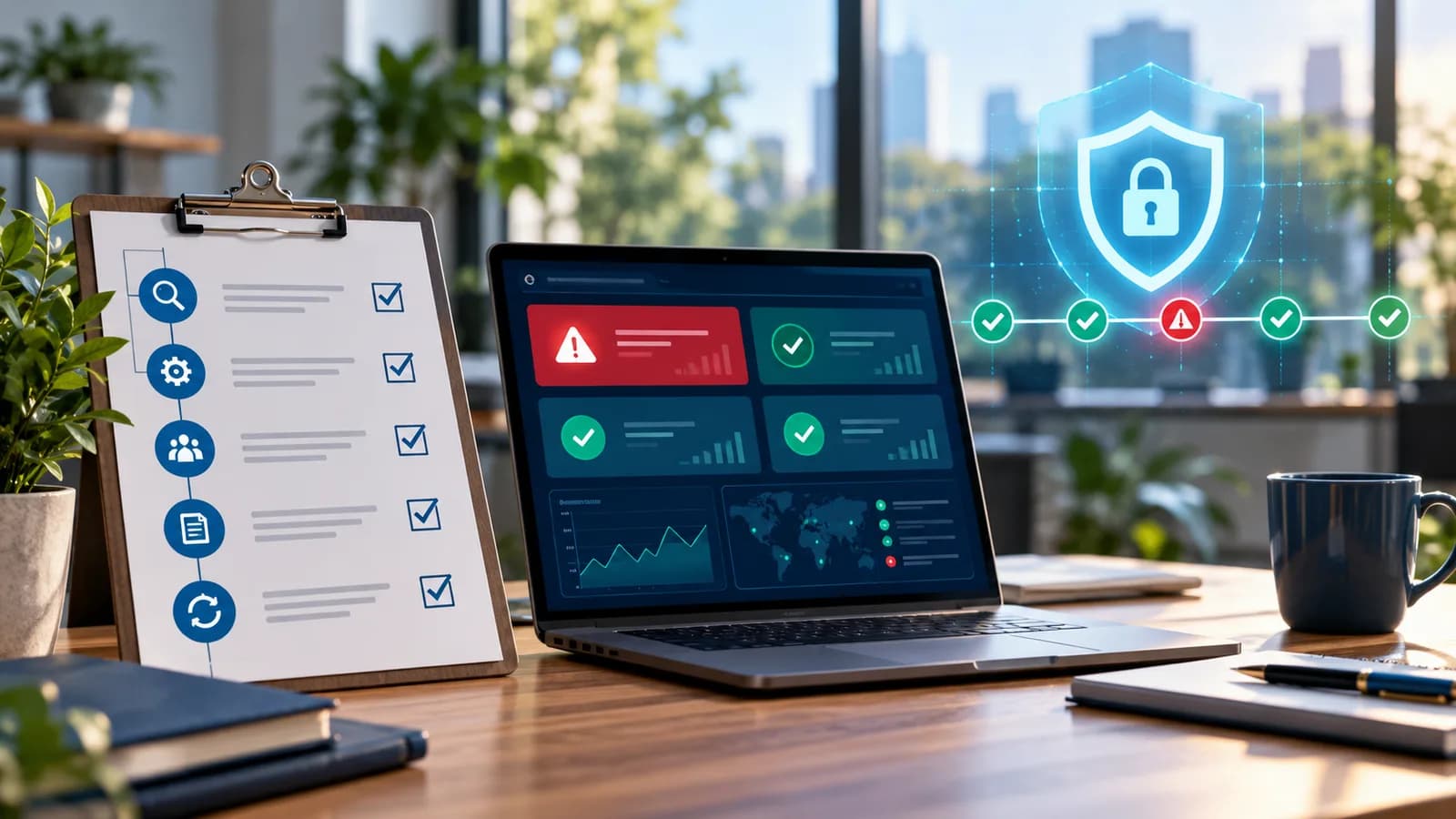
A small business incident response plan is a short document, written before anything goes wrong, that says who is in charge during a cyber incident, who to call, what to do in the first hour, how to contain the damage without destroying evidence, who must be told (including regulators and customers), and how to get back to normal. For a 5 to 50 person business it can fit on a few pages. What matters is that it exists, that people know where it is, and that a copy is available when your email and laptops are not.
This guide walks through each part of the plan and ends with a fill-in template you can copy into a document today. It draws on NIST SP 800-61 Revision 3, finalised in April 2025, the NCSC's Small Business Guide: Response and Recovery, CISA's Cyber Guidance for Small Businesses and the ICO's personal data breach guidance.
What counts as an incident, and why plan now
An incident is anything that threatens the confidentiality, integrity or availability of your systems or data. For a small business the common ones are:
- A compromised email account, often discovered when customers receive odd messages or a payment is diverted.
- Ransomware or other malware that encrypts or locks files.
- A hacked website: defaced pages, injected spam, a malicious redirect, or a compromised plugin or admin account.
- A lost or stolen laptop or phone holding business data.
- Data sent to the wrong person, or a misconfigured shared folder exposing files publicly.
- An outage at a key provider (hosting, payments, cloud accounting) that stops you trading.
NIST's Revision 3 replaced the 2012 Revision 2 and reframes incident response as part of everyday cyber risk management, organised around the six functions of the NIST Cybersecurity Framework 2.0: Govern, Identify, Protect, Detect, Respond and Recover. The practical lesson for a small business is that most of a good response happens before the incident: knowing what systems you have, having backups that work, and deciding in advance who makes the calls. Decisions made calmly on a Tuesday afternoon are better than decisions made at 2am with the website down.
Roles: who does what
Small teams cannot staff a dedicated security team, but they still need clear roles. One person can hold more than one, but each role needs a named owner and a deputy.
| Role | Responsibilities | Typical holder in a small business |
|---|---|---|
| Incident lead | Declares the incident, makes decisions, approves spending and shutdowns, keeps the timeline. | Owner, managing director or operations manager |
| Technical lead | Investigates and contains: resets accounts, isolates devices, works with hosting and IT providers. | Internal IT person or external IT/web provider |
| Communications lead | Drafts and sends messages to staff, customers, suppliers and, if needed, the press. | Owner or marketing/office manager |
| Data protection lead | Assesses whether personal data is involved and whether regulators or individuals must be told; keeps the breach record. | Data protection officer if you have one, otherwise owner or office manager |
| Scribe | Logs every action, decision and time. Often combined with another role. | Anyone organised and available |
Write down who has authority to take the website offline, disconnect the office network, contact the bank, or call in a paid incident response firm. In the middle of an incident nobody should be waiting for permission.
The contact list (keep a copy offline)
During ransomware or an email compromise you may not be able to reach your files or inbox. Keep the contact list printed in the office, in the incident lead's home, and somewhere accessible from a personal phone.
Include at least:
- All incident team members and deputies, with personal mobile numbers.
- Your IT provider and web developer or maintenance provider, including out-of-hours numbers.
- Hosting provider, domain registrar, email provider (Microsoft 365, Google Workspace), payment provider and e-commerce platform support routes, plus your account IDs.
- Bank fraud line.
- Cyber insurer's incident hotline and policy number, if you have cover. Many policies expect you to call them first and may supply an incident response firm.
- Solicitor or legal adviser.
- Data protection regulator: the ICO in the UK, your national data protection authority in the EU.
- Law enforcement: the FBI's IC3 in the US; Report Fraud (0300 123 2040) in England, Wales and Northern Ireland, which replaced Action Fraud in December 2025; Police Scotland on 101; your national police or cybercrime unit in the EU.
- Key customers and suppliers who would need to hear from you directly.
The first-hour checklist
When someone suspects an incident, the first hour sets the tone. Keep the steps short enough to follow under pressure.
- 1Report it to the incident lead immediately. Make it clear that staff will never be blamed for reporting something quickly, even a false alarm.
- 2Start the log. Write down the time, who noticed what, and every action taken from now on.
- 3Do not switch off affected computers unless the technical lead says so. Shutting down can destroy evidence held in memory. Instead, disconnect them from the network: unplug the cable and turn off Wi-Fi.
- 4Do not pay, reply to, or negotiate with an attacker before the incident lead, insurer and advisers are involved.
- 5Use a clean channel. If email may be compromised, coordinate by phone or a separate messaging group set up in advance.
- 6Call the technical lead and IT provider, and the insurer if you have cyber cover.
- 7Identify what is affected. Which accounts, devices, websites or data? Is it still happening?
- 8If money has been sent fraudulently, call the bank's fraud line now. Recovery chances drop quickly.
- 9Check your backups are intact and disconnected from the affected systems so they are not encrypted or deleted too.
- 10Decide whether to declare an incident and, if personal data may be involved, start the breach-notification clock in your log: note the time you became aware.
Containment, evidence and recovery
Containment
The aim is to stop the damage spreading without destroying what you will need later. Typical actions:
- Accounts: reset passwords for affected and privileged accounts, sign out all active sessions, check and re-enrol MFA methods, remove unknown recovery emails and phone numbers, and delete suspicious mail forwarding or inbox rules.
- Devices: isolate infected machines from the network; do not reconnect them until cleaned or rebuilt.
- Website: put the site in maintenance mode or take it offline, change hosting, database, FTP/SFTP and admin passwords, and revoke API keys and tokens the site uses.
- Third parties: revoke access for integrations or contractors that may be involved.
Evidence preservation
Even if you never involve the police, evidence helps your IT provider work out how the attacker got in, and your insurer may require it.
- Keep suspicious emails with full headers; do not delete them.
- Export sign-in and audit logs from your email and cloud admin consoles before they roll over. Retention periods vary by provider and plan.
- Preserve web server access logs and a copy of the compromised website files and database before cleaning.
- Photograph or screenshot ransom notes, error messages and suspicious payment records.
- Record serial numbers and the state of any affected devices; set them aside rather than wiping them if a forensic examination may be needed.
Recovery
- Rebuild or clean affected devices from known-good images; do not trust a machine that held malware just because antivirus is quiet.
- Restore data from backups taken before the compromise, and scan restored files.
- Patch the weakness that let the attacker in before going back online: an outdated plugin, an exposed admin panel, a reused password, a missing MFA setting.
- Monitor closely for several weeks for signs the attacker is still present.
Restoring is only as good as your backups. If you are not sure yours work, read our website maintenance plan guide, which covers backup frequency, off-site copies and test restores, and the broader website maintenance guide for business owners.
Communication and breach notification
Internal and external messages
Tell staff what has happened, what they should and should not do (for example, "do not use shared drives until told otherwise"), and who to send questions to. Keep external statements factual: what happened, what data may be affected, what you are doing, what customers should do, and how to contact you. Avoid speculating about causes or promising things you cannot yet confirm. Prepare short templates in advance for a customer notice, a supplier notice and a holding statement.
GDPR and UK GDPR
If personal data has been lost, stolen, altered, made unavailable or accessed without authorisation, it is a personal data breach. Under GDPR and UK GDPR:
- A controller must report a notifiable breach to the supervisory authority (the ICO in the UK, the relevant national authority in the EU) without undue delay and, where feasible, not later than 72 hours after becoming aware of it. You do not need to report if the breach is unlikely to result in a risk to people's rights and freedoms, but you must be able to justify that decision.
- If the breach is likely to result in a high risk to individuals, you must also tell the affected people without undue delay.
- You must record every personal data breach, whether reported or not, including the facts, effects and remedial action.
- If you are a processor handling data for a client, you must notify that client (the controller) without undue delay.
The ICO notes that a report should cover the nature of the breach, the categories and approximate numbers of people and records affected, the likely consequences, and the measures taken or proposed. If you do not have every detail within 72 hours, you can report what you know and add more later.
United States
All 50 states, the District of Columbia, Guam, Puerto Rico and the US Virgin Islands have breach-notification laws, according to the National Conference of State Legislatures. They differ on what counts as personal information, deadlines, whether the state attorney general must be told, and exemptions such as encrypted data. The law that applies usually depends on where the affected individuals live, not where your business is based. Sector rules (for example health or financial data) can add further duties. Our guide to US state privacy laws for small business websites covers the related privacy obligations.
*This is general information, not legal advice. Notification duties depend on the data, the people affected and where they live; take advice from a qualified lawyer as soon as personal data may be involved.*
Lessons learned and keeping the plan alive
Within two weeks of closing an incident, hold a short, blame-free review: what happened, how it was detected, what worked, what slowed you down, and what will change. Assign each action an owner and a date. NIST Revision 3 places these improvements across the whole risk-management cycle rather than leaving them at the end, so feed them into your policies, training and supplier choices.
Keep the plan current:
- Review it at least once a year and whenever key staff, providers or systems change.
- Run a tabletop exercise: walk through a scenario such as "the finance mailbox has been compromised" around a table. The NCSC's free Exercise in a Box provides ready-made scenarios for small organisations.
- Test a backup restore on a schedule, not just when you need it.
- Confirm the offline contact list still has the right numbers.
Fill-in incident response plan template
Copy this into a document, fill in the brackets, print it, and store copies offline.
`
INCIDENT RESPONSE PLAN - [Business name]
Version [x] | Last reviewed [date] | Next review [date]
Plan owner: [name]
- 1ROLES
Incident lead: [name] [mobile] Deputy: [name] [mobile]
Technical lead: [name/company] [mobile] [out-of-hours]
Communications lead: [name] [mobile]
Data protection lead: [name] [mobile]
Scribe: [name]
Authority to take systems offline / call in paid help / spend up to [amount]: [names]
- 1CONTACTS
IT provider: [company] [phone] [support portal] [contract ref]
Web/maintenance provider:[company] [phone]
Hosting: [provider] [account ID] [support route]
Domain registrar: [provider] [account ID]
Email provider: [Microsoft 365 / Google Workspace] [admin URL] [tenant ID]
Payments / e-commerce: [provider] [account ID] [support route]
Bank fraud line: [number]
Cyber insurer: [insurer] [hotline] [policy no.]
Legal adviser: [name] [phone]
Regulator: [ICO / national DPA] [reporting URL]
Police / fraud report: [IC3 / Report Fraud / national police] [URL/phone]
Key customers/suppliers: [names] [contacts]
- 1CRITICAL SYSTEMS AND DATA
System | Owner | Holds personal data? (Y/N) | Backup location | Last restore test
[ ] | [ ] | [ ] | [ ] | [ ]
- 1FIRST HOUR
[ ] Report to incident lead [ ] Start log (time aware: ____)
[ ] Disconnect, do not power off [ ] Clean comms channel in use
[ ] Technical lead + insurer called
[ ] Scope: accounts / devices / website / data affected
[ ] Bank called if money moved [ ] Backups confirmed safe and isolated
- 1CONTAINMENT AND EVIDENCE
[ ] Passwords reset, sessions revoked, MFA checked, forwarding rules reviewed
[ ] Devices isolated [ ] Website offline / maintenance mode
[ ] API keys and third-party access revoked
[ ] Emails with headers kept [ ] Logs exported (email, cloud, web server)
[ ] Screenshots and device details recorded
- 1NOTIFICATION DECISION
Personal data involved? [Y/N] Time aware: [ ] 72-hour deadline: [ ]
Risk to individuals: [none / risk / high risk] Reasoning: [ ]
Regulator notified: [date/ref] Individuals notified: [date/method]
US states affected: [list] Legal advice from: [name]
Breach recorded in register: [Y/N]
- 1COMMUNICATION
Staff notice sent: [time] Customer notice: [time] Supplier notice: [time]
Approved spokesperson: [name]
- 1RECOVERY
[ ] Root cause fixed [ ] Systems rebuilt/cleaned [ ] Data restored and checked
[ ] Enhanced monitoring until [date]
- 1LESSONS LEARNED
Review date: [ ] Attendees: [ ]
What worked / what did not / actions (owner, due date):
`
Related: invoice fraud and business email compromise, rolling out passkeys and MFA, securing a VPS.
If you would like help preparing for incidents on the web side, such as tested backups, hardened hosting and admin access, update schedules and a provider who answers when something breaks, see our website maintenance service or get in touch to talk through your setup.
Related posts

Shared vs VPS vs Managed Hosting for a Small Business Website or Store
A plain comparison of shared hosting, VPS and managed hosting or PaaS for small business sites and online stores: responsibilities, isolation and performance, the signs a WooCommerce store or Next.js app has outgrown shared hosting, GDPR data residency, and a decision table.
Read article →

How to Secure a New Ubuntu VPS: A Setup Checklist for Business Websites
A step-by-step hardening checklist for a fresh Ubuntu 26.04 or 24.04 LTS VPS that will host a business website, with copy-paste commands for SSH keys, ufw, unattended-upgrades, fail2ban, time sync, swap, monitoring and backups.
Read article →

Deploy a Next.js 16 App on a VPS with Nginx, systemd or PM2, and HTTPS
A working guide to running Next.js 16 on your own VPS: Node.js LTS, build-time versus runtime environment variables, a systemd unit and PM2 alternative, an Nginx server block with certbot HTTPS, the standalone output option, logs, and a two-port release script.
Read article →
Author
Anushka Dahanayake
Anushka Dahanayake builds SEO-focused websites, e-commerce platforms, dashboards, and automation systems for businesses worldwide.