
Abandoned Cart Email Implementation: Events and Suppression
Design and test the state changes behind cart recovery so shoppers receive relevant messages and completed purchases stop reminders.
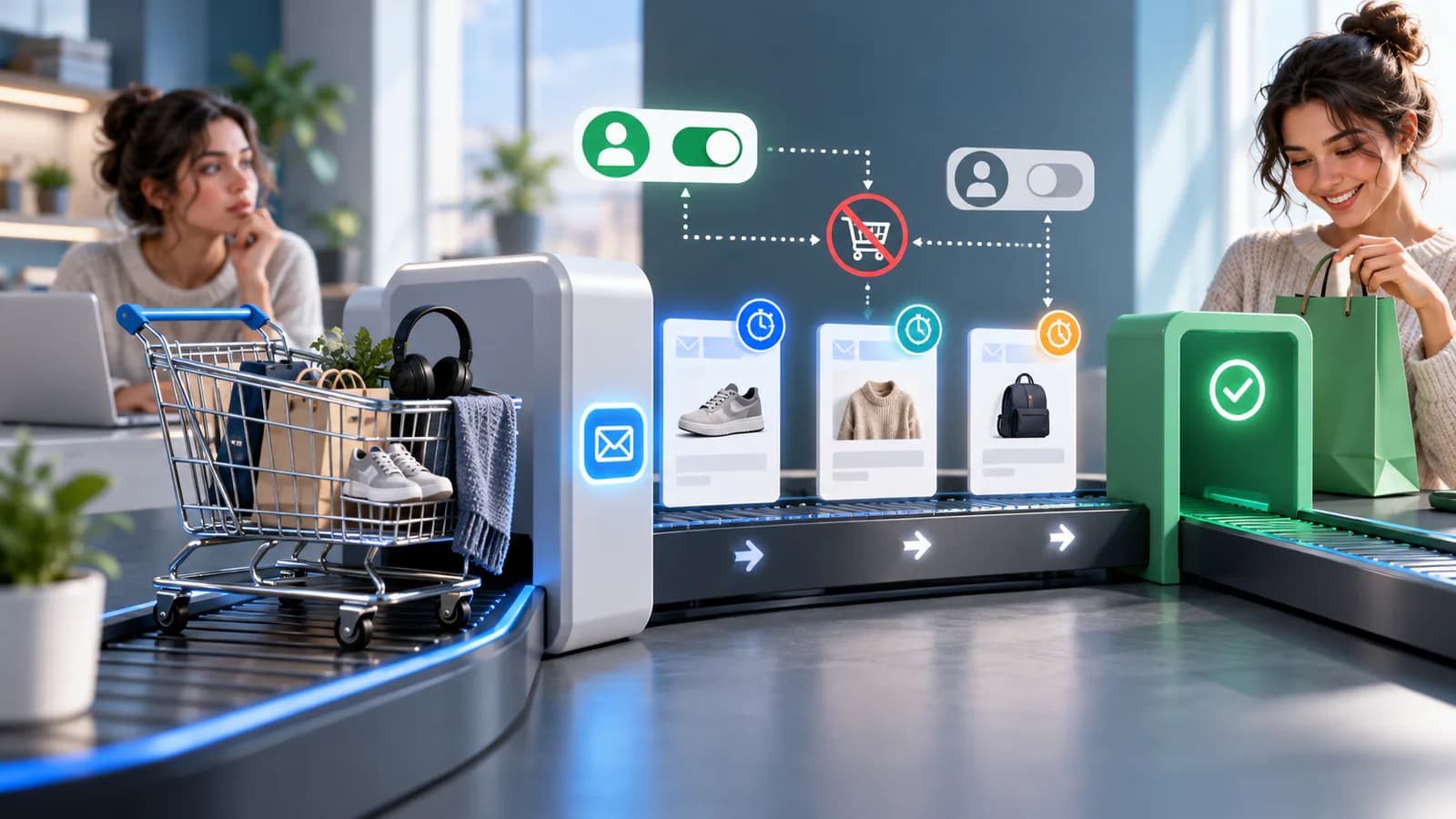
A cart-recovery email should help a shopper resume a decision, not assume that every unfinished basket is a lost sale. Some people are comparing shipping costs, checking compatibility or saving an idea for later.
Define What Counts As Recoverable
Distinguish an anonymous cart from an identified checkout with a usable contact address. Establish eligibility and marketing permissions for the actual platform and market. For EU and UK customers, treat cart reminders as marketing unless advised otherwise: they need consent or a valid soft opt-in, which requires a simple opt-out offered when the address was collected and in every message; US sends must still carry a CAN-SPAM-compliant unsubscribe and sender address. Do not begin a sequence merely because an email address appeared somewhere in a session.
Set an inactivity delay that gives normal shopping time. Recheck purchase, suppression and cart state before every message. A completed order should end the relevant recovery sequence even if the customer purchased through another device that your systems can reliably associate.
Remove The Likely Obstacle
The first message can provide a clear return path and access to shipping or product help. Include accurate product context, but handle changed prices and unavailable variants honestly. The return link should restore the appropriate basket without exposing another customer's details.
Do not lead automatically with a discount. If shoppers leave because delivery costs are surprising, a coupon may subsidize an unresolved checkout problem. Test the message and the underlying experience separately.
Measure Incremental Value
Compare recovery orders with a suitable holdout where volume permits, and account for discount cost and returns. Some customers would have returned without the email. Report that uncertainty rather than treating all subsequent purchases as caused by automation.
Define The Event That Starts The Timer
Choose the actual event your implementation can observe: cart creation, identified checkout or a platform-defined abandonment event. These are not interchangeable. A visitor adding an item without providing contact information cannot receive the same workflow as an identified eligible checkout.
Record the checkout identifier, last qualifying activity, contact reference and relevant permission state. Keep the event time separate from the processing time. A delayed integration should not make a checkout appear newly abandoned simply because the event arrived late.
On Shopify, the official customer-abandons-checkout trigger documentation describes platform-specific trigger behavior and marketing eligibility defaults. Review the installed workflow and current account configuration rather than assuming a generic cart event will start the same automation.
Work Through A Purchase During The Delay
Consider an illustrative store that waits four hours after a qualifying inactive checkout before considering a recovery message. The customer starts checkout at 10 a.m., leaves and returns at 1:50 p.m. They complete payment at 1:55 p.m., five minutes before the queued recovery job runs.
At 2 p.m., the sender checks the current checkout and purchase state. The completed order suppresses the recovery message. Record the suppression reason so the merchant can distinguish a correct decision from a failed email. The fact that the checkout qualified four hours earlier is no longer sufficient to justify sending.
Now suppose the purchase event reaches the automation a few minutes late. The system needs a defined way to consult authoritative state or reconcile recent orders before sending, within the limits of the chosen platform. Document that dependency rather than claiming the event queue can never be late.
Finally, simulate the customer starting a second checkout for a different purchase. Decide whether the original checkout is superseded and whether a contact-level frequency cap applies. Avoid treating each checkout identifier as permission to send an independent sequence with no regard for the person's recent purchases or other messages.
Model States Instead Of A Single Sent Flag
Use states that explain the lifecycle: observed, waiting, eligible for review, suppressed, sent, recovered and expired, where they fit the implementation. A failed send is different from a deliberately suppressed message, and a recovered order is different from a clicked link.
Store why a message was suppressed: purchase completed, preference changed, no deliverable address, cart unavailable, frequency limit or manual pause. These reasons make troubleshooting possible. Without them, merchants may reactivate automation that is correctly protecting customers from irrelevant messages.
Separate one checkout's lifecycle from the contact's overall eligibility. A person can have several carts, but a change in marketing preference may affect all of them. Check the relevant current preference at send time instead of relying only on the snapshot captured when the first event arrived.
Make Repeated Events Harmless
Event delivery, scheduled jobs and manual retries can repeat. Give each intended message a stable identity based on the checkout, sequence step and approved message version or equivalent business key. Check whether that message has already been sent before creating another provider request.
Handle ambiguous outcomes. If the email provider accepted a message but the local response was lost, a blind retry may send a duplicate. Use the provider's available identifiers and supported retry behavior, and retain enough operational evidence to investigate uncertain delivery.
Do not restart the whole sequence when correcting one failure. A temporary error in the second step should not cause the first message to be sent again. Recovery should target the incomplete operation while rechecking whether any further message is still appropriate.
Keep Recovery Links And Product State Accurate
Test that the recovery link returns the shopper to the intended basket or checkout. It should not expose another customer's personal details or create access to account data without the required authentication. Treat link expiry and invalid state as expected conditions with a usable fallback.
Prices, promotions and availability can change during the delay. Decide what information is generated at send time and what is verified when the link opens. Avoid promising an old price unless the business deliberately honors it. Clearly explain unavailable variants instead of silently substituting another item.
On Shopify, the abandoned-checkout recovery guide describes circumstances affecting recovery emails and checkout handling. Use the current rules for the selected channel and automation, including documented exclusions, when writing acceptance tests.
Coordinate Suppression Across Workflows
Identify other messages the shopper may receive: post-purchase receipts, browse reminders, promotions and support replies. Establish frequency and priority rules so separate apps do not each behave correctly in isolation while overwhelming the same person.
Use completed purchase as an important state change, but define the matching scope carefully. A purchase of the same basket clearly changes recovery eligibility; a separate purchase may require a contact-level policy. Avoid matching unrelated people through weak identifiers simply to improve suppression counts.
Provide a manual pause for sensitive support situations. If a shopper reports a payment problem, recovery messages should not imply that they merely forgot to finish. Route the issue to support and retain the technical evidence needed to investigate the checkout failure.
Build An Acceptance Matrix
Test a normal eligible checkout, purchase during the delay, unsubscribe during the delay, duplicate event, unavailable product, changed price, expired link and provider outage. Include two checkouts from the same contact and a repeated manual retry.
For each case, inspect the stored state, suppression reason, actual inbox and resulting checkout. A successful workflow run is not proof that the right person received the right message or that the link restores a usable basket.
The WooCommerce cart webhook guide is relevant for custom event implementation. The checkout optimization guide helps investigate the original friction that recovery automation cannot fix by itself.
Monitor Recovery And Operational Quality
Report eligible checkouts, suppressed messages, failed sends, link returns and completed purchases separately. Review the reasons for suppression before deciding that low send volume indicates a fault. A high purchase-suppression count may mean customers are returning naturally before the message is needed.
Measure net recovered value with discounts and returns where available, and use an appropriate holdout when volume supports it. Avoid treating every order after an email as incremental revenue. Operationally, track duplicate sends and messages sent after purchase as defects requiring investigation.
Checkout Optimization is relevant when abandonment stems from payment, form or checkout-state problems. Confirm recovery-email implementation separately. The final workflow should be explainable from event to send or suppression, including what happens when systems disagree temporarily.
Frequently Asked Questions
Should the timer restart whenever the cart changes?
Define the rule for the actual event model. Recent meaningful activity may justify delaying recovery, while repeated background events should not keep the record active forever. Use clear timestamps and test updates that arrive late or out of order.
Why is a recovery email not sent even though checkout was abandoned?
The checkout may no longer be eligible because of a purchase, preference, channel exclusion, missing address or another suppression rule. Inspect the recorded reason and the platform's current documentation before changing the workflow to send more broadly.
What is the most important implementation safeguard?
Recheck current eligibility immediately before sending and make duplicate processing harmless. Those controls prevent a large class of irrelevant and repeated messages that cannot be solved by better email copy alone.
Related posts

Email Marketing Automation Map for Service Businesses
A practical guide to mapping email automation for service businesses.
Read article →
Customer Data Cleanup Guide Before CRM Migration
A practical customer data cleanup guide before moving into a CRM or automation system.
Read article →

Order Management Automation Guide
A practical order management automation guide for growing online stores.
Read article →
Author
Anushka Dahanayake
Anushka Dahanayake builds SEO-focused websites, e-commerce platforms, dashboards, and automation systems for businesses worldwide.