
WooCommerce Cart Abandonment: How to Track and Recover Lost Carts with Custom Webhook Automations
Build a lean abandoned-cart pipeline with WooCommerce hooks, Action Scheduler and webhooks, with the consent and privacy rules recovery emails must follow.
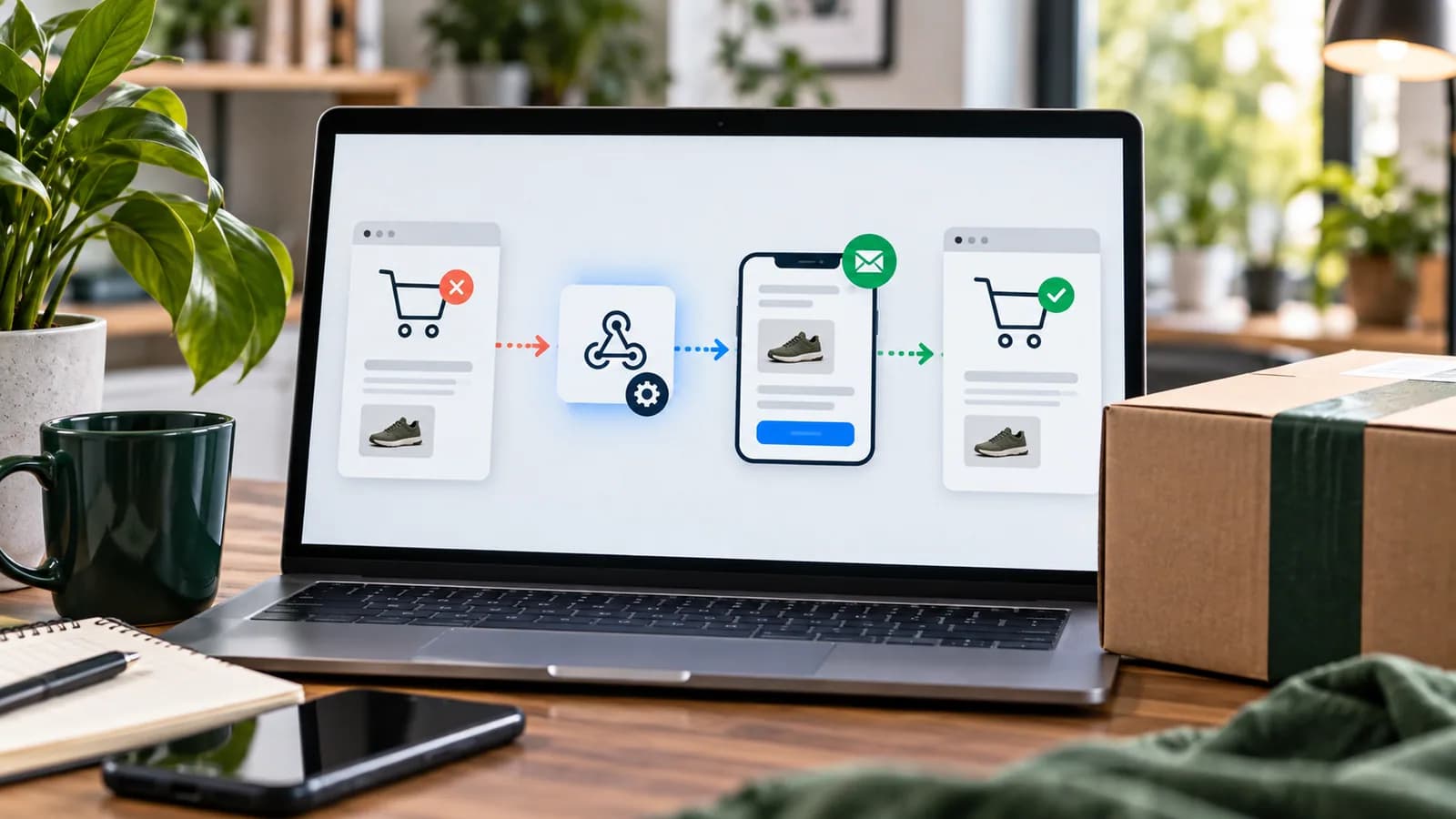
For WooCommerce store owners, checkout cart abandonment is one of the biggest sources of lost revenue. Third-party plugins and email marketing services (like Klaviyo or Mailchimp) offer cart recovery integrations, usually priced by contacts or email volume.
If you already use an internal CRM, ticket tracker, or custom database, you can build a lightweight, secure cart abandonment tracking pipeline using WooCommerce's native hooks and webhook integrations.
This guide details how to detect when a shopping session is abandoned, capture the user's cart products, and safely trigger recovery sequences without adding plugin overhead.
1. How the Cart Abandonment Pipeline Works
To track abandoned carts, your server needs to perform three tasks:
- 1Listen for Activity: Monitor when a guest or logged-in user enters their email on the checkout form.
- 2Save Cart State: Write the user's email, name, and cart products (items, quantities, and pricing) into a temporary database table or transient cache.
- 3Set a Timeout Trigger: Schedule a task (e.g., 30 minutes after checkout inactivity) to verify if the user completed the purchase. If no completed order exists for that email, trigger the recovery webhook.
2. Capturing Checkout Emails via AJAX
To track cart abandonment, you capture the visitor's email address when they finish typing it into the checkout email field, rather than waiting for them to submit the form. Tell the visitor this is happening: a short notice beside the field (and, where required, an opt-in checkbox) is part of the design, not an extra.
The script below targets the classic (shortcode) checkout, which uses #billing_email. New WooCommerce stores use the block-based Checkout by default, which has different markup and no wc_checkout_params; on block checkout, hook into the Store API instead (for example the woocommerce_store_api_checkout_update_customer_from_request action) or use an extension that already supports blocks.
`javascript
jQuery(function ($) {
// Classic checkout only
$(document.body).on('blur', '#billing_email', function () {
var email = $(this).val();
if (email && email.indexOf('@') > 0) {
$.post(wc_checkout_params.ajax_url, {
action: 'track_abandoned_email',
nonce: abandonedCart.nonce, // printed with wp_localize_script()
email: email,
billing_first_name: $('#billing_first_name').val()
});
}
});
});
`
3. Saving the Cart Session in WordPress
In a small helper plugin, register the AJAX action, save the cart, and schedule a single follow-up check with Action Scheduler (bundled with WooCommerce). Scheduling one job per cart avoids scanning the options table, which does not work when transients live in an object cache such as Redis.
`php
add_action( 'wp_ajax_nopriv_track_abandoned_email', 'save_abandoned_cart_session' );
add_action( 'wp_ajax_track_abandoned_email', 'save_abandoned_cart_session' );
function save_abandoned_cart_session() {
// Reject requests that did not come from your checkout page
check_ajax_referer( 'abandoned_cart', 'nonce' );
$email = isset( $_POST['email'] ) ? sanitize_email( wp_unslash( $_POST['email'] ) ) : '';
if ( ! is_email( $email ) || ! WC()->cart || WC()->cart->is_empty() ) {
wp_send_json_error();
}
$first_name = isset( $_POST['billing_first_name'] )
? sanitize_text_field( wp_unslash( $_POST['billing_first_name'] ) )
: '';
$cart_data = array();
foreach ( WC()->cart->get_cart() as $cart_item ) {
$product = $cart_item['data'];
$cart_data[] = array(
'id' => $cart_item['product_id'],
'name' => $product->get_name(),
'price' => $product->get_price(),
'quantity' => $cart_item['quantity'],
);
}
$key = 'abandoned_cart_' . md5( strtolower( $email ) );
set_transient( $key, array(
'email' => $email,
'first_name' => $first_name,
'cart' => $cart_data,
'timestamp' => time(),
), DAY_IN_SECONDS );
// One follow-up check per cart, 30 minutes from the latest activity
as_unschedule_all_actions( 'check_abandoned_cart', array( $key ) );
as_schedule_single_action( time() + 30 * MINUTE_IN_SECONDS, 'check_abandoned_cart', array( $key ) );
wp_send_json_success();
}
`
4. Checking for a Completed Order Before Sending
Rather than relying on the thank-you page (which does not load for every successful payment), the scheduled job checks for a real order from that email address before it sends anything:
`php
add_action( 'check_abandoned_cart', 'process_abandoned_cart', 10, 1 );
function process_abandoned_cart( $key ) {
$session = get_transient( $key );
if ( ! $session ) {
return;
}
// Did this customer place an order after capturing the cart?
$orders = wc_get_orders( array(
'billing_email' => $session['email'],
'date_created' => '>=' . $session['timestamp'],
'limit' => 1,
'return' => 'ids',
) );
delete_transient( $key );
if ( ! empty( $orders ) ) {
return; // converted, do not send
}
// Send the minimum needed to your CRM or email platform
wp_remote_post( 'https://yourcrm-webhook.example.com/receiver', array(
'headers' => array(
'Content-Type' => 'application/json',
'X-Webhook-Token' => ABANDONED_CART_WEBHOOK_SECRET,
),
'body' => wp_json_encode( array(
'event' => 'cart_abandoned',
'email' => $session['email'],
'first_name' => $session['first_name'],
'cart' => $session['cart'],
) ),
'timeout' => 10,
) );
}
`
The receiving system must still check unsubscribe and consent status before it sends a message.
By capturing the checkout email, saving the cart, and scheduling a single check per cart with Action Scheduler, you get a small, testable recovery pipeline that feeds your existing CRM or email platform.
Privacy and Consent Rules
Cart recovery touches personal data. Do not capture more information than needed, do not send sensitive details to tools that do not need them, and do not hide consent requirements. Email follow-up should respect unsubscribe rules, marketing permissions and regional privacy obligations.
In the EU and UK, abandoned-cart emails are generally treated as direct marketing. Under UK PECR, the "soft opt-in" can cover them only if the shopper was told at the point of collection that you may email them and was given a simple way to refuse; many EU regulators expect explicit consent instead, so an unticked opt-in checkbox next to the email field is the safer default. Capturing an email before the form is submitted also needs a clear notice and a lawful basis under the GDPR or UK GDPR. In the US, recovery emails are commercial messages under CAN-SPAM, so include your postal address and a working unsubscribe. This is general information, not legal advice.
For many stores, the safest abandoned-cart payload contains email, first name, cart summary, product IDs, cart value, source, timestamp and consent status. Avoid sending full addresses, payment attempts or private notes into marketing tools.
Recovery Sequence Design
A good cart recovery workflow is helpful, not desperate. The first message can remind the buyer what was left behind. The second can answer common objections such as shipping, returns or sizing. The third may include a time-limited incentive only if margin allows it.
Segment sequences by cart value, product type, source and customer history. A returning customer with one product in the cart should not receive the same message as a new buyer with a high-value cart and failed payment.
QA Checklist
- Guest checkout email is captured only after valid input.
- Logged-in customer carts map to the correct account.
- Completed orders remove recovery tasks.
- Duplicate webhooks are prevented.
- Unsubscribed users are excluded.
- Product links and prices are accurate.
- Coupon rules are margin-safe.
- Failed payment flows are separate from abandoned carts.
- CRM payloads avoid sensitive data.
- Analytics records recovered revenue separately.
100-Point Recovery System Score
| Area | Points |
|---|---|
| Consent and privacy controls | 15 |
| Accurate cart capture | 15 |
| Conversion detection | 15 |
| CRM/webhook reliability | 10 |
| Segmented recovery logic | 10 |
| Duplicate prevention | 10 |
| Checkout and payment separation | 10 |
| Reporting and attribution | 10 |
| Support ownership | 5 |
Reporting and Attribution
Recovered revenue should be tracked separately from ordinary email revenue. Store the abandoned cart ID, recovery message ID, coupon code, recovered order ID and recovery timestamp. Without that evidence, the business may over-credit the workflow or send too many messages.
Compare abandoned cart rate by traffic source, device, product type, shipping region and payment method. If abandonment is highest after shipping appears, the problem may be delivery cost. If abandonment is highest after payment selection, gateway trust or failed payment handling may be the issue. Recovery emails help, but the best fix is often improving checkout itself.
Build Versus Buy
A custom webhook system makes sense when the store already has a CRM, custom checkout logic or internal reporting requirements. A mature email platform may be safer when the business needs advanced consent handling, templates, unsubscribe management and deliverability tools.
Use custom development for the data pipeline and use a dedicated email platform for actual sending when deliverability matters. That hybrid model keeps the store flexible without forcing WordPress to behave like a full marketing automation platform.
Implementation Roadmap
Start with measurement before sending any messages. Track how many carts reach checkout, how many enter an email, how many complete payment and how many fail payment. This baseline tells you whether cart recovery is the right priority or whether checkout friction must be fixed first.
Next, build the capture layer in staging and test it with guest users, logged-in users and returning customers. Confirm that the cart payload updates when products are added, quantities change or coupons are applied. Then connect the webhook receiver and verify delivery, retry behavior and duplicate handling.
Only after the data is reliable should the store activate recovery messages. Start with one simple reminder and review support questions, unsubscribe rate, recovered orders and margin. Add extra messages only when the first workflow proves useful.
Final Recommendation
Abandoned cart automation should recover genuine buyer intent without creating privacy risk or annoying customers. Capture clean data, separate payment failures from normal abandonment, respect consent, measure recovered contribution and keep checkout improvement as the larger goal.
30-Day Optimization Plan
In week one, launch tracking only. Confirm capture accuracy, checkout completion detection, consent handling and CRM delivery. Do not start discounting before the data is trusted.
In week two, activate one recovery message for eligible carts. Keep it helpful and simple: remind the buyer, link directly back to the cart where possible and answer one common concern. Watch complaints and unsubscribes closely.
In week three, segment by cart value and product type. High-value carts may need human sales follow-up, while low-value carts may only need one automated reminder. Failed payments should receive a different message from ordinary inactivity.
In week four, review recovered revenue, gross margin, support tickets, coupon usage and checkout friction. If many carts are recovered only after discounts, the store may have a pricing, shipping or trust problem. If few carts recover, improve the checkout experience before adding more emails.
Common Mistakes
Avoid sending recovery emails to customers who already purchased, collecting checkout data without consent review, using one generic discount for every cart, ignoring unsubscribes, and measuring only recovered revenue instead of recovered profit. Also avoid sending product data to too many third-party systems. Every extra integration increases privacy, support and debugging responsibility.
The best recovery system is small, accurate and respectful. It should help a buyer return to a real cart while giving the business clear evidence about why carts are being abandoned.
Frequently Asked Questions
Is cart abandonment tracking allowed?
It depends on jurisdiction, consent, privacy notice and how the data is used. Collect only necessary data and honor opt-out requirements.
Should recovery emails include discounts?
Not always. Start with helpful reminders and objection handling. Use discounts only when margin, brand positioning and customer behavior support them.
How soon should the first recovery email send?
Many stores test 30 minutes to a few hours after inactivity. The right timing depends on product complexity, price and buyer behavior.
Can abandoned carts be recovered without plugins?
Yes, but custom implementation must handle privacy, reliability, duplicate prevention, unsubscribe logic and reporting.
For implementation support, connect this workflow with WooCommerce Store Setup, Checkout Optimization, and Conversion Rate Optimization (CRO).
Related posts

Shared vs VPS vs Managed Hosting for a Small Business Website or Store
A plain comparison of shared hosting, VPS and managed hosting or PaaS for small business sites and online stores: responsibilities, isolation and performance, the signs a WooCommerce store or Next.js app has outgrown shared hosting, GDPR data residency, and a decision table.
Read article →

Business Email Compromise and Invoice Fraud: How Small Businesses Stop It
A defensive guide to business email compromise and invoice fraud for small businesses: how the scams work at a high level, the red flags, the payment and email controls that stop them, and what to do in the first hours after a fraudulent transfer in the US, UK and EU.
Read article →

A Practical Incident Response Plan for Small Businesses (with Template)
How a 5 to 50 person business can plan for a cyber incident: who does what, the contact list to keep offline, a first-hour checklist, containment, evidence preservation, communication, recovery, breach-notification duties under GDPR, UK GDPR and US state laws, and a fill-in template.
Read article →
Author
Anushka Dahanayake
Anushka Dahanayake builds SEO-focused websites, e-commerce platforms, dashboards, and automation systems for businesses worldwide.