
MCP Security for Business: Tokens, Permissions and Audit Controls
A practical MCP security guide for businesses connecting AI assistants to tools, data, APIs and internal systems without losing control of permissions or auditability.
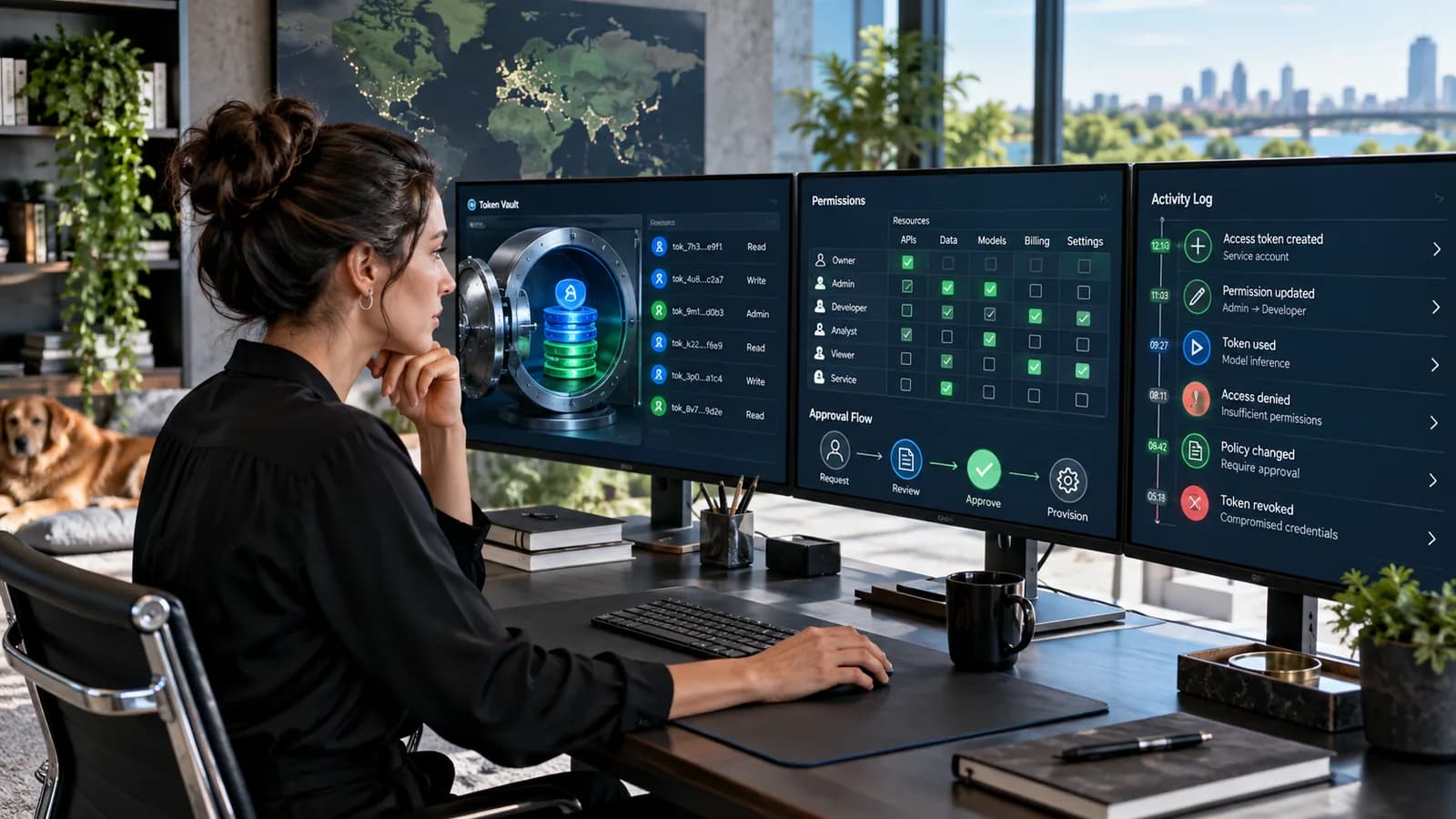
Model Context Protocol, usually shortened to MCP, is becoming an important bridge between AI assistants and business systems. It can let an AI client discover tools, access resources, call APIs, read files, query databases, update tasks, retrieve documents and interact with services through a shared protocol.
That is powerful. It is also exactly why MCP security matters.
The business risk is not only that an AI assistant gives a wrong answer. The bigger risk is that an assistant receives too much access, uses a tool in the wrong context, exposes sensitive information, runs an action without enough approval, or leaves no clear audit trail afterward.
MCP should not be treated like a harmless plugin button. If it connects to business data or production systems, it belongs inside the same governance conversation as APIs, OAuth apps, internal tools, admin panels and automation workflows.
This guide is written for founders, operators, developers, technical leads, agencies and business owners evaluating MCP servers, MCP clients, AI integrations, internal automation and custom AI tooling. It focuses on practical controls: tokens, permissions, user consent, scope, audit logs, approvals, data boundaries and operational monitoring.
Use this together with the AI-Assisted Software Development Governance Checklist, Modern Business Website Technology Guide, Client Portal Development Guide, and API Integration Guide for Business Owners.
Key Takeaways
- MCP security is business access control, not only AI experimentation.
- Treat every MCP server as a capability boundary: what tools, data and actions can it expose?
- Use least privilege, explicit permissions and short-lived credentials wherever possible.
- Do not give AI tools broad production access by default.
- Log tool calls, user approvals, target systems, request metadata and outcomes.
- Separate read-only tools from write, delete, payment, deployment and customer-impacting actions.
- Protect tokens like production credentials.
- Human approval should be required for high-impact actions.
- Review MCP integrations regularly because tool access can expand quietly over time.
What MCP Means for a Business
MCP gives AI applications a standard way to connect with external tools and resources. In business language, it can allow an AI assistant to work with systems instead of only chatting about them.
An MCP-connected assistant may be able to:
- search internal documents
- read project data
- create tasks
- update CRM records
- query analytics
- summarize tickets
- retrieve order status
- inspect code
- access files
- call internal APIs
- trigger workflows
- interact with developer tools
That can improve productivity. A support team could retrieve customer history faster. A developer could inspect repository context. A manager could ask for operational summaries. A sales team could draft follow-ups from CRM notes.
But the same connection can create risk if access is too broad.
An assistant that can read everything may expose private data. An assistant that can write anything may change records incorrectly. An assistant that can trigger actions may send messages, update customers, create invoices or alter production workflows without enough human control.
MCP is useful because it gives AI capabilities. Security is about deciding which capabilities are safe.
The Real Security Question
The central question is:
What is the maximum damage this MCP integration could cause if it is misused?
Answer this before implementation.
Consider:
- Can it read customer data?
- Can it read confidential business files?
- Can it access production systems?
- Can it send external messages?
- Can it create, update or delete records?
- Can it trigger payments?
- Can it deploy code?
- Can it invite users?
- Can it change permissions?
- Can it export data?
- Can it call third-party APIs with cost impact?
If the answer is yes to any high-impact action, the integration needs stronger controls.
MCP should be reviewed like an API integration, not like a browser extension.
MCP Threat Model
A practical MCP threat model should include at least six risk categories.
Excessive access
The server exposes more tools, files or data than the user needs. This is the most common business risk because broad access is convenient during setup.
Token leakage
Credentials are stored insecurely, logged accidentally, copied into prompts, committed to source control or exposed to users who should not have them.
Prompt and tool manipulation
Untrusted content may influence the assistant to call tools in unsafe ways. For example, a document, webpage, email or ticket may contain instructions that attempt to override the user's actual intent.
Unsafe write actions
The assistant can create, update, delete, send, publish, deploy or purchase without clear confirmation and review.
Weak auditability
The business cannot answer who requested an action, which tool ran, what data was accessed, what changed and whether approval happened.
Dependency and server risk
The MCP server itself may be poorly maintained, over-permissioned, vulnerable, unofficial, unreviewed or connected to the wrong environment.
OWASP's GenAI security guidance highlights risks around prompt injection, sensitive information disclosure, supply chain and excessive agency. MCP integrations sit directly in that risk zone because they give AI systems tool access.
Token and Credential Controls
Tokens are keys to business systems. Treat them that way.
Strong token controls include:
- use OAuth where appropriate instead of static shared tokens
- use short-lived access tokens where possible
- rotate refresh tokens where required
- store credentials in a secure secret manager
- do not expose tokens to front-end code
- do not log tokens
- do not paste tokens into AI prompts
- do not share one token across all users
- scope tokens to the minimum required access
- revoke tokens when users leave
- separate development, staging and production credentials
The MCP authorization specification for HTTP transports uses OAuth-based authorization and calls for secure token storage. The current MCP documentation also points to OAuth metadata and protected resource metadata so clients can discover authorization details safely.
OAuth security guidance has continued to harden around exact redirect URI matching, PKCE, sender-constrained tokens where suitable, secure metadata and HTTPS. For business buyers, the practical question is not whether a vendor says OAuth. Ask how tokens are scoped, stored, rotated, revoked and audited.
Avoid shared super tokens
A shared admin token is easy to set up and painful to govern.
Problems:
- every user has the same effective access
- audit logs cannot identify the real actor
- revocation disrupts everyone
- least privilege is impossible
- one leak becomes a full-system leak
Prefer per-user authorization or per-service credentials with narrow scope and clear ownership.
Permissions and Least Privilege
Least privilege means the assistant can only access what it needs to complete the approved job.
Start by separating access into levels:
| Level | Example capability | Risk |
|---|---|---|
| Read public | Search published documentation | Low |
| Read internal | Retrieve internal documents or tickets | Medium |
| Write internal | Create tasks or draft records | Medium |
| Write external | Send emails or update customer-visible records | High |
| Admin | Manage users, permissions, billing or production settings | Very high |
| Destructive | Delete records, revoke access, deploy, refund, cancel | Critical |
Then define which users, roles and contexts can use each level.
Permission design should answer:
- Which tools are available to which users?
- Which resources can each tool access?
- Which actions need confirmation?
- Which actions need second approval?
- Which actions are disabled in production?
- Which outputs may be shown to the AI model?
- Which outputs may be returned to the user?
- Which actions are logged?
Do not rely only on the assistant behaving well. Enforce permissions at the server and API layer.
Tool Design and Action Boundaries
MCP tools should be designed with clear boundaries.
Bad tool design:
- one broad admin tool that can do anything
- one database query tool with unrestricted SQL
- one file tool that can read all directories
- one CRM tool that can read and write every field
- one deployment tool without environment restrictions
Better tool design:
- separate read tools from write tools
- separate draft creation from final sending
- separate staging actions from production actions
- limit file paths and resource types
- require specific identifiers
- validate inputs strictly
- return minimal necessary data
- avoid exposing secrets in outputs
- make destructive actions difficult to call accidentally
For example, a tool named SendInvoiceToCustomer is high risk. A safer workflow might use:
- CreateInvoiceDraft
- ReviewInvoiceDraft
- ApproveInvoiceSend
- SendApprovedInvoice
This gives humans and systems more control points.
Human Approval and Confirmation
Human approval should be required for actions that affect customers, money, permissions, legal commitments, production systems or public content.
Require confirmation for:
- sending external emails
- publishing content
- deleting records
- updating customer data
- changing roles
- issuing refunds
- creating invoices
- changing subscription status
- deploying code
- exporting sensitive data
- inviting users
- changing integration settings
A good confirmation screen should show:
- action name
- target record
- affected customer or account
- exact data change
- external recipient if any
- cost impact if any
- environment
- user requesting action
Do not ask the user to approve a vague message like proceed with changes. Show the actual change.
Audit Logs and Monitoring
Audit logs make MCP usable in serious business environments.
Log:
- user who initiated the request
- AI client or application used
- MCP server called
- tool name
- timestamp
- target resource
- input summary
- output summary
- approval status
- final result
- error details
- environment
- IP or device metadata where appropriate
For sensitive systems, logs should answer:
- Who accessed this customer record?
- Which tool changed this invoice?
- What did the assistant read before replying?
- Did a human approve the action?
- Which token or integration was used?
- Was this staging or production?
- Did the action succeed or fail?
Monitoring should alert on unusual behavior:
- many failed tool calls
- access to many customer records
- unexpected production actions
- new tool added
- permission expansion
- repeated denied attempts
- high-cost API usage
- unusual export volume
Without logs, MCP can become a black box. That is not acceptable for production business operations.
Data Privacy and Sensitive Resources
AI integrations should expose the smallest useful data.
Sensitive resources may include:
- customer personal information
- internal financial records
- legal documents
- medical records
- identity documents
- private source code
- security findings
- incident reports
- HR records
- contract terms
- confidential strategy
- unpublished pricing
Privacy controls include:
- redact unnecessary fields
- use field-level permissions where needed
- separate internal comments from customer-visible notes
- avoid returning secrets
- mask tokens and credentials
- limit exports
- set retention rules
- document data processors and vendors
- define who can enable each connector
If an AI assistant only needs ticket title, status and summary, do not return full customer history, billing notes and private attachments.
If the data includes personal data of people in the EU or UK, the GDPR and UK GDPR principles of data minimisation and purpose limitation apply to what a connector returns, and the AI provider and any hosted MCP server usually act as processors that need a data processing agreement. Check where each vendor processes and stores the data before enabling the connector.
MCP Server Review Checklist
Before installing or building an MCP server, review:
- maintainer or vendor identity
- source code availability if relevant
- update history
- permissions requested
- data accessed
- tools exposed
- write capabilities
- credential storage
- OAuth implementation
- token scope
- logging behavior
- network access
- environment access
- dependency risk
- license
- support and incident process
For internal MCP servers, also review:
- code owner
- deployment environment
- secret management
- user mapping
- permission model
- test coverage
- monitoring
- rollback process
- change approval
Do not connect a business-critical system to an MCP server nobody owns.
Business Implementation Patterns
Safe starter pattern
Start with read-only access to low-risk data.
Examples:
- search public help articles
- summarize non-sensitive documentation
- retrieve project status without customer private fields
- list internal tasks assigned to the current user
This builds confidence before write actions are introduced.
Draft-and-approve pattern
Let AI prepare drafts but require human approval.
Examples:
- draft customer email
- draft invoice line items
- draft CRM update
- draft proposal section
- draft support response
The assistant speeds the work. The human owns the outcome.
Staging-only automation pattern
Allow tools to run freely in staging but require approval in production.
Examples:
- run test migrations
- inspect staging logs
- create test records
- validate API responses
This is useful for development teams using AI with DevOps workflows.
Narrow production action pattern
For production, expose small, specific tools.
Examples:
- resend invitation to a specific verified email
- mark a task complete
- create a support ticket
- retrieve a single invoice status
- schedule a report export for approval
Avoid broad production tools unless the business has strong access control and monitoring.
Incident Response and Revocation
Plan for things going wrong.
Incident response should include:
- how to disable an MCP server
- how to revoke tokens
- how to rotate credentials
- how to identify affected users
- how to review tool call logs
- how to suspend write actions
- how to notify stakeholders
- how to preserve evidence
- how to patch and redeploy
- how to prevent repeat incidents
Revocation should be easy. If the only person who can disable the integration is unavailable, the business has an operational risk.
Also define review cadence:
- monthly for high-risk integrations
- quarterly for medium-risk integrations
- after major platform updates
- after staff role changes
- after incidents
- before adding new tools
MCP security is not finished at launch. It must be maintained.
100-Point MCP Security Readiness Score
Use this score before connecting MCP to important business systems.
| Area | Points | What 100 percent work looks like |
|---|---|---|
| Business purpose | 10 | Use case, users, systems and expected outcomes are defined |
| Token security | 15 | Credentials are scoped, stored securely, rotated and revocable |
| Permissions | 15 | Least privilege, role mapping and resource boundaries are enforced |
| Tool design | 10 | Read, write, destructive and admin actions are separated |
| Human approval | 10 | High-impact actions require clear confirmation or second approval |
| Audit logging | 15 | Tool calls, actors, resources, approvals and outcomes are logged |
| Data privacy | 10 | Sensitive fields are minimized, redacted or blocked |
| Server review | 5 | MCP server ownership, dependencies, updates and risk are reviewed |
| Monitoring | 5 | Alerts exist for unusual access, denied attempts and high-risk actions |
| Incident response | 5 | Revocation, token rotation, disablement and investigation steps are documented |
Score interpretation
- 90 to 100: Ready for controlled production use.
- 75 to 89: Good foundation, but tighten weak areas before expanding access.
- 50 to 74: Limit to read-only or staging use.
- Below 50: Do not connect to sensitive business systems yet.
Frequently Asked Questions
What is MCP security?
MCP security is the set of controls used to protect data, credentials, tool calls and business actions when AI clients connect to external systems through Model Context Protocol.
Is MCP dangerous?
MCP is not inherently dangerous, but it can become risky when connected to sensitive data or powerful tools without permissions, logging and approval controls.
Should MCP have access to production systems?
Only when the business has a strong reason and clear controls. Start with read-only or staging access, then expand carefully with least privilege, audit logs and human approval for high-impact actions.
What is the biggest MCP security mistake?
The biggest mistake is giving a broad token or admin-level tool to an assistant because setup is easier. Convenience at setup can become a major incident later.
What should be logged?
Log who requested the action, which AI client and MCP server were used, which tool ran, what resource was accessed, whether approval occurred, what changed and whether the action succeeded.
Can small businesses use MCP safely?
Yes. Small businesses can use MCP safely by starting with narrow read-only use cases, avoiding secrets in prompts, using approved connectors, requiring confirmation for write actions and reviewing logs.
Final Recommendation
Treat MCP like a business integration layer, not a toy connector.
Define the use case, limit the tools, scope the tokens, protect sensitive data, require approval for high-impact actions and keep audit logs that humans can actually understand. The safest MCP strategy is not blocking all capability. It is granting the right capability to the right user, in the right context, with the right evidence afterward.
If you are planning AI integrations or internal automation, see Business Automation & Integrations, and apply the permission and audit controls above from the start of the scope.
Related posts

Shared vs VPS vs Managed Hosting for a Small Business Website or Store
A plain comparison of shared hosting, VPS and managed hosting or PaaS for small business sites and online stores: responsibilities, isolation and performance, the signs a WooCommerce store or Next.js app has outgrown shared hosting, GDPR data residency, and a decision table.
Read article →

How to Secure a New Ubuntu VPS: A Setup Checklist for Business Websites
A step-by-step hardening checklist for a fresh Ubuntu 26.04 or 24.04 LTS VPS that will host a business website, with copy-paste commands for SSH keys, ufw, unattended-upgrades, fail2ban, time sync, swap, monitoring and backups.
Read article →

Deploy a Next.js 16 App on a VPS with Nginx, systemd or PM2, and HTTPS
A working guide to running Next.js 16 on your own VPS: Node.js LTS, build-time versus runtime environment variables, a systemd unit and PM2 alternative, an Nginx server block with certbot HTTPS, the standalone output option, logs, and a two-port release script.
Read article →
Author
Anushka Dahanayake
Anushka Dahanayake builds SEO-focused websites, e-commerce platforms, dashboards, and automation systems for businesses worldwide.