
AI-Assisted Software Development: Governance and Review Checklist
A practical governance and review checklist for teams using AI coding assistants without losing control of quality, security, privacy or maintainability.
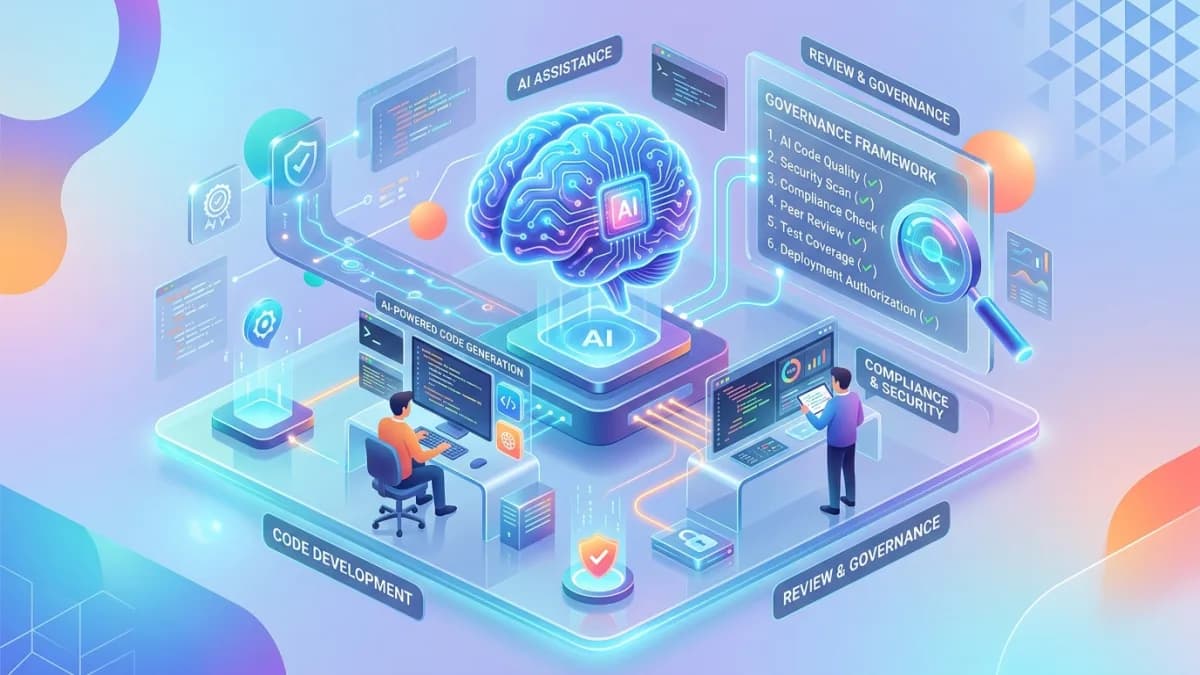
AI-assisted software development can make a small team feel much larger. It can speed up research, scaffolding, refactoring, test writing, debugging and documentation. It can also create confident-looking code that nobody fully understands, quietly introduce security flaws, leak sensitive information, duplicate logic, bypass architecture decisions and make production systems harder to maintain.
The issue is not whether developers should use AI coding assistants. They already are.
The real issue is whether the business has a review system strong enough to use AI without outsourcing judgment. AI can help write code, but it cannot own the consequences of broken access control, exposed customer data, failed payments, legal risk, wrong business logic or a production outage. Human accountability remains the foundation.
This guide is written for founders, technical leads, agencies, software teams, product owners and business owners who want faster development without turning the codebase into a mystery machine. It gives you a practical governance and review checklist for using AI coding assistants in custom development, website projects, internal tools, client portals, automation systems and SaaS products.
Use this with the Modern Business Website Technology Guide, Client Portal Development Guide, Staging vs Production Deployment Workflow, and Website Maintenance Plan.
Key Takeaways
- AI coding tools should assist developers, not replace architecture, review and accountability.
- Every team needs clear rules for what data can be shared with AI tools.
- AI-generated code should be treated like code from a very fast junior contributor: useful, but review required.
- Security review must focus on authorization, secrets, input handling, dependency changes, file access, payment flows and data exposure.
- Human approval should be required before production deployment.
- Tests, linting, type checks, dependency scanning and review notes are the control layer around AI speed.
- Teams should document AI-assisted decisions when they affect architecture, security, compliance or business logic.
- The safest workflow is small changes, clear acceptance criteria, reviewable diffs and staging validation.
What AI-Assisted Development Means
AI-assisted development means using AI tools to support software work. That may include:
- explaining unfamiliar code
- generating boilerplate
- proposing UI components
- writing tests
- converting designs into implementation ideas
- suggesting refactors
- debugging errors
- creating database query examples
- drafting API integrations
- documenting functions
- reviewing pull requests
- checking accessibility issues
- generating migration plans
These are useful capabilities. They can reduce blank-page time and help teams move faster.
But AI assistance is not the same as engineering ownership.
Engineering ownership includes:
- understanding the requirement
- choosing the architecture
- protecting user data
- preserving maintainability
- validating behavior
- testing edge cases
- reviewing security
- managing deployment risk
- supporting the system after launch
AI can contribute to many of those tasks, but the team must still decide what is correct.
The Governance Problem
AI-assisted development changes the speed of code production. Governance must change with it.
Without governance, teams may face:
- code that compiles but violates business rules
- duplicated patterns across the codebase
- hidden security regressions
- unauthorized dependencies
- generated code nobody reviewed deeply
- sensitive data pasted into prompts
- invented API behavior
- incorrect assumptions about frameworks
- inconsistent error handling
- weak tests that only confirm the happy path
- developers trusting explanations instead of reading the actual code
NIST's AI Risk Management Framework is built around managing AI risks through governance, mapping, measurement and management. For software teams, the practical translation is this: define where AI is allowed, understand the risks, verify outputs and keep accountable humans in the loop.
OWASP's GenAI security work also highlights risks such as prompt injection, sensitive information disclosure, supply chain issues and overreliance. Those risks are not abstract. They show up in day-to-day development when a tool reads untrusted input, generates unsafe code, recommends weak packages or convinces a tired developer that a change is fine.
The goal is not fear. The goal is controlled speed.
Acceptable Use Policy
Every team using AI coding assistants should write a short acceptable use policy.
It should answer:
- Which AI tools are allowed?
- Which tools are not allowed?
- Who may use them?
- Which repositories can be used with them?
- What data cannot be shared?
- Which tasks require extra review?
- Are generated outputs allowed in production code?
- Are AI-generated tests enough?
- Who approves AI-assisted architectural changes?
- How are tool incidents reported?
Low-risk uses
Low-risk uses usually include:
- explaining public documentation
- generating placeholder examples
- improving comments
- drafting internal notes
- creating simple test case ideas
- summarizing non-sensitive code
- suggesting refactor options for review
Medium-risk uses
Medium-risk uses include:
- generating application code
- modifying database queries
- writing API handlers
- changing validation rules
- updating authentication flows
- adding third-party packages
- writing migration scripts
- creating background jobs
These can be allowed, but they require normal engineering review.
High-risk uses
High-risk uses need stronger approval:
- security-sensitive code
- payment logic
- authentication and authorization
- file upload and download logic
- encryption or token handling
- production database scripts
- infrastructure changes
- legal or compliance workflows
- healthcare, financial or identity data handling
- automated actions that affect customers
For high-risk work, AI can assist research and drafting, but human review must be explicit.
Data Privacy and Prompt Rules
The first governance rule is simple:
Do not paste sensitive business, customer or secret data into AI tools unless the organization has approved that tool, contract, setting and data handling model.
Sensitive data may include:
- customer names and contact details
- personal identification numbers
- passwords
- API keys
- access tokens
- database connection strings
- private source code from clients
- private business strategy
- payment records
- medical or legal documents
- employee records
- unpublished financial data
- security incident details
Prompt rules should be written in plain language.
Good rules:
- Never paste secrets, tokens or passwords.
- Never paste production database exports.
- Never paste customer personal data unless approved.
- Use fake examples for debugging when possible.
- Redact client names and private identifiers.
- Share the smallest useful code context.
- Check tool settings before allowing repository indexing.
- Do not ask AI to store or remember confidential information.
Redaction example
Instead of sharing a real support ticket, rewrite it with fictional values:
User A from Company B cannot download Document C after being assigned Role D.
That gives enough structure to reason about authorization without exposing real data.
Architecture Guardrails
AI works best when the codebase has clear architecture. Without structure, it may copy whichever pattern is closest in the prompt.
Architecture guardrails should define:
- framework conventions
- folder structure
- database access patterns
- authentication approach
- authorization approach
- validation library
- error handling style
- logging rules
- API response format
- background job model
- file storage model
- test strategy
- naming conventions
When the assistant suggests a different pattern, the developer should decide whether it is truly better or just convenient.
Architectural decision records
For important decisions, write a short note:
- decision
- context
- options considered
- chosen approach
- tradeoffs
- owner
- date
This is especially useful when AI helped compare options. The note prevents the team from forgetting why a choice was made.
Keep changes small
Large AI-generated diffs are hard to review. Prefer small, focused changes:
- one bug fix
- one component
- one endpoint
- one migration
- one test suite
- one refactor
The larger the diff, the easier it is for an unsafe assumption to hide inside it.
Code Review Checklist
AI-assisted code should go through normal review, plus a few extra questions.
General review
Ask:
- Does the change solve the actual requirement?
- Is the logic understandable?
- Is the implementation consistent with existing patterns?
- Are edge cases handled?
- Are errors handled clearly?
- Is unnecessary complexity removed?
- Is duplicate logic avoided?
- Are names clear?
- Is dead code removed?
- Are comments useful rather than decorative?
Business logic review
AI may not understand the business rule behind the code.
Check:
- pricing rules
- tax rules
- discount rules
- eligibility rules
- approval rules
- workflow states
- renewal logic
- cancellation logic
- access tiers
- support escalation rules
- notification triggers
If a rule affects money, access, legal commitments or customer trust, review it with the responsible business owner.
User experience review
Check:
- loading states
- empty states
- validation messages
- error messages
- mobile behavior
- keyboard access
- success confirmations
- destructive action confirmation
- recovery paths
Fast code is not valuable if users get stuck.
Security Review Checklist
Security review should be mandatory for AI-assisted development because generated code may look plausible while missing important controls.
Authentication
Check:
- secure password handling
- password reset token expiry
- session invalidation
- rate limiting
- MFA requirements for privileged users
- generic login errors
- secure cookie settings
Authorization
Check:
- server-side permission checks
- tenant isolation
- role enforcement
- ownership checks
- admin-only actions
- object-level access control
- no trust in client-provided identifiers
- no hidden front-end-only restrictions
Broken access control remains one of the most serious web application risks in OWASP guidance. For business apps, this is often the difference between a useful portal and a data leak.
Input and output handling
Check:
- validation at trust boundaries
- safe database queries
- output escaping
- file type validation
- size limits
- safe error messages
- no stack traces shown to users
- protection against injection
Secrets
Check:
- no API keys in source code
- no secrets in logs
- no secrets in front-end bundles
- no committed environment files
- no tokens exposed in screenshots or examples
- no generated comments containing credentials
Payments and financial flows
Check:
- server-side amount verification
- payment gateway signature verification
- idempotency for payment callbacks
- duplicate payment prevention
- secure invoice access
- clear failure handling
- audit trail for financial actions
AI-specific review
Ask:
- Did the assistant invent an API behavior?
- Did it add a package that is unnecessary?
- Did it bypass an existing validation layer?
- Did it remove a security check while refactoring?
- Did it create a prompt injection risk in an AI feature?
- Did it expose sensitive data in logs or responses?
- Did the developer understand the generated logic before accepting it?
Testing and Verification
AI can help write tests, but AI-written tests should not be trusted automatically.
Test coverage should include:
- normal success path
- invalid input
- missing permissions
- wrong tenant or organization
- expired token
- duplicate submission
- failed external API
- slow network
- mobile layout
- accessibility basics
- rollback or recovery behavior
Test the negative path
Many generated tests only prove that the code works when everything is correct. Real bugs often happen when something is missing, expired, invalid, duplicated or unauthorized.
For example, a client portal document download feature should test:
- correct client can download assigned file
- different client cannot download the file
- unauthenticated user cannot download the file
- suspended user cannot download the file
- expired link fails
- missing file shows safe error
- access attempt is logged if required
Use automated checks
Useful checks include:
- linting
- type checking
- unit tests
- integration tests
- end-to-end tests for critical flows
- dependency audit
- secret scanning
- formatting
- build verification
- accessibility checks
Automation does not replace judgment, but it catches the boring mistakes humans miss when they are tired.
Dependencies and Supply Chain
AI assistants may suggest packages. That does not mean those packages belong in your application.
OpenSSF guidance emphasizes secure development practices and software supply chain awareness. For AI-assisted development, that means every new dependency should be treated as a decision.
Before adding a dependency, ask:
- Is it necessary?
- Is it actively maintained?
- Is the license acceptable?
- Does it have known vulnerabilities?
- Is it popular enough to trust?
- Does it run in the browser or server?
- Does it access sensitive data?
- Does it add build-time risk?
- Can the same need be met with existing code?
For production systems, also consider:
- lockfiles
- dependency update schedule
- vulnerability monitoring
- build provenance where needed
- restricted package installation permissions
- review of package scripts
Avoid dependency sprawl. AI can make it too easy to install a package for a five-line task.
Documentation and Maintainability
AI-generated code becomes expensive if humans cannot maintain it.
Documentation should explain:
- what the feature does
- why the approach was chosen
- how to configure it
- how to test it
- how to recover from failures
- where important logs are
- what assumptions exist
- what should not be changed casually
Good documentation is not a wall of comments. It is a map for the next person.
Maintainability questions:
- Can a new developer understand this in one hour?
- Is the code organized by responsibility?
- Are business rules easy to find?
- Are side effects clear?
- Is error handling consistent?
- Are important decisions documented?
- Are tests meaningful?
- Does the feature fit the product roadmap?
If AI made the code faster to write but slower to understand, the team borrowed time from the future.
Human Approval and Release Controls
Production release should remain a human decision.
AI can help prepare a release note or identify changed files, but a responsible person should approve:
- deployment timing
- database migrations
- environment variable changes
- feature flags
- rollback plan
- customer communication
- monitoring plan
- support readiness
Staging first
Use staging for:
- testing integrations
- checking real workflows
- reviewing user permissions
- validating emails
- testing mobile behavior
- confirming analytics
- reviewing performance
- running acceptance tests
Do not let AI-generated confidence skip staging. If the change matters, test it where mistakes are still cheap.
Release checklist
Before production:
- acceptance criteria are met
- code review is complete
- tests pass
- build passes
- migrations are reviewed
- secrets are configured safely
- monitoring is ready
- rollback plan exists
- stakeholders approve
- support notes are prepared
For high-risk changes, add a second reviewer.
Team Roles and Responsibilities
AI governance works only when ownership is clear.
Developer
The developer is responsible for:
- understanding AI-generated code
- adapting it to project standards
- writing or improving tests
- protecting sensitive data
- explaining the change in review
Reviewer
The reviewer is responsible for:
- checking correctness
- challenging assumptions
- reviewing security impact
- looking for maintainability issues
- confirming tests are meaningful
Technical lead
The technical lead is responsible for:
- architecture guardrails
- approved tools
- high-risk review rules
- release standards
- incident learning
Product or business owner
The business owner is responsible for:
- confirming requirements
- approving business rules
- validating workflow behavior
- accepting tradeoffs
Security or compliance owner
Where applicable, this person is responsible for:
- data handling rules
- access policies
- incident response
- audit requirements
- regulatory review
Small teams may combine roles, but they should not skip responsibilities.
100-Point AI Development Readiness Score
Use this score before allowing AI-assisted work on important production systems.
| Area | Points | What 100 percent work looks like |
|---|---|---|
| Acceptable use policy | 10 | Approved tools, allowed tasks and prohibited uses are documented |
| Data privacy | 15 | Prompt rules prevent secrets, customer data and confidential information exposure |
| Architecture guardrails | 10 | Project patterns are documented and followed |
| Code review | 15 | AI-assisted diffs receive human review for correctness and maintainability |
| Security review | 15 | Auth, authorization, input handling, secrets and sensitive flows are checked |
| Testing | 10 | Positive, negative, permission and failure-state tests are required |
| Dependencies | 10 | New packages are reviewed for necessity, security, license and maintenance |
| Documentation | 5 | Important decisions, setup and support notes are captured |
| Release controls | 5 | Staging, approval, monitoring and rollback are part of deployment |
| Accountability | 5 | Owners are named for development, review, release and incident response |
Score interpretation
- 90 to 100: AI-assisted development is governed well enough for serious production work.
- 75 to 89: Useful foundation, but some risks need stronger controls.
- 50 to 74: Use AI only for low-risk tasks until governance improves.
- Below 50: Do not use AI-generated code in production systems yet.
Frequently Asked Questions
Should businesses allow AI coding assistants?
Usually yes, if they have rules. AI coding assistants can improve speed and quality when developers still review, test and own the work. Banning them completely may be unrealistic. Ungoverned use is the bigger risk.
Can AI-generated code be used in production?
Yes, but it should pass the same standards as human-written code: review, tests, security checks, maintainability checks and deployment controls. The source of the code does not reduce the responsibility to verify it.
What should never be pasted into an AI tool?
Do not paste secrets, passwords, API keys, production database exports, customer personal data, private client documents or confidential business information unless the organization has explicitly approved the tool and data handling model.
Is AI good at security?
AI can help identify possible issues and suggest secure patterns, but it can also miss risks or generate insecure code. Security-sensitive work still needs human review and testing.
How should a small business start?
Start with a simple policy: approved tools, no secrets, no customer data, small diffs, mandatory review, tests before merge and staging before production. Then expand governance as the software becomes more critical.
Who is responsible if AI-generated code breaks production?
The team and organization remain responsible. AI tools do not own incidents, customer trust or business continuity. That is why review, approval and release controls are necessary.
Final Recommendation
Use AI to make development faster, but keep humans responsible for direction, quality and risk.
The safest teams do not treat AI like magic. They treat it like a powerful contributor inside a controlled engineering process. They define what data can be shared, keep architecture consistent, review every meaningful diff, test negative paths, control dependencies, document important decisions and deploy through staging with rollback plans.
That is how AI-assisted software development becomes a business advantage instead of a maintenance debt generator.
If you want to build custom software, portals or automation with AI-assisted delivery and human engineering controls, you can send a project inquiry to discuss the scope.
Related posts

Shared vs VPS vs Managed Hosting for a Small Business Website or Store
A plain comparison of shared hosting, VPS and managed hosting or PaaS for small business sites and online stores: responsibilities, isolation and performance, the signs a WooCommerce store or Next.js app has outgrown shared hosting, GDPR data residency, and a decision table.
Read article →

How to Secure a New Ubuntu VPS: A Setup Checklist for Business Websites
A step-by-step hardening checklist for a fresh Ubuntu 26.04 or 24.04 LTS VPS that will host a business website, with copy-paste commands for SSH keys, ufw, unattended-upgrades, fail2ban, time sync, swap, monitoring and backups.
Read article →

Deploy a Next.js 16 App on a VPS with Nginx, systemd or PM2, and HTTPS
A working guide to running Next.js 16 on your own VPS: Node.js LTS, build-time versus runtime environment variables, a systemd unit and PM2 alternative, an Nginx server block with certbot HTTPS, the standalone output option, logs, and a two-port release script.
Read article →
Author
Anushka Dahanayake
Anushka Dahanayake builds SEO-focused websites, e-commerce platforms, dashboards, and automation systems for businesses worldwide.