
API Integration Guide for Business Owners
A practical API integration guide for business owners planning CRM, payment, accounting, booking, dashboard, e-commerce or automation integrations.
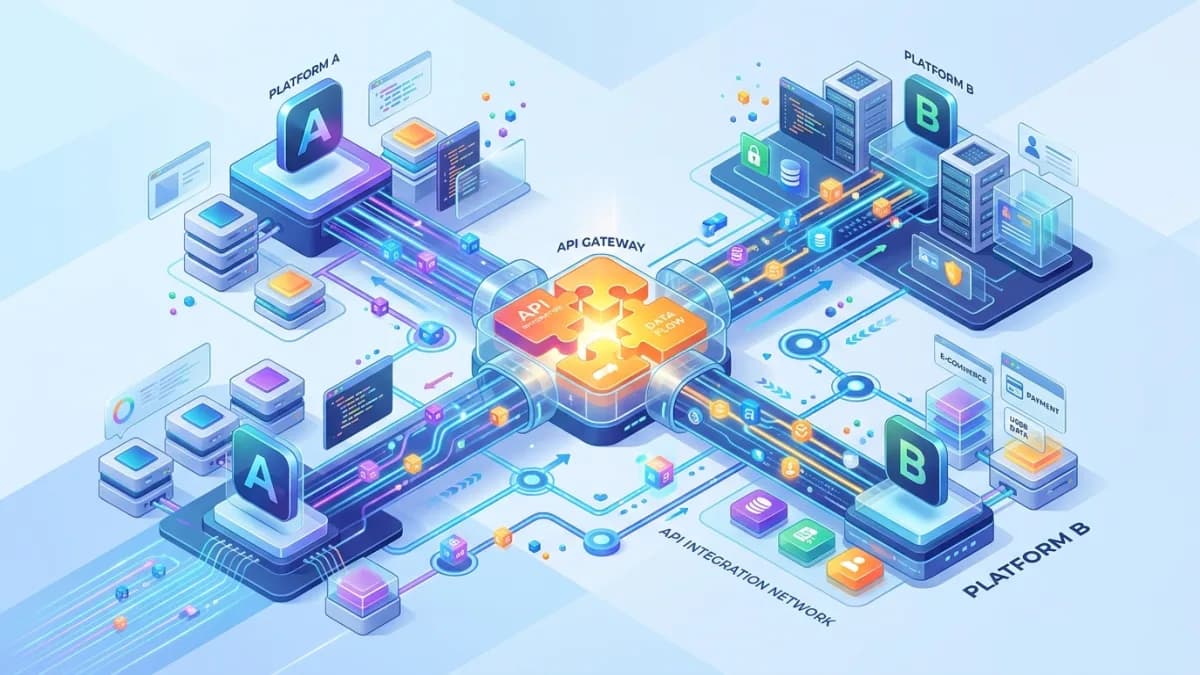
API integration is how business systems talk to each other. A website sends a lead to a CRM. A payment gateway tells an order system that payment succeeded. A booking tool creates a calendar event. An accounting system receives an invoice. A dashboard collects data from marketing, sales and finance systems.
When integrations work, the business feels connected. When they fail, teams copy data manually, customers receive wrong updates, dashboards lie, payments duplicate, and nobody knows which system is correct.
API integration is not just a developer task. It is a business design decision involving scope, ownership, data quality, security, error handling, cost and maintenance.
This guide explains API integration in plain language for business owners, operators and project stakeholders. It covers API types, webhooks, OAuth, tokens, rate limits, idempotency, data mapping, testing, security, monitoring and maintenance.
Use this with the Small-Business Automation Guide, CRM Implementation Guide, MCP Security for Business, Payment Gateway Integration Guide, and Business Automation & Integrations.
Key Takeaways
- API integration connects systems, but the business must define which system owns each piece of data.
- Scope should be written as workflows, not vague promises like sync everything.
- Authentication, authorization, token storage and permissions are core requirements.
- Webhooks are useful for event-driven updates, but they need signature verification, retries and idempotency.
- API errors, rate limits and downtime must be planned before launch.
- OWASP API Security Top 10 highlights risks such as broken object authorization, broken authentication and excessive data exposure.
- OAuth security best practice now strongly favors secure authorization-code flows, PKCE and restricted tokens.
- Integration maintenance is ongoing because APIs, credentials, fields and business rules change.
What API Integration Means
An API is a structured way for software systems to exchange data or actions.
API integration may:
- create records
- update records
- retrieve records
- send events
- trigger workflows
- verify status
- sync data
- generate reports
Examples:
- website form creates CRM lead
- e-commerce order creates invoice
- payment gateway updates payment status
- CRM deal creates onboarding project
- booking tool creates calendar event
- support ticket updates customer record
- accounting data feeds dashboard
The API is the pipe. The workflow is the reason the pipe exists.
Common Business Integration Examples
Small businesses often integrate:
- website and CRM
- CRM and email marketing
- CRM and proposal software
- proposal software and e-signature
- payment gateway and accounting
- e-commerce store and inventory
- booking system and calendar
- support desk and CRM
- client portal and project management
- analytics and dashboard tools
Each integration should answer:
- What event starts it?
- What data moves?
- Which system receives it?
- What happens after success?
- What happens after failure?
- Who owns the workflow?
Define the Workflow First
Bad scope:
Integrate CRM with accounting.
Better scope:
When a deal is marked won in CRM, create a draft customer and draft invoice in accounting using approved fields. If required billing fields are missing, create a task for finance instead of creating the invoice.
Workflow scope should include:
- trigger
- source system
- destination system
- data fields
- validation rules
- approval rules
- error handling
- retry behavior
- reporting
- owner
This prevents integration from becoming mysterious background magic.
Data Mapping and Source of Truth
Data mapping defines how fields match.
Example:
| CRM field | Accounting field |
|---|---|
| Company name | Customer name |
| Billing email | Invoice email |
| Deal amount | Invoice subtotal |
| Currency | Currency |
| Tax type | Tax code |
| Deal owner | Sales representative |
Source of truth decides who wins when systems disagree.
Examples:
- CRM owns customer relationship status.
- Accounting owns invoice status.
- Payment gateway owns payment transaction result.
- E-commerce platform owns order line items.
- Support desk owns ticket status.
Do not let two systems update each other endlessly. That is not integration; that is software gossip.
APIs, Webhooks and Scheduled Syncs
API calls
One system asks another system for data or sends an update.
Use for:
- creating records
- fetching status
- updating fields
- searching data
- generating documents
Webhooks
A webhook sends a notification when an event happens.
Use for:
- payment succeeded
- order created
- contract signed
- booking cancelled
- ticket updated
Webhook requirements:
- verify signature where available
- handle retries
- respond quickly
- log event ID
- prevent duplicate processing
- validate event source
Scheduled sync
A scheduled sync runs at intervals.
Use for:
- daily reporting
- backup exports
- batch reconciliation
- low-urgency updates
Scheduled sync is simpler, but not immediate.
Authentication, OAuth and Tokens
APIs need authentication and authorization.
Common methods:
- API key
- bearer token
- OAuth
- signed requests
- mutual TLS for high-security systems
OAuth is common when users authorize access between applications. RFC 9700, the OAuth 2.0 Security Best Current Practice, documents modern security recommendations such as PKCE, exact redirect URI matching, token privilege restriction and stronger handling of refresh tokens.
Business questions:
- Who authorizes the integration?
- What permissions are granted?
- Can permissions be limited?
- Where are tokens stored?
- How are tokens rotated?
- Who can revoke access?
- What happens when the authorizing user leaves?
Avoid shared admin tokens when possible. They are convenient until you need to audit or revoke them.
Errors, Retries and Idempotency
APIs fail. Plan for it.
Failure causes:
- network timeout
- invalid data
- expired token
- rate limit
- server error
- duplicate request
- webhook retry
- changed API field
- vendor outage
MDN groups HTTP response status codes into success, redirects, client errors and server errors. For business owners, this means not every error is the same. A validation error requires data correction. A temporary server error may need retry. An unauthorized error may mean token repair.
Idempotency
Idempotency prevents duplicate effects when retrying.
Stripe's API documentation explains idempotency keys as a way to safely retry create/update requests without accidentally creating the same object twice. That idea is useful beyond payments: when an integration retries, it should not duplicate invoices, orders, tickets or customers.
Plan:
- unique event IDs
- idempotency keys
- duplicate detection
- retry limits
- manual review queue
- alerting
Security and Privacy
OWASP API Security Top 10 warns that APIs expose application logic and sensitive data and highlights risks such as broken object-level authorization, broken authentication, object property authorization failures and unrestricted resource consumption.
Practical controls:
- least-privilege tokens
- server-side authorization
- input validation
- output minimization
- rate limiting
- webhook signature checks
- secure token storage
- encrypted transport
- logging without secrets
- access review
- vendor review
- data retention rules
Privacy questions:
- What personal data moves?
- Why does it move?
- Which vendor receives it?
- Who can access it?
- How long is it retained?
- Can customers request correction or deletion?
Do not integrate sensitive data just because it is technically possible.
Testing and Launch
Test in sandbox or staging where possible.
Test:
- normal success path
- missing required field
- invalid token
- expired token
- duplicate event
- webhook retry
- rate limit
- API timeout
- vendor downtime
- wrong permissions
- rollback or manual correction
Before launch:
- credentials configured securely
- webhook endpoints verified
- logs reviewed
- alerts configured
- owner assigned
- documentation written
- support process ready
- rollback plan known
Costs and Maintenance
Integration costs include:
- discovery
- development
- testing
- vendor fees
- API usage fees
- hosting/background jobs
- monitoring
- maintenance
- future API changes
- support
Maintenance tasks:
- rotate credentials
- review failed jobs
- update field mappings
- monitor vendor API changes
- update documentation
- review permissions
- test critical workflows
- reconcile records
An integration that no one maintains becomes a quiet liability.
Vendor and API Review
Before building, review the vendor's API maturity.
Check:
- clear documentation
- sandbox environment
- webhook support
- rate limit documentation
- authentication method
- versioning policy
- changelog
- support channel
- uptime/status page
- export options
- data deletion options
- security documentation
If an API has poor documentation, no sandbox and no clear error behavior, the project risk is higher. That does not always mean avoid it, but the estimate should include extra discovery, testing and contingency time.
Also check whether the vendor's pricing changes with API usage. A workflow that is cheap at low volume can become expensive when every order, ticket or dashboard refresh creates multiple API calls.
Implementation Roadmap
Phase 1: Workflow definition
Define trigger, systems, fields, rules and owner.
Phase 2: API review
Review documentation, limits, authentication, sandbox, webhooks and support.
Phase 3: Data mapping
Map fields, source of truth and transformation rules.
Phase 4: Security design
Define credentials, scopes, token storage, logging and access.
Phase 5: Build
Implement the smallest reliable workflow first.
Phase 6: Test
Test success, failure, duplicates and recovery.
Phase 7: Launch
Deploy with monitoring, alerts and support notes.
Phase 8: Maintain
Review failures, changes, credentials and business rules.
Service Alignment
For most small businesses, the safest first step is not writing code immediately. It is a planning session that confirms the workflow, source of truth, required fields, permissions, payment or customer impact, and what should happen when an integration fails.
That is why this topic fits Business Automation & Integrations, which covers API and app integrations and CRM, form, email and inventory connections. Scoping that work first turns a rough request such as "connect my CRM and website" into a buildable plan with clear data rules, security requirements, testing cases and maintenance ownership.
100-Point API Integration Readiness Score
| Area | Points | What 100 percent work looks like |
|---|---|---|
| Workflow clarity | 15 | Trigger, action, owner and outcome are documented |
| API documentation | 10 | Endpoints, limits, auth and webhook behavior are reviewed |
| Data mapping | 15 | Fields, transformations and source of truth are defined |
| Security | 15 | Tokens, scopes, storage, authorization and logs are controlled |
| Error handling | 10 | Failures, retries, alerts and manual correction are planned |
| Idempotency | 10 | Duplicate prevention exists for retries and webhooks |
| Testing | 10 | Success, failure, rate limit and permission cases are tested |
| Monitoring | 5 | Logs and alerts reveal failures quickly |
| Maintenance | 5 | Owner and review cadence are assigned |
| Business value | 5 | ROI or operational value is clear |
Score interpretation
- 90 to 100: Ready to build.
- 75 to 89: Good, but strengthen failure or security design.
- 50 to 74: Prototype only.
- Below 50: Do not build yet; clarify workflow and data.
Frequently Asked Questions
What is API integration?
API integration is the process of connecting software systems so they can exchange data or trigger actions through structured interfaces.
What should a business owner define before API integration?
Define the workflow, source system, destination system, data fields, owner, failure handling, security requirements and success metric.
Are APIs secure?
APIs can be secure when designed and configured well. They become risky when authentication, authorization, token storage, validation or monitoring is weak.
What is a webhook?
A webhook is an event notification sent from one system to another when something happens, such as a payment, booking or signed contract.
Why do integrations need maintenance?
APIs, fields, tokens, permissions, vendor platforms and business rules change. Without maintenance, integrations can fail silently or produce wrong data.
Final Recommendation
Treat API integration as business infrastructure.
Define the workflow, map the data, control credentials, plan failures, prevent duplicates, test edge cases and assign maintenance ownership. A good integration saves time. A great integration becomes trusted plumbing for growth.
If you want API integrations for CRM, payments, accounting, booking, e-commerce, dashboards or automation, you can send a project inquiry so the integration is scoped before development begins.
Related posts

Shared vs VPS vs Managed Hosting for a Small Business Website or Store
A plain comparison of shared hosting, VPS and managed hosting or PaaS for small business sites and online stores: responsibilities, isolation and performance, the signs a WooCommerce store or Next.js app has outgrown shared hosting, GDPR data residency, and a decision table.
Read article →

How to Secure a New Ubuntu VPS: A Setup Checklist for Business Websites
A step-by-step hardening checklist for a fresh Ubuntu 26.04 or 24.04 LTS VPS that will host a business website, with copy-paste commands for SSH keys, ufw, unattended-upgrades, fail2ban, time sync, swap, monitoring and backups.
Read article →

Deploy a Next.js 16 App on a VPS with Nginx, systemd or PM2, and HTTPS
A working guide to running Next.js 16 on your own VPS: Node.js LTS, build-time versus runtime environment variables, a systemd unit and PM2 alternative, an Nginx server block with certbot HTTPS, the standalone output option, logs, and a two-port release script.
Read article →
Author
Anushka Dahanayake
Anushka Dahanayake builds SEO-focused websites, e-commerce platforms, dashboards, and automation systems for businesses worldwide.