
eBay Item Specifics and Product Identifiers Guide
A complete eBay structured-data guide covering categories, required and recommended item specifics, product identifiers, catalog matching, variations, condition and bulk repair.
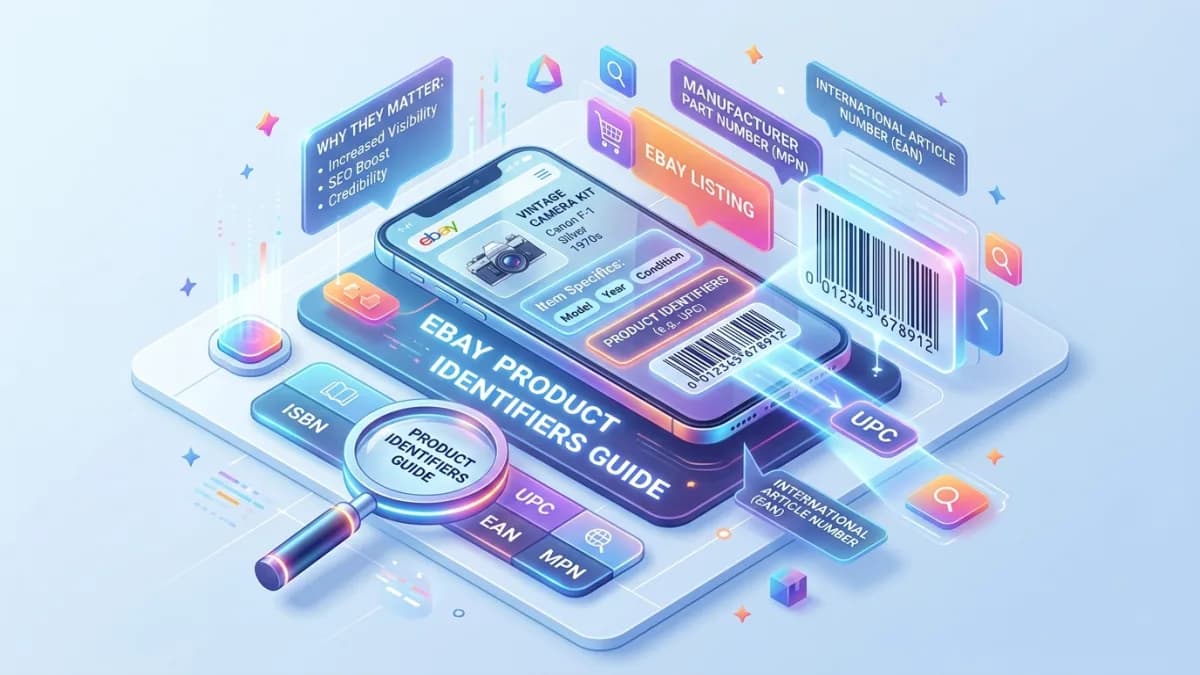
eBay item specifics and product identifiers describe what a product is in structured fields. They help eBay classify the listing, match it with queries and filters, connect it with catalog data, and give buyers comparable facts.
They are not optional keyword boxes. Incorrect values can place a listing in irrelevant results, associate it with the wrong product, mislead a buyer, or make inventory difficult to maintain.
The safe workflow is to identify the exact item, choose the most specific correct category, use genuine manufacturer identifiers where they exist, complete applicable specifics, validate variations, and keep structured data consistent with the title, photos, condition, and description.
Key Takeaways
- Choose the correct category before completing item specifics because available fields and requirements are category-dependent.
- Complete all required fields and prepare for fields labelled Required Soon.
- Add recommended and additional specifics only when they genuinely apply.
- Use valid manufacturer identifiers; never invent or copy a code from a similar product.
- Match the exact catalog product, model, capacity, generation, region, and variation.
- Use “Does not apply” only when the item genuinely has no applicable identifier and eBay offers that option.
- Treat internal SKUs and manufacturer identifiers as different data.
- Group only closely related products as variations.
- Keep variation-specific values at the correct level.
- Describe unknown, vintage, handmade, unbranded, and custom products truthfully.
- Audit missing specifics in Seller Hub and test bulk changes on a small set.
- Preserve a canonical product record so data remains consistent across channels.
Item Specifics vs Product Identifiers vs SKU
These fields solve different problems.
| Data type | Purpose | Example |
|---|---|---|
| Category | Classifies where the item belongs | Cell Phones & Smartphones |
| Item specific | Describes a searchable/filterable attribute | Storage Capacity: 128 GB |
| Brand | Identifies the brand truthfully | Apple |
| MPN | Manufacturer-assigned part number | Exact documented part code |
| GTIN | Global trade item identifier family | UPC, EAN, ISBN |
| eBay product/catalog ID | Connects to an eBay catalog product | Platform-managed identifier |
| Internal SKU | Seller's inventory identity | PHN-00482-BLK |
| Variation | Defines a sellable option within a related listing | Colour: Black |
Never place an internal SKU into a UPC or MPN field.
Why Structured Data Matters
eBay's current item specifics guidance says buyers use specifics to filter results and that a listing appears in a filtered result only when it contains the matching specific.
Structured values can support:
- Query matching
- Left-navigation filters
- Category merchandising
- Mobile shopping
- Product comparison
- External search and shopping surfaces
- Listing completeness
- Buyer confidence
- Reduced repetitive questions
Completion is not the same as accuracy. An empty field is often safer than a false value when the field is not required and the fact cannot be verified.
Start With Exact Product Identification
Before opening the listing form, create an evidence record.
Capture:
- Product type
- Brand
- Model
- Model number
- MPN
- GTIN/UPC/EAN/ISBN
- Version or generation
- Capacity
- Colour
- Size
- Region
- Compatibility
- Included items
- Condition
- Serial number for internal evidence where appropriate
- Packaging labels
- Source of each fact
Photograph labels, packaging, maker marks, and model plates. Keep sensitive serial information out of public images when fraud or privacy risk makes that appropriate, while retaining internal evidence.
Use reliable sources
Prefer:
- 1Product and packaging
- 2Manufacturer documentation
- 3Authorized catalog or specification data
- 4Reliable specialist reference
- 5Seller inference, clearly marked and verified before publication
Do not copy another seller's specifics. Their listing may be wrong.
Choose the Correct Category
Item specifics are attached to category structure. A wrong category can expose unsuitable fields and hide the listing from buyers using the correct category.
Check:
- Product's primary function
- Exact product type
- Category examples
- Current eBay category suggestions
- Comparable authoritative products
- Required fields
- Buyer filters
- Whether a specialist category exists
- Whether bundles need a different category
Do not choose a broad category simply because it has fewer required fields.
Category changes require revalidation
When changing a category:
- Export current listing data.
- Record listing and SKU.
- Review every required field.
- Check which old specifics no longer map.
- Validate variations.
- Check catalog association.
- Preview title, condition, and description.
- Test a small group first.
- Verify the live listing after saving.
A successful edit response does not prove that all structured values were preserved.
Required, Required Soon, Recommended and Additional
eBay currently labels item specifics by priority.
Required
Needed for a new or revised listing in that category. Missing required data may prevent listing or revision.
Required Soon
Scheduled to become required. eBay may show an enforcement date. Update these proactively rather than waiting for listing failures.
Recommended
Suggested based on buyer demand and category behavior. Complete them when relevant and verifiable.
Additional
May help the buyer understand the item even if not strongly prioritized by the listing flow.
Review the current interface and item specifics requirements, because categories and requirements change.
Product Identifier Types
GTIN
A Global Trade Item Number identifies a trade item. Common forms include UPC and EAN; ISBN identifies books and related publications within its standard.
Use the code printed or assigned for the exact product and packaging level.
UPC
Commonly represented as a barcode on products sold in North America. Do not use a case-level code for a single unit or a code from another size.
EAN
Used widely in markets outside North America. Preserve leading zeroes and treat it as text in spreadsheets.
ISBN
Use the ISBN matching the exact edition, binding, language, and format. Hardcover, paperback, ebook, and different editions can have different ISBNs.
MPN
Assigned by the manufacturer. An MPN is not the seller's SKU, listing number, serial number, or a description.
Brand
Use the actual brand. Do not use a popular compatible brand as the product's brand. For genuinely unbranded goods, use the value supported by the category and platform rather than inventing a brand.
Validate Identifiers
Before publication:
- 1Read the code from product or packaging.
- 2Preserve leading zeroes.
- 3Confirm digit length and check digit where applicable.
- 4Verify exact brand, model, size, colour, quantity, edition, and region.
- 5Check packaging level.
- 6Compare with manufacturer or trusted catalog data.
- 7Review the catalog match eBay proposes.
- 8Reject the match if any material attribute differs.
- 9Save evidence source and date.
Barcode lookup websites can contain user-contributed or incomplete data. Use them as leads, not final proof.
Catalog Matching
When a seller enters a product identifier, eBay may suggest a catalog match and prefill listing information. eBay's product identifier guidance advises selecting a match only when it exactly represents the product.
Verify:
- Brand
- Model
- Generation
- Capacity
- Colour
- Network/carrier
- Region
- Bundle
- Included accessories
- Pack quantity
- Edition
- Format
- Image
- Technical specification
Do not accept a close match to save time.
Catalog data does not replace condition data
Even with a correct product match, supply:
- Actual photos
- Exact condition
- Wear and defects
- Functional test
- Included and missing items
- Seller-specific shipping and return details
A catalog image cannot prove the condition of a used item.
When “Does Not Apply” Is Appropriate
Some items genuinely lack manufacturer product identifiers:
- Handmade products
- One-of-a-kind art
- Some vintage or antique goods
- Unbranded custom products
- Products made before identifier systems were used
- Replacement parts without an assigned code
Use eBay's provided non-applicable option only when accurate for the field and category.
Do not use it because:
- Research takes time
- Packaging was discarded but the product code can be verified
- The code produces an inconvenient catalog match
- The item is used
- The identifier is temporarily unknown
- A similar listing used it
“Used” does not mean “no identifier.”
Build a Canonical Item-Specific Dictionary
For repeat inventory, create a controlled product-data record.
| Field | Canonical value | Evidence | Channel value | Last reviewed |
|---|---|---|---|---|
| Brand | ||||
| Product type | ||||
| Model | ||||
| MPN | ||||
| GTIN | ||||
| Colour | ||||
| Size | ||||
| Material | ||||
| Compatibility | ||||
| Country/region |
Use permitted eBay values where practical. Do not force an inaccurate controlled value when a valid custom or non-applicable response is available.
Item Specifics by Product Type
Electronics
Common decision fields may include model, capacity, connectivity, network, colour, operating system, storage, screen size, and compatible services.
Confirm actual hardware and region. Do not infer storage or network from appearance.
Fashion
Typical specifics include department, type, size, size type, colour, material, style, fit, pattern, sleeve, rise, inseam, and fabric care.
Measure the actual garment and disclose label vs measured dimensions.
eBay's current listing documentation notes standardized apparel and footwear sizing changes beginning in 2026. As of the cited guidance, unclear sizes may be hidden from August 2026. Review current notices and update non-standard values rather than hard-coding “See description.”
Parts and accessories
Exact MPN, brand, compatible model, placement, dimensions, and fitment can be critical.
“Compatible with” is not the same as manufactured by. Keep compatibility evidence and do not promise fit based on superficial similarity.
Books and media
Verify ISBN, edition, language, publication year, format, author, publisher, region, and condition.
Collectibles
Record franchise, set, year, character, manufacturer, number, edition, grading service and grade only when verified. Do not present an opinion as professional grading.
Vintage and antiques
Use supported style, era, material, type, maker, and origin values only when evidence exists. Explain estimates in the description.
Variations
eBay variations group closely related items under one listing, commonly by size, colour, width, or another permitted variation aspect.
A valid group should share the same fundamental product.
Good:
- Same shirt in supported sizes and colours
- Same cable model in different lengths
- Same handmade design with permitted finish options
Poor:
- Hammer, wrench, and screwdriver as “Type”
- Different product generations
- Unrelated designs
- Parts with different compatibility
- Separate conditions presented as interchangeable options
eBay's official guidance says invalid variation details may need replacement or separate listings.
Variation data levels
Shared listing level:
- Brand
- Product family
- Core description
- Shared material
- General policy
Variation level:
- SKU
- Colour
- Size
- GTIN when assigned per variation
- Quantity
- Variation image
- Price where supported
- Other variation-specific identifier
Never reuse one variation's GTIN for all options.
Condition vs Item Specifics
Condition is a controlled listing field and may include a category-specific description. Item specifics describe product attributes. The main description provides full factual detail.
Keep them consistent.
Example:
- Condition field: Used
- Condition description: Tested and working; light scratches on lid; battery health not guaranteed
- Item specifics: Brand, model, capacity, colour
- Description: Test method, included charger, exact cosmetic notes
- Photos: Actual unit and defects
Do not place damage only in an item specific or hide it in an image.
Titles and Item Specifics
Avoid stuffing the title with every field. Use the title for product identity and high-value differentiators; use item specifics for normalized filtering.
Example data:
- Brand: Canon
- Model: EOS 80D
- Type: Digital SLR
- Maximum Resolution: verified value
- Colour: Black
- Body only: factual included-items statement
Possible title:
Canon EOS 80D DSLR Camera Body, Black, Tested
The description and photos should explain condition, shutter information if verified, included items, and defects.
For broader optimization, use the eBay Listing SEO guide.
Bulk Audit in Seller Hub
eBay currently offers Seller Hub tasks, Active Listings quick filters, multi-listing editing, and Download/Upload files for missing required or recommended specifics.
Safe bulk workflow:
- 1Export affected listings.
- 2Save an untouched backup.
- 3Work by one category.
- 4Preserve item number and SKU as text.
- 5Review instructions and allowed values.
- 6Preserve leading zeroes in identifiers.
- 7Change a small batch.
- 8Upload.
- 9Review errors and warnings.
- 10Inspect live listings.
- 11Compare variation, quantity, price, category, and specifics.
- 12Expand only after validation.
Spreadsheet software can convert identifiers into scientific notation, remove leading zeroes, or change dates. Import and format sensitive columns as text.
API and Integration Governance
If a listing tool, ERP, PIM, or custom integration publishes to eBay, define:
- Category mapping
- Aspect dictionary and allowed values
- Required-field updates
- Identifier validation
- Variation rules
- Locale and units
- Source of truth
- Override ownership
- Error queue
- Retry behavior
- Live verification
- Version/change monitoring
Do not let the integration silently write “N/A,” “Unknown,” or empty values across every recommended field.
Store the platform response and re-fetch the listing when feasible. Accepted data may be normalized or partially rejected.
Common Errors
Copying from a similar listing
Similar appearance does not prove model, material, generation, compatibility, or identifier.
Inventing an MPN
The seller's SKU is not a manufacturer part number.
Losing leading zeroes
Treat identifiers as text in spreadsheets and databases.
Wrong packaging level
A case GTIN should not describe one unit.
Accepting the nearest catalog result
Reject any match with a material difference.
Filling every field with guesses
Completeness should never beat accuracy.
Using one GTIN for all variations
Variants may have separate identifiers.
Mixing unrelated products as variations
Create separate listings when the fundamental product differs.
Ignoring category updates
Required Soon values can become required and variation fields can become invalid.
100-Point Data Audit
| Area | Points |
|---|---|
| Exact identity and evidence | 20 |
| Correct category | 15 |
| Required specifics | 15 |
| Recommended applicable specifics | 10 |
| Valid product identifiers | 15 |
| Exact catalog match | 10 |
| Variation structure | 10 |
| Cross-field consistency | 5 |
Any false brand, identifier, compatibility, or catalog association is a critical failure.
Repair Checklist
- [ ] Export and back up listings
- [ ] Assign internal SKU
- [ ] Verify exact product identity
- [ ] Photograph label and identifier evidence
- [ ] Select most specific correct category
- [ ] Complete required specifics
- [ ] Review Required Soon fields
- [ ] Add applicable recommended specifics
- [ ] Validate GTIN/UPC/EAN/ISBN/MPN
- [ ] Preserve leading zeroes
- [ ] Confirm packaging level
- [ ] Review catalog match
- [ ] Use actual condition photos
- [ ] Validate shared vs variation data
- [ ] Confirm title, specifics, description, and photos agree
- [ ] Test bulk edits on a small batch
- [ ] Inspect live results and filters
- [ ] Schedule category-change review
Frequently Asked Questions
What are eBay item specifics?
They are structured product attributes such as brand, size, type, colour, model, and material. Available fields depend on category.
Are item specifics more important than the title?
They have different roles. Titles communicate product identity in search, while item specifics support normalized matching and filters. Complete both accurately.
What is the difference between MPN and SKU?
The manufacturer assigns an MPN to a product or part. The seller creates an internal SKU to manage inventory.
Can I use “Does not apply” for used products?
Only when the product genuinely lacks the identifier and eBay provides that option. Used branded products may still have valid identifiers.
Should every variation have its own GTIN?
Use the genuine identifier assigned to that exact variation. Do not reuse one code across variants unless the manufacturer data genuinely indicates the same trade item.
What if eBay suggests the wrong product?
Reject the catalog match and provide accurate listing data. A close match can mislead buyers.
How often should item specifics be audited?
Review Seller Hub tasks regularly, audit high-volume categories monthly, and check all affected listings when eBay announces category or requirement changes.
Can bulk edits damage listings?
Yes. Incorrect mapping, spreadsheet conversion, and variation changes can affect many records. Back up data, test a small batch, and verify live listings.
Final Recommendation
Treat item specifics and identifiers as product data, not keyword inventory.
Identify the exact item from evidence. Choose the right category. Use genuine manufacturer codes. Complete applicable fields. Match the catalog only when every material fact agrees. Model variations accurately. Preserve data in a canonical record and verify every bulk change.
Accurate structured data helps qualified buyers find and understand the product while protecting the seller from avoidable listing, return, and inventory errors. For a catalog cleanup or bulk listing review, connect this work with Product Upload Management and Product Page Optimization.
Related posts

Shopify vs WooCommerce Checkout Comparison
A practical checkout comparison for store owners choosing between Shopify and WooCommerce.
Read article →

E-commerce Requirements Workshop: Discovery and Approval
Turn stakeholder assumptions into an approved e-commerce brief using sample orders, decision logs and testable acceptance criteria.
Read article →

Sales Tax and VAT for Online Stores Selling to the US, UK and EU
A practical guide to cross-border tax for online stores: US economic nexus after Wayfair, marketplace facilitator rules, the EU OSS and IOSS schemes, UK VAT on goods up to £135, and how Shopify and WooCommerce handle collection.
Read article →
Author
Anushka Dahanayake
Anushka Dahanayake builds SEO-focused websites, e-commerce platforms, dashboards, and automation systems for businesses worldwide.