
Bonanza Selling Guide: Safe eBay and Etsy Cross-Listing
A practical Bonanza seller guide covering booth setup, current fees, eBay and Etsy imports, listing quality, inventory synchronization, pricing, shipping, fulfillment, advertising, and channel measurement.
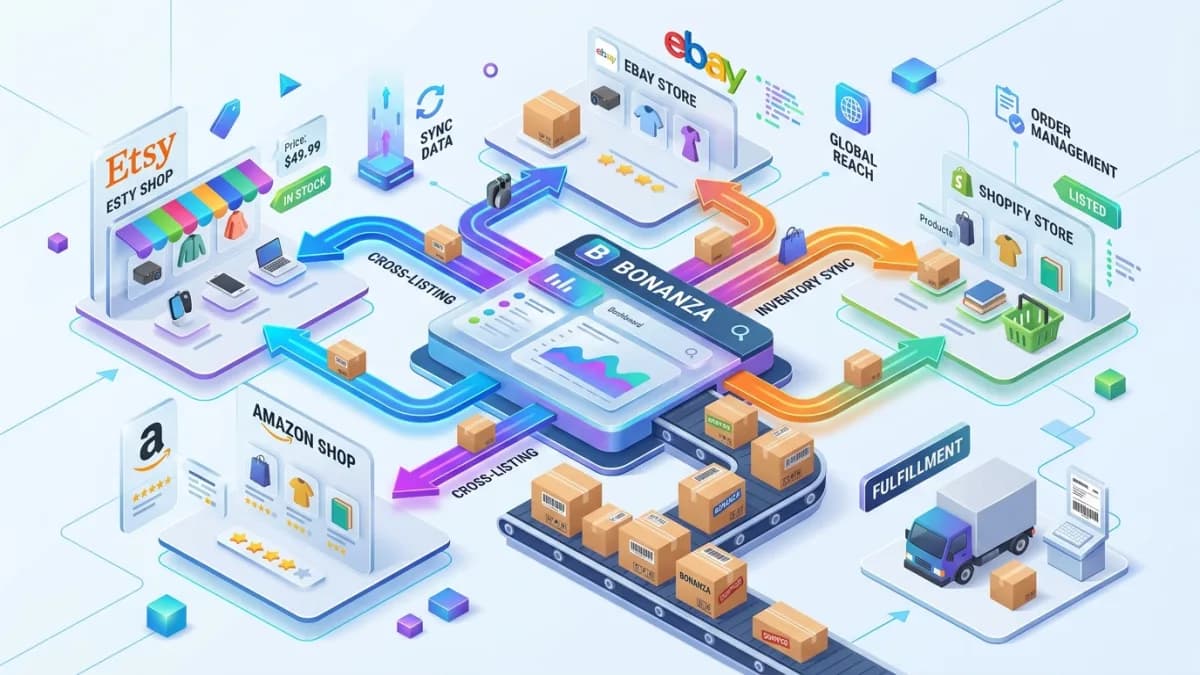
Bonanza can give an established marketplace seller another place to present inventory, but importing listings is only the beginning. A cross-listed catalog must still have accurate products, suitable categories and traits, profitable prices, synchronized stock, clear shipping and return terms, and a process for reconciling orders and payouts.
The largest operational risk is not “duplicate content.” The same factual product information can legitimately appear on multiple marketplaces. The real problem is uncontrolled duplication: stale inventory, obsolete prices, eBay-only wording, Etsy categories mapped incorrectly, missing variations, broken images, and a sold one-of-a-kind item remaining available elsewhere.
This guide explains how to evaluate Bonanza, configure a booth, import from eBay or Etsy, review listings, control stock, model fees, fulfill orders, and measure whether the channel adds profitable demand. Platform fees, importer behavior, payment requirements, advertising options, and supported seller locations can change, so confirm current information in Bonanza's Help Center and account before implementation.
Key Takeaways
- Evaluate Bonanza from expected contribution and operational capacity, not listing count alone.
- Confirm current seller location, identity, payment, setup-fee, and billing requirements.
- Use a central SKU record before importing inventory.
- Treat imported listings as drafts requiring field-by-field quality assurance.
- eBay can use a connected importer; Bonanza's published Etsy workflow uses a CSV rather than a continuous account connection.
- Do not assume an importer keeps every field and quantity synchronized.
- Use a single source of inventory truth and reconcile sales across channels.
- Price from the current final value fee, transaction fee, advertising selection, payment cost, shipping, and expected returns.
- Adapt marketplace-specific wording and taxonomy, but preserve accurate product facts.
- Measure net contribution and operating effort, not the number of active listings.
Is Bonanza Worth Adding?
Bonanza may be worth a controlled test when the business already has reliable product data, identifiable SKUs, enough margin to absorb another fee structure, fulfillment capacity, and an inventory process that prevents overselling.
Possible advantages include:
- Another marketplace storefront or “booth”
- Import options for existing inventory
- No per-item insertion fee under Bonanza's current published pricing
- Optional advertising exposure
- Booth customization
- An additional demand source for suitable products
These features do not guarantee traffic or sales. A marketplace can create incremental revenue while losing money after fees, support, returns, and catalog maintenance.
Before opening a booth, answer:
- 1Which products are allowed and suitable?
- 2Can every imported SKU be reconciled?
- 3What is the minimum profitable selling price?
- 4Who owns catalog errors and order exceptions?
- 5How quickly must inventory update after a sale elsewhere?
- 6Can shipping and return promises be met?
- 7Which payment and billing methods are available to the business?
- 8What result would justify keeping the channel after the pilot?
Avoid arbitrary rules such as “Bonanza is only worthwhile above 100 listings.” A seller with a few rare products can produce more value than a large undifferentiated catalog. The right decision depends on demand, margin, operations, and opportunity cost.
Step 1: Establish a Cross-Channel Product Record
Create a master record before importing.
Include:
- Master product ID
- Unique SKU for every variation
- Product type and category
- Title and factual description
- Brand and manufacturer
- GTIN, UPC, ISBN, MPN, or other identifier where applicable
- Condition
- Materials
- Dimensions and weight
- Color, size, model, and compatibility
- Included components
- Quantity available
- Storage or warehouse location
- Product cost
- Packaging and shipping cost
- Images and usage rights
- eBay item ID
- Etsy listing ID
- Bonanza item ID
- Price by channel
- Policy or destination restrictions
For unique and vintage inventory, use quantity one with immediate channel closure after a sale. Never reuse a SKU for a different physical item just because the earlier item sold.
This master record should remain independent of marketplace-specific copy. It is the factual source from which each channel listing is created.
Step 2: Confirm Bonanza Eligibility and Booth Requirements
Bonanza describes a seller storefront as a booth. Its current booth setup guidance lists account, contact, address, shipping, payment, identity, and billing steps.
The published guidance currently says:
- PayPal acceptance is required.
- Stripe may be available as an optional payment method.
- A debit or credit card is required for setup, identity, and seller fees.
- New sellers pay a non-refundable account setup fee.
- Some seller locations are not supported because of payment restrictions.
These details are time-sensitive. Verify the live registration flow rather than assuming a historical amount or location list still applies.
Secure the account
- Use a unique password.
- Enable available multi-factor protection.
- Restrict staff access.
- Record the legal owner of the account.
- Keep payout, billing, and tax information current.
- Use an organization-controlled email.
- Review connected applications and revoke obsolete access.
Never purchase an established account or use another person's identity or payment details.
Step 3: Configure the Booth Before Importing
An importer can populate products before the business has finished its customer promise. Configure booth-level settings first.
Booth identity
Use a recognizable name consistent with the real business. Complete the profile, booth description, contact details, banner, and policies without claiming affiliations or credentials the business does not have.
Shipping
Define:
- Ships-from location
- Handling time
- Domestic and international services
- Costs
- Combined shipping
- Tracking expectations
- Excluded destinations
- Duties and import-tax communication
- Packaging for fragile, oversized, or regulated items
Bonanza's Seller Playbook recommends clear shipping methods and handling time so estimated delivery information can be shown.
Do not copy an eBay shipping profile blindly. Marketplace services, calculation methods, carrier names, and buyer expectations may differ.
Returns and refunds
State:
- Return window
- Accepted conditions
- Who pays return shipping
- Restocking or deductions when legally allowed
- Non-returnable categories where permitted
- Damaged or incorrect item process
- Refund timing
- International return approach
Policies must comply with applicable law and Bonanza requirements. Align internal support scripts with the published booth policy.
Payments and billing
Complete payment and fee settings before launch. Test that the business can receive customer payments and that the billing card is authorized for platform charges.
Record how platform fees, processor fees, refunds, and payouts will be reconciled in accounting.
Step 4: Understand Current Bonanza Fees
Bonanza's pricing changed materially in 2025, so older articles describing a very low base commission can be misleading.
The current Bonanza pricing page describes:
- A new-seller account setup fee
- No per-item insertion fee
- A per-sale transaction fee for sellers without an active membership
- A final value fee based on Final Offer Value
- Different fees when advertising options are selected
- Additional treatment for values above stated thresholds
- Optional memberships
Bonanza currently defines Final Offer Value from the item amount plus a portion of shipping above a threshold. Do not hard-code this formula into a permanent pricing model without a “last verified” date.
Contribution model
Calculate each SKU and scenario:
Net contribution = buyer payment − Bonanza fees − payment cost − product cost − packaging − shipping − tax borne by seller − expected refunds and losses − advertising − allocated operations
Model:
- Direct Bonanza sale
- Sale attributed to selected advertising
- Accepted best offer
- Promotion or discount
- Combined shipping
- Return or cancellation
- High-value order
- International order
- Membership versus non-membership
- One-of-a-kind item
- Multi-quantity order
The lowest visible price is not necessarily the most profitable. Do not underprice imported products simply because an old article calls Bonanza “low fee.”
Evaluate membership separately
A membership can waive or change certain costs and unlock tools, but its value depends on actual volume and feature use.
Calculate:
Monthly membership benefit = avoided transaction fees + value of used tools − subscription cost − added operational complexity
Do not buy a tier solely because it appears more professional.
Step 5: Choose the Import Source and Direction
Decide which system owns product data and which direction updates travel.
Possible models:
- eBay is the primary marketplace and Bonanza imports from eBay.
- Shopify or another store is the product source and Bonanza receives a separate feed.
- A multichannel system controls all marketplaces.
- Manual publishing is used for a small unique inventory.
Avoid circular control. Bonanza should not update eBay while another tool updates Bonanza from eBay unless the exact behavior is documented and tested.
Draw the flow:
Master catalog → channel transformation → Bonanza → order → inventory deduction → other channels
For each arrow, define schedule, credentials, logs, retry behavior, failure alert, and owner.
Step 6: Import From eBay Carefully
Bonanza's current importer guide describes connecting an eBay account and granting access.
Bonanza says later imports can focus on new or revised items and that eBay removals may be reflected according to importer settings. Do not assume this covers every sale, quantity change, offer, variation, or error in real time.
Before connecting
- Back up eBay inventory.
- Resolve duplicate SKUs.
- Remove drafts and products not intended for Bonanza.
- Identify auction, fixed-price, variation, local-pickup, and restricted listings.
- Record eBay category and item-specific structure.
- Decide whether prices should be imported or transformed.
- Confirm which channel controls stock.
Import a sample
Select examples that expose risk:
- Simple fixed-price product
- Multi-variation product
- Quantity-one collectible
- Used product with condition notes
- Item with many photos
- Product with item specifics
- International shipping item
- Best-offer listing
- Product using HTML description
- Out-of-stock or ended listing
Compare source and destination fields. Do not launch the full booth until the sample passes.
Check synchronization settings
Document what happens when an eBay item:
- Sells
- Ends manually
- Expires
- Relists
- Changes price
- Changes quantity
- Adds or removes a variation
- Changes SKU
- Receives a best offer
- Is revised during an import
- Fails to import
Run controlled tests with non-critical inventory.
Step 7: Import From Etsy Carefully
Bonanza's published Etsy workflow is different from its connected eBay process. The official importer guide currently instructs sellers to download an Etsy CSV and upload it to Bonanza.
A CSV is a point-in-time transfer. It does not prove ongoing synchronization.
Export and preserve
Keep the dated original Etsy export and a transformed working copy. Record encoding, export time, listing count, and source shop.
Review Etsy-specific fields
Etsy listings may contain:
- Handmade, vintage, or supply classification
- Personalization
- Production partners
- Variation combinations
- Renewal settings
- Etsy attributes
- Shop sections
- Digital files
- Processing profiles
- Materials and tags
Confirm which fields Bonanza accepts. Do not assume personalization, digital delivery, production details, categories, variations, or inventory will map.
Bonanza notes that Etsy and Bonanza categorization differs and recommends setting Bonanza categories after import.
Establish stock control
Because the Etsy import may be a CSV rather than a live connection, define how Etsy sales close or reduce Bonanza stock.
For unique products, options include:
- A dedicated multichannel inventory system
- Immediate manual removal backed by order alerts
- Listing unique inventory on only one channel
- Maintaining a protected stock buffer for multi-quantity products
“Check once each day” may be too slow for a quantity-one item receiving active traffic.
For Etsy listing quality, see our complete Etsy SEO guide.
Step 8: Perform Post-Import Listing QA
Imported does not mean ready.
Create a QA status for every listing:
- Imported
- Needs category
- Needs traits
- Needs image review
- Needs description cleanup
- Needs price review
- Needs shipping review
- Needs variation repair
- Blocked by compliance
- Approved
- Published
Title
Keep the product clear and specific.
A practical pattern is:
Brand when accurate + product type + model/material + key attribute + size
Remove eBay-only promotional wording, Etsy tag lists, excessive symbols, unrelated brands, and shipping claims controlled elsewhere.
Do not rewrite for uniqueness at the expense of facts. Search value comes from correctly identifying the item and completing structured fields, not replacing precise language with synonyms.
Category and item traits
Choose the closest accurate Bonanza category. Complete available traits from verified product data.
Traits may include brand, size, color, style, condition, material, model, gender, age group, or identifiers depending on category.
Incorrect category mapping harms buyer navigation and may affect external advertising eligibility. A batch editor can accelerate work, but sample each rule before applying it to thousands of items.
Description
Clean up:
- Broken HTML
- eBay store links
- Etsy shop references
- Marketplace-specific checkout instructions
- Obsolete promotions
- Unsupported delivery claims
- Contact or off-platform payment instructions
- Image placeholders
- Template clutter
Keep:
- Exact product identity
- Condition
- Materials
- Measurements
- Compatibility
- Included components
- Defects
- Care
- Safety information
- Authenticity or provenance evidence
- Variation explanations
A product can use the same factual description across marketplaces without an automatic “duplicate-content penalty.” Adapt copy where the marketplace interface, audience, policy, or product presentation requires it.
Images
Confirm:
- All files imported
- Primary image shows the actual sold item
- Gallery order makes sense
- Variation images match
- Resolution is sufficient
- Orientation and cropping work
- Watermarks and rights comply
- Defects and condition are visible
- Bundles show the real included quantity
Avoid stock images for unique used items when they do not represent condition.
Price and offer settings
Review imported price, best-offer behavior, discount settings, shipping, and advertising fee before publishing. A lower platform cost should not automatically be given away without a pricing objective.
Step 9: Prepare for Google Shopping and External Advertising
Bonanza offers advertising settings that can expose eligible listings through external channels and change the applicable final value fee.
External visibility is not guaranteed. Product eligibility and distribution can depend on selected settings, data quality, product type, policies, identifiers, landing experience, and the external platform.
Bonanza's Seller Playbook highlights product identifiers such as GTIN, UPC, MPN, or ISBN for relevant products and says off-site sales are not allowed through the listing.
Before opting in:
- Verify current advertising percentage.
- Calculate contribution at that fee.
- Check category and product eligibility.
- Supply accurate brand and identifiers.
- Remove prohibited promotional content.
- Check image requirements.
- Confirm shipping and return data.
- Separate externally attributed sales in reporting.
Do not invent a GTIN or use a barcode belonging to another product. For genuine custom, vintage, or one-of-a-kind items without standard identifiers, follow the current exemption or product-data workflow rather than inserting a fake value.
Step 10: Prevent Overselling
Inventory synchronization is the central cross-listing control.
Define a source of truth
Choose one:
- Warehouse or ERP
- Owned-store platform
- Multichannel inventory service
- Primary marketplace
- Controlled manual ledger for very small catalogs
Every channel must use the same master SKU and quantity logic.
Set safety controls
- Reserve stock for pending orders when appropriate.
- Use a buffer when updates are delayed.
- Pause publishing when integration fails.
- Alert on negative or conflicting inventory.
- Reconcile unique items immediately.
- Review returned stock before making it available.
- Separate damaged, reserved, and sellable states.
- Test cancellation and refund behavior.
Daily reconciliation
Compare:
- Master sellable quantity
- eBay quantity
- Etsy quantity
- Bonanza quantity
- Open orders
- Orders awaiting payment
- Warehouse allocations
- Returns in transit
- Import or API errors
For quantity-one products, reconcile on every sale event rather than waiting for a daily report.
An oversell should trigger a root-cause review: missing SKU, importer delay, failed API call, staff edit, reservation logic, relist behavior, or return incorrectly added to stock.
Step 11: Fulfill Bonanza Orders Reliably
Document the order workflow:
- 1Receive and acknowledge the order.
- 2Confirm payment state.
- 3Match Bonanza item and variation to master SKU.
- 4Reserve inventory across channels.
- 5Pick and inspect the exact item.
- 6Pack according to product risk.
- 7Purchase the correct service.
- 8Upload valid tracking.
- 9Monitor carrier acceptance and delivery.
- 10Handle exceptions, returns, and refunds.
- 11Reconcile the payout and fees.
Shipping QA
Before launch, test packaged weight, dimensions, rate, service, handling time, excluded destinations, combined shipping, customs data, and return address.
Do not use an imported eBay shipping statement if Bonanza displays a different calculated service.
Condition control
For vintage, collectible, and used inventory, photograph the item at packing and retain relevant evidence. Check serial number, accessories, size, defects, and authenticity against the listing.
For a complete cross-platform used-product workflow, see our vintage reselling SEO guide.
Step 12: Reconcile Orders, Fees, and Payouts
Create an order-level ledger:
- Bonanza order ID
- Master SKU
- Quantity
- Item revenue
- Shipping collected
- Discount
- Tax treatment
- Final Offer Value
- Final value fee
- Transaction fee
- Advertising rate or source
- Payment-processing cost
- Shipping-label cost
- Refund
- Net payout
- Product cost
- Net contribution
Compare expected and actual fees. Investigate missing payouts, chargebacks, refunded orders, fee adjustments, best offers, combined shipping, and advertising attribution.
Gross sales are not channel profit. Report contribution after variable costs and include catalog and support labor in the channel decision.
Step 13: Measure a Controlled Pilot
Choose a representative group:
- Standard product
- Variation product
- Quantity-one item
- Used or condition-sensitive item
- Product with standard identifier
- Product with international shipping where relevant
- Higher-value item
- Item imported from each source used
Define:
- Pilot dates
- Maximum inventory exposure
- Advertising setting
- Price strategy
- Import schedule
- Oversell tolerance
- Fulfillment owner
- Stop conditions
- Review date
Track:
- Approved listings
- Impressions or views where available
- Offers
- Orders
- Conversion
- Average order value
- Advertising-attributed sales
- Fee rate
- Contribution
- Oversells and cancellations
- Shipping time
- Returns and reasons
- Support time
- Sync failures
Do not expand because the importer made expansion easy. Expand after the pilot proves that listings remain accurate, inventory stays controlled, and orders generate acceptable contribution.
Common Bonanza Cross-Listing Mistakes
Publishing the entire import without review
Category, traits, price, shipping, images, HTML, and variations can require correction. Use approval states.
Assuming Etsy CSV creates live synchronization
A CSV is a snapshot. Build a separate stock-removal process.
Using outdated fee assumptions
Bonanza changed its published pricing in 2025. Check live terms and record the verification date.
Believing unique wording alone creates search visibility
Precise product data, identifiers, category, traits, images, shipping, and seller reliability matter. Rewriting facts into awkward synonyms is not a strategy.
Letting multiple systems control inventory
Circular updates create race conditions and unexplained quantity changes. Assign one source of truth.
Sending buyers off-platform
Keep marketplace transactions and required communication in the approved flow. Do not add instructions designed to avoid fees or platform protections.
Measuring active listings instead of contribution
A large catalog can generate fees and maintenance without sales. Evaluate products and the channel by economic and operational outcomes.
Bonanza Cross-Listing Checklist
Booth
- [ ] Seller eligibility and location confirmed
- [ ] Identity, billing, and payments configured
- [ ] Account secured
- [ ] Booth identity complete
- [ ] Shipping and return policies reviewed
- [ ] Current fees recorded
- [ ] Advertising setting selected intentionally
Import
- [ ] Master SKUs complete
- [ ] Source and direction documented
- [ ] Original export backed up
- [ ] Representative sample imported
- [ ] Sync behavior tested
- [ ] Error alerts assigned
- [ ] No circular inventory control
Listing QA
- [ ] Product title accurate
- [ ] Category and traits correct
- [ ] Description cleaned
- [ ] Condition and flaws disclosed
- [ ] Images and variations match
- [ ] Identifiers genuine
- [ ] Price profitable under chosen fees
- [ ] Shipping promise achievable
- [ ] Compliance checked
- [ ] Listing approved before publishing
Operations
- [ ] Inventory source of truth active
- [ ] Unique items close immediately after sale
- [ ] Orders map to correct SKUs
- [ ] Carrier and tracking workflow tested
- [ ] Returns update stock safely
- [ ] Orders, fees, and payouts reconciled
- [ ] Pilot review scheduled
- [ ] Channel stop conditions defined
If you want help applying this to your catalog, you can send a project inquiry to discuss the scope.
Frequently Asked Questions
Does Bonanza charge a listing fee?
Bonanza's current published pricing says it does not charge a per-item insertion fee, but new sellers pay an account setup fee and sales can incur final value and transaction fees. Optional memberships and advertising affect costs. Check current pricing before launching.
Can I import listings from eBay?
Bonanza provides an eBay importer that connects to an authorized eBay account. Test listing fields and synchronization behavior with representative products before publishing the full catalog.
Can I import listings from Etsy?
Bonanza's current guide instructs Etsy sellers to download an Etsy CSV and upload it. This is not the same as a continuous connection, so inventory changes need a separate process.
Will duplicate product descriptions hurt SEO?
Accurate product facts can appear on multiple marketplaces without an automatic penalty. Adapt channel-specific instructions, remove broken templates, complete structured attributes, and add genuinely useful information. Do not rewrite solely to manufacture superficial uniqueness.
Does Bonanza automatically remove an item after it sells on eBay?
Bonanza publishes importer options for reflecting removed eBay items, but sellers must verify settings, timing, eligible listing types, and failure behavior. Use reconciliation and immediate controls for unique stock.
Is Bonanza cheaper than eBay or Etsy?
The answer depends on current fees, advertising selection, memberships, payment processing, shipping, refunds, price, and operating work. Compare net contribution per order rather than one headline percentage.
Do Bonanza listings appear on Google Shopping?
Bonanza offers external advertising options, but participation does not guarantee distribution. Products must meet current data, policy, identifier, and advertising requirements.
How many listings should I import?
Start with the smallest representative pilot that can test field mapping, inventory, shipping, fees, and buyer demand. There is no universal minimum catalog size.
Should Bonanza be the inventory source of truth?
It can be in a deliberately designed system, but many cross-listing businesses use a warehouse, commerce platform, or multichannel tool. Choose one source and document the direction of every update.
Final Recommendation
Bonanza cross-listing works only when import speed is matched by operational control. Establish master SKUs, verify current booth and fee requirements, import a representative sample, and review every field before publication.
Treat eBay and Etsy differently: a connected importer and a CSV snapshot do not provide the same synchronization. Protect unique inventory with immediate removal, reconcile quantities and orders, and calculate profit using actual fees and fulfillment costs.
A successful secondary marketplace is not the one with the most copied listings. It is the one that adds profitable orders without creating inaccurate products, oversells, policy problems, or unmanageable work.
Related posts

Shopify vs WooCommerce Checkout Comparison
A practical checkout comparison for store owners choosing between Shopify and WooCommerce.
Read article →

E-commerce Requirements Workshop: Discovery and Approval
Turn stakeholder assumptions into an approved e-commerce brief using sample orders, decision logs and testable acceptance criteria.
Read article →

Sales Tax and VAT for Online Stores Selling to the US, UK and EU
A practical guide to cross-border tax for online stores: US economic nexus after Wayfair, marketplace facilitator rules, the EU OSS and IOSS schemes, UK VAT on goods up to £135, and how Shopify and WooCommerce handle collection.
Read article →
Author
Anushka Dahanayake
Anushka Dahanayake builds SEO-focused websites, e-commerce platforms, dashboards, and automation systems for businesses worldwide.