
Appointment Booking Automation for Service Businesses
A practical appointment booking automation guide for service businesses that need cleaner scheduling, reminders, payments, intake forms and follow-up.
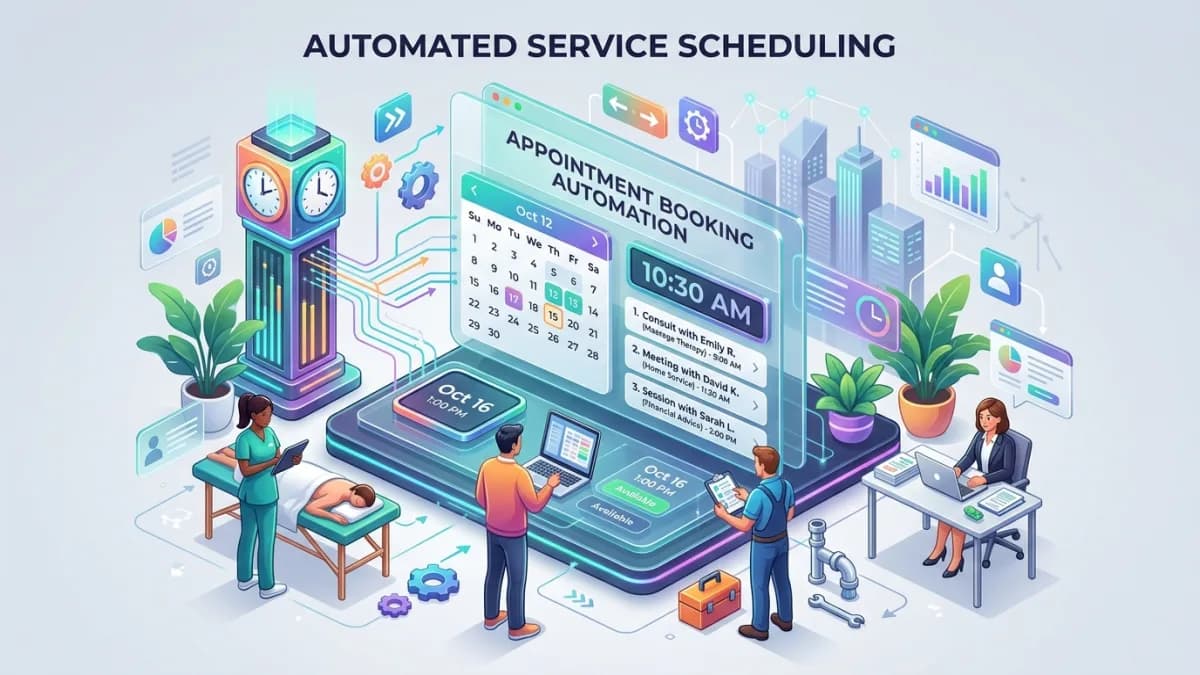
Appointment booking automation should make scheduling easier for customers and calmer for the business. The customer should find a suitable time, understand the service, submit the right information, receive reminders, know how to reschedule, and arrive prepared. The business should avoid double bookings, missed details, no-shows, manual back-and-forth and calendar confusion.
The booking page is not just a calendar.
It is a conversion point, an operations trigger, a customer expectation setter and sometimes a payment workflow. If it is designed badly, automation can book the wrong service, assign the wrong staff member, collect weak intake information, miss payment, or create appointments your team cannot realistically deliver.
This guide explains how to design appointment booking automation for service businesses: availability rules, buffers, intake forms, deposits, reminders, cancellations, CRM records, staff assignment, analytics, accessibility and follow-up.
Use this with the Small-Business Automation Guide, Lead Management Automation Guide, CRM Implementation Guide, Client Onboarding Automation Guide, and Business Automation & Integrations.
Key Takeaways
- Booking automation should start with service rules, not calendar software.
- Availability, buffers, staff capacity, service duration and location rules must be defined before launch.
- Intake forms should collect only information needed to prepare or qualify the appointment.
- Deposits or prepayments can reduce no-shows, but payment rules must be clear.
- Reminders should help customers, not annoy them.
- Cancellations, rescheduling and late arrivals need written policies and automation paths.
- Booking data should sync to CRM, calendar, payment and reporting systems where relevant.
- Accessibility and mobile usability matter because booking forms are customer-facing conversion points.
What Booking Automation Means
Appointment booking automation uses software to let customers or staff schedule appointments through defined rules.
It may include:
- service selection
- staff selection
- calendar availability
- intake questions
- payment/deposit
- confirmation email
- calendar invite
- SMS or email reminders
- rescheduling link
- cancellation workflow
- CRM update
- post-appointment follow-up
- reporting
The goal is not to remove human judgment from every booking. The goal is to standardize the repeatable part so humans handle exceptions.
Booking Workflow Map
A practical booking workflow:
| Step | Automation | Control |
|---|---|---|
| Select service | Customer chooses appointment type | Service descriptions guide choice |
| Show availability | Calendar checks rules | Buffers and staff capacity apply |
| Collect intake | Form captures required details | Sensitive fields are limited |
| Confirm payment | Deposit or payment collected if required | Payment failure blocks booking |
| Create appointment | Calendar event and CRM record created | Staff receives context |
| Send reminders | Email/SMS reminders go out | Frequency is controlled |
| Reschedule/cancel | Customer uses approved link | Policy rules apply |
| Follow up | Message or task after appointment | Staff updates outcome |
Each step should have a fallback if something fails.
Service and Availability Rules
Before choosing booking software, define service rules.
For each appointment type:
- service name
- duration
- preparation time
- cleanup time
- location
- online/offline setting
- staff eligible
- price or deposit
- intake required
- booking notice period
- cancellation window
- maximum appointments per day
Buffers
Buffers protect staff from impossible schedules.
Use buffers for:
- travel time
- preparation
- notes
- cleanup
- overruns
- breaks
Without buffers, automation creates a calendar that looks efficient and feels cruel.
Capacity
Define:
- working hours
- holiday rules
- staff leave
- lunch breaks
- maximum daily load
- service-specific limits
- emergency slots
Do not expose every empty minute. Availability should reflect real delivery capacity, not theoretical calendar space.
Intake Forms and Qualification
Intake forms should prepare the appointment.
Good questions:
- name
- contact details
- service need
- preferred location/method
- goal
- relevant background
- urgency
- files or links if needed
- accessibility needs where appropriate
Avoid collecting sensitive personal information unless there is a legitimate business need and a secure handling process.
The FTC recommends that businesses avoid collecting personal information they do not need and control access to sensitive data. Apply that to booking forms: ask only what helps booking, preparation, safety or qualification. For clients in the EU or UK, GDPR and UK GDPR add the same data-minimisation principle, require a privacy notice at the point of collection, and treat health information as special-category data that needs extra justification and protection.
Payments, Deposits and No-Show Controls
Some businesses should require deposits or prepayment.
Useful when:
- no-shows are costly
- appointment slots are limited
- preparation work is required
- service is high value
- customers frequently reschedule late
Payment rules:
- show price clearly
- explain deposit policy
- explain refund/cancellation rules
- block booking if required payment fails
- send receipt
- sync payment status
- avoid storing payment details unnecessarily
- for EU/EEA and UK cards, expect Strong Customer Authentication (3-D Secure 2) on the deposit, and authenticate when saving a card if you plan to charge a later no-show fee
GA4 recommended events include purchase and refund events for measuring transaction behavior. If booking includes payments, analytics can track business behavior, but the payment gateway or accounting system should remain the trusted payment source.
Reminders and Notifications
Reminders reduce no-shows.
Common reminders:
- immediate confirmation
- 24 hours before
- 2 hours before
- follow-up after appointment
Include:
- date/time
- timezone
- location or meeting link
- preparation instructions
- cancellation/reschedule link
- contact method
Do not overload customers with reminders. A reminder system should feel helpful, not haunted.
Keep reminders strictly about the appointment. Post-appointment promotions, review requests with offers and newsletters count as marketing, which needs opt-in consent for EU and UK contacts and must follow CAN-SPAM (email) and applicable texting rules in the US.
Internal notifications should include staff context, but avoid exposing sensitive intake details in channels that do not need them.
Cancellations and Rescheduling
Define policies before automation.
Rules:
- how late customers can cancel
- how late customers can reschedule
- whether deposit is refundable
- how staff handles emergencies
- whether repeated no-shows are blocked
- how waitlists work
- who approves exceptions
Automation can:
- reopen cancelled slots
- notify staff
- send reschedule links
- apply cancellation window
- record reason
- trigger follow-up
Keep policies visible before payment or final booking.
CRM, Calendar and Staff Integration
Booking data should flow to the right systems.
Common integrations:
- calendar
- CRM
- payment gateway
- email/SMS provider
- video meeting tool
- client portal
- analytics
- staff task system
CRM record should include:
- appointment type
- date/time
- source
- intake summary
- owner/staff member
- payment status
- attendance status
- outcome
- next action
Avoid a booking tool that becomes isolated from the customer record. If staff cannot see the booking history later, the workflow is incomplete.
Staff assignment rules
Staff assignment can be simple or advanced.
Simple assignment:
- customer selects staff member
- first available staff member gets booking
- bookings rotate between eligible staff
Advanced assignment:
- service skill match
- location match
- language preference
- existing customer owner
- workload balance
- seniority for complex appointments
- manual approval for high-value consultations
If customer relationships matter, avoid assigning existing clients to random staff unless that is intentional. Continuity can be part of the service experience.
Internal preparation tasks
For higher-value appointments, automation should create internal preparation work.
Examples:
- review intake answers
- check payment status
- prepare documents
- confirm room or meeting link
- review client history
- send pre-call questionnaire
- assign follow-up owner
This turns booking from a calendar event into an operational workflow.
Accessibility and User Experience
Booking must work for real people on real devices.
WCAG 2.2 includes guidance around input assistance, error identification, labels/instructions and status messages. For booking forms, that means users should know what to enter, what went wrong and whether booking succeeded.
UX checklist:
- mobile-friendly calendar
- clear service descriptions
- timezone clarity
- accessible form labels
- visible error messages
- keyboard support
- clear confirmation page
- resend confirmation option
- easy rescheduling
- no hidden fees
- plain-language policy
The best booking flow feels boringly obvious. That is high praise.
Testing the Booking Workflow
Test:
- normal booking
- payment required
- payment failure
- cancellation
- reschedule
- staff unavailable
- holiday date
- duplicate booking attempt
- timezone issue
- mobile booking
- invalid form
- reminder delivery
- CRM sync
- calendar sync
- analytics event
Confirm:
- customer receives confirmation
- staff receives notification
- calendar event is correct
- CRM record is created
- payment status is accurate
- reminder timing works
- cancellation policy applies
- reporting captures source
Booking KPIs
Track:
- booking conversion rate
- form abandonment
- no-show rate
- cancellation rate
- reschedule rate
- deposit completion rate
- appointment source
- staff utilization
- average booking lead time
- follow-up completion
- revenue per appointment type
KPIs should improve decisions:
- Which service gets low-quality bookings?
- Which slots no-show most often?
- Which reminder timing works?
- Which source produces paying appointments?
- Which staff member is overloaded?
Review cadence
Review booking performance weekly at first, then monthly once stable.
Look for:
- services with high abandonment
- reminders that reduce no-shows
- forms that create confusion
- staff calendars with too little buffer
- appointment types that need deposits
- sources that create low-quality bookings
- cancellations clustered around certain times
Booking automation should improve over time. If the workflow is never reviewed, it will slowly drift away from how the business actually operates.
Small improvements compound: a clearer question, a better reminder, a smarter buffer and a cleaner follow-up can turn the same calendar into a stronger customer experience.
100-Point Booking Automation Score
| Area | Points | What 100 percent work looks like |
|---|---|---|
| Service rules | 15 | Duration, buffers, staff, price and policies are defined |
| Availability | 10 | Calendar reflects real capacity and exceptions |
| Intake forms | 10 | Questions are useful, secure and not excessive |
| Payment/deposit | 10 | Payment rules, receipts and failure paths are clear |
| Reminders | 10 | Customer and staff notifications are timed and useful |
| Cancellation/reschedule | 10 | Policies and workflows are visible and automated |
| CRM/calendar sync | 15 | Records, events, owners and outcomes sync correctly |
| Accessibility/UX | 10 | Mobile, labels, errors and confirmation are clear |
| Testing | 5 | Normal and failure paths are tested |
| Reporting | 5 | Booking, no-show, source and revenue KPIs are tracked |
Score interpretation
- 90 to 100: Ready for launch.
- 75 to 89: Good, but fix weak policy or integration points.
- 50 to 74: Pilot with limited services first.
- Below 50: Do not automate yet; define booking rules.
Service Alignment
Booking automation usually touches the website, lead path, calendar rules, reminders, payment expectations and reporting. That makes it a planning problem before it is a software problem. A weak booking flow can create unqualified calls, missed reminders, double bookings or customers who arrive without the information the team needs.
This topic connects naturally to Business Automation & Integrations, which covers workflow automation and connections between booking, CRM, form and email tools. Before the booking system is built, define the appointment types, qualification questions, CRM fields, payment rules, reminder cadence, cancellation policy and success metrics.
Frequently Asked Questions
What is appointment booking automation?
It is the use of software to let customers schedule appointments through defined rules for services, staff, availability, reminders, payments, cancellations and follow-up.
Should I require payment before booking?
It depends on service value, no-show risk and customer expectations. Deposits can help, but policies must be clear and payment failures must block booking when payment is required.
What should a booking form ask?
Ask only what helps qualify, prepare or deliver the appointment. Avoid unnecessary sensitive personal information.
How do I reduce no-shows?
Use clear confirmations, helpful reminders, deposits where appropriate, easy rescheduling, visible policies and post-no-show follow-up.
Should booking connect to CRM?
Yes, if appointments relate to leads, customers, sales, service history or follow-up. CRM sync prevents booking data from becoming isolated.
Final Recommendation
Build appointment booking automation around real service capacity.
Define services, buffers, staff rules, intake needs, payment policy, reminders, cancellation paths and CRM sync before launch. A good booking system does not simply fill a calendar. It creates prepared customers, informed staff and fewer missed opportunities.
If you want booking automation connected to your website, CRM, payments, reminders and reporting, you can send a project inquiry to scope a system that supports real capacity instead of only adding a calendar widget.
Related posts

US State Privacy Laws for Small Business Websites: What Applies and What to Do
A practical 2026 guide to US state privacy laws for small business websites: CCPA/CPRA thresholds, the other comprehensive state laws, Texas and Nebraska small-business rules, privacy notices, opt-out of sale and sharing, Global Privacy Control, pixels, forms, vendor contracts and CAN-SPAM.
Read article →

Client Intake Automation for Accounting and Law Firms
How small accounting, bookkeeping and law firms in the US and UK can automate client intake and onboarding: intake forms, conflict checks, engagement letters and e-signature, UK AML identity checks, secure document collection, practice-management integration and data protection.
Read article →

Landing Page vs Website Guide for Small Businesses
A practical guide to choosing between a focused landing page and a full business website.
Read article →
Author
Anushka Dahanayake
Anushka Dahanayake builds SEO-focused websites, e-commerce platforms, dashboards, and automation systems for businesses worldwide.