
E-commerce Homepage Merchandising Guide
A practical guide to turning an e-commerce homepage into a clearer route to products and offers.
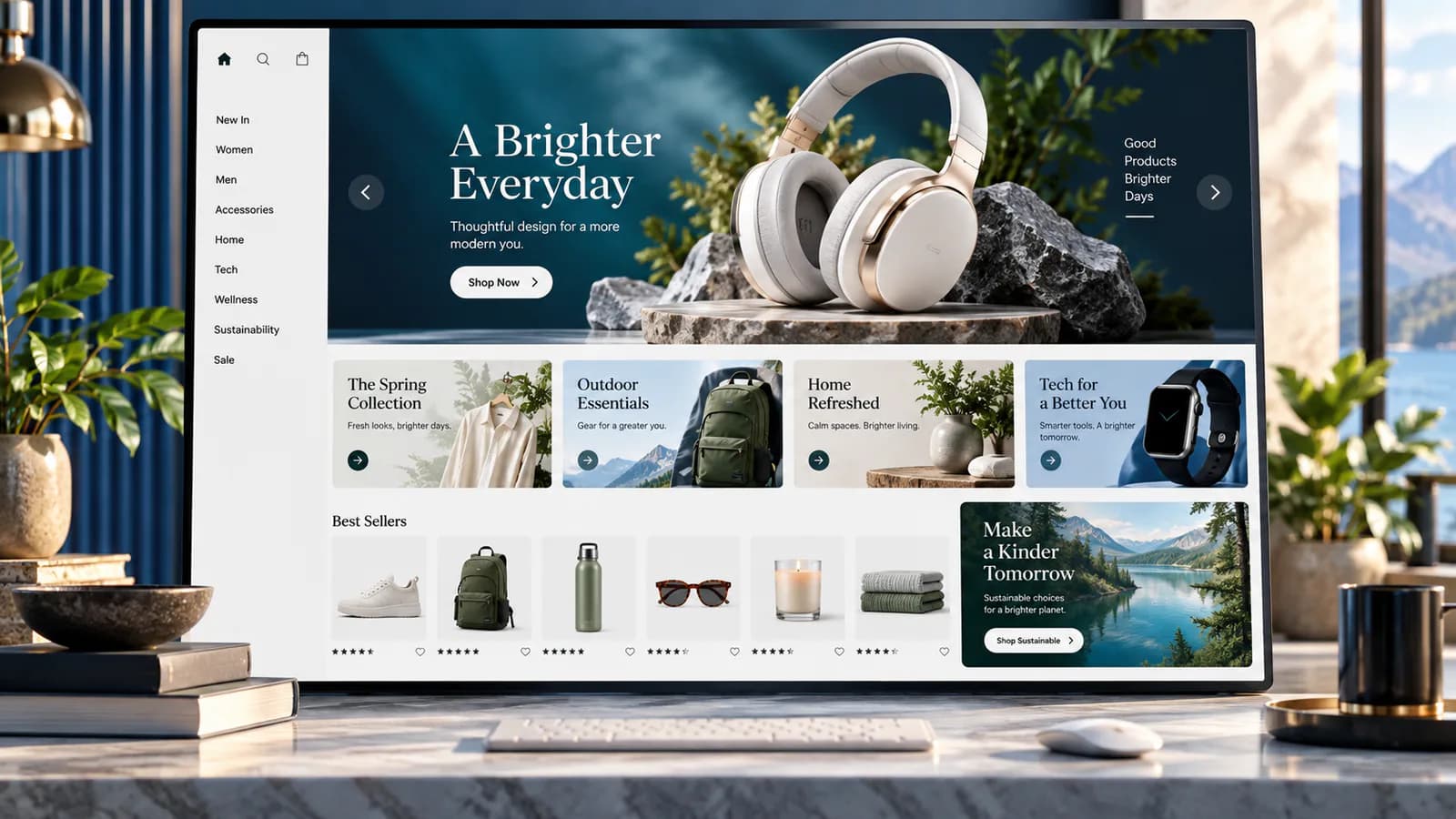
An e-commerce homepage is a set of shopping decisions. It tells visitors what the store sells, which ranges deserve attention and where to begin. Good merchandising makes those decisions easier while balancing customer relevance, stock, margin and the business's current priorities.
The homepage does not need to display the entire catalog. It needs to provide useful entrances into it. Start by understanding who actually lands there, then give each major module a clear purpose and a destination that delivers on its promise.
Identify the homepage's real visitors
Separate new visitors, returning customers and people arriving from a specific campaign. A new customer may need to understand the range and the business's credibility. A returning customer may want a familiar product or a new release. A campaign visitor may expect a specific offer immediately.
Review traffic sources and common onward paths. Do not assume every buyer starts at the homepage; product pages and collections may receive most search or advertising entrances. This distinction keeps homepage work in proportion to its actual role.
Write three realistic tasks. For a home-office store, these might be finding a compact desk, replacing a chair mat and exploring a complete workspace setup. Use these tasks to evaluate proposed modules instead of asking whether the page feels visually impressive.
Set merchandising priorities before selecting images
List the ranges you want to feature and why. Reasons might include customer demand, a new launch, strong availability, seasonal relevance or a profitable complementary purchase. Record the business owner for each decision.
Check stock depth before putting a range in the most prominent position. A compelling banner that leads to mostly unavailable products wastes attention. If a product is intentionally scarce, the destination should still provide a useful next step rather than an empty selection.
Balance commercial priorities with relevance. A high-margin accessory should not displace the main category most first-time visitors came to browse. The page needs to feel like a coherent store, not a list of internal sales targets.
Give the first screen a literal shopping promise
The first screen should identify the offer and provide a clear route into products. Use an image that shows what is being sold and copy that names the range. A campaign phrase such as "Make room for better days" needs a concrete explanation of the actual products beneath it.
For an illustrative home-office store example, "Compact desks for smaller rooms" is a useful entry if the linked collection contains desks suited to that need. The image should let visitors inspect a representative desk rather than showing a room where the product is barely visible.
Keep the primary action specific. "Shop compact desks" communicates the destination. Make sure it reaches the intended collection and that the collection retains the same promise, including any size or price boundaries stated on the homepage.
Build a deliberate sequence of modules
After the main offer, present the core shopping categories, a focused product selection and the proof needed to continue. The order should follow the audience's decisions. A technical product store may need compatibility guidance earlier than a store selling familiar everyday items.
Give each module one job. A category module helps visitors choose a range. A product module highlights specific options. A buying guide helps resolve uncertainty. Combining all three into one crowded area can make none of them effective.
Avoid repeating the same products under several different headings without a reason. "Featured," "Popular" and "Recommended" sections containing identical items consume space without adding a new decision. Use the space for a distinct need or shorten the page.
Select products with an explicit rule
For each product row, document how items are chosen and replaced. Manual selection gives control but needs maintenance. A rule-driven selection depends on accurate tags, stock and sorting behavior. Neither approach works well without ownership.
Review price distribution and range representation. If every featured product is the most expensive version, visitors may misunderstand the store's affordability. If the row contains only entry products, it may hide the range's more useful capabilities.
Show meaningful product information on cards. Depending on the catalog, this might include size, pack quantity, material or a relevant compatibility label. A price without a quantity can make a multipack look expensive or a single replacement part look like a complete kit.
Place trust beside the decision it supports
Delivery information matters when customers are considering an order. Product guarantees matter when they are evaluating risk. Reviews matter when the source and context are clear. Place these details near the relevant offer instead of collecting every badge in a decorative strip.
Use only supportable claims. "Trusted by thousands" requires evidence and a clear meaning. A specific explanation of the return route or a genuine customer comment about product fit may be more helpful than a vague authority statement.
Keep policy summaries accurate for the featured range. An unconditional free-delivery statement can mislead visitors when large furniture or distant destinations are excluded. Link to the full conditions with wording that signals the boundary.
Make campaigns expire cleanly
Every temporary homepage module needs a start date, end date and replacement plan. The offer should not remain visible after the discount, delivery cutoff or stock allocation ends. Assign the person who confirms the change rather than relying on memory.
Check the destination at both ends of the campaign. A banner can be current while the collection copy is stale, or the banner can remain after products disappear. Include emails and advertisements in the same promise review when they point to the module.
For seasonal ranges, decide what happens to the collection after the season. A useful evergreen destination may remain available with updated wording. A short-lived offer may need a different lifecycle. Do not make URL changes casually just to reset the homepage artwork.
Test mobile browsing as a complete task
Use a phone to find each of the three tasks written earlier. Check whether the first screen reveals a useful next section, whether category labels fit and whether product cards remain readable. Large banners can consume the entire screen while hiding the actual shopping options.
Test carousels carefully if the design uses them. Important information should not depend on a visitor waiting for an automatic slide. Controls need to be understandable and usable. W3C's carousel tutorial provides accessibility guidance for this pattern.
Check image loading and layout movement with realistic assets. A polished screenshot does not show how the page behaves while photographs load or when a returning visitor dismisses a promotion. Follow the customer through to the collection and a product.
Measure useful progress, not module clicks alone
Track each module's visibility where the analytics implementation supports it, clicks and downstream shopping actions. A prominent module naturally receives more clicks than one far below the fold, so raw click counts do not establish that its content is better.
Look for mismatched promises. A high click rate followed by immediate exits from the destination can indicate attractive creative with a weak or irrelevant assortment. A lower-click module that brings well-matched buyers may be commercially useful.
Keep a change log and avoid changing every module during a test intended to answer one question. Review results alongside stock and promotions. Treat small samples as directional evidence rather than proof of a permanent conversion improvement.
Frequently Asked Questions
How many products should the homepage feature?
Enough to demonstrate a useful selection without becoming a second full catalog. The right number depends on card size, audience tasks and the breadth of the store. Test the browsing path rather than choosing a universal count.
Should the homepage always promote discounts?
No. New ranges, useful categories, complete solutions and buying guidance can all be stronger priorities. Repeated discounts can also make the normal offer harder to understand.
When should merchandising be reviewed?
Review it when stock, seasons, campaigns or customer needs change, with a regular owner-led check between those events. Temporary modules need explicit expiry handling.
The category SEO guide helps make the linked collections useful destinations. The revenue validation guide supports reliable measurement beyond clicks.
Store Optimization can connect homepage priorities with collection quality, mobile browsing and measurable shopping outcomes.
Related posts

Product Pricing Page Guide for Digital Products
A practical guide to pricing pages for templates, downloads, courses and other digital products.
Read article →

Etsy to Shopify Expansion Guide
A practical guide for Etsy sellers building an owned Shopify store without losing marketplace momentum.
Read article →

eBay to WooCommerce Expansion Guide
A practical guide for eBay sellers building an owned WooCommerce store.
Read article →
Author
Anushka Dahanayake
Anushka Dahanayake builds SEO-focused websites, e-commerce platforms, dashboards, and automation systems for businesses worldwide.