
SEO Content Calendar Guide for Service Businesses
A practical guide for service businesses planning blog posts that support real inquiries.
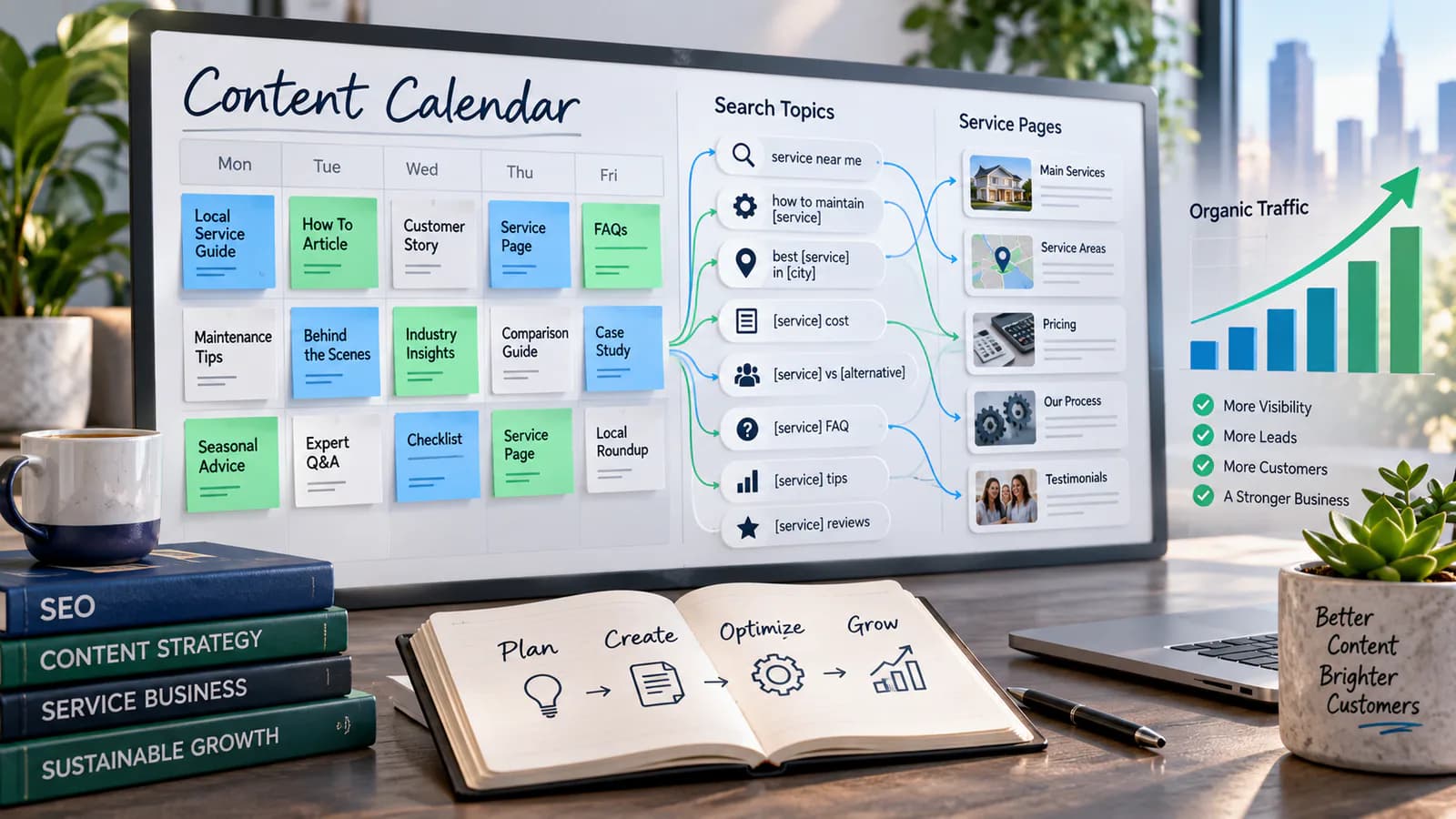
A useful SEO content calendar gives a service business a sequence of customer questions to answer, not just a list of dates to fill. It connects what the company sells, what prospects need to understand and what the team can credibly publish. Without those connections, consistent publishing can produce a busy blog and very few relevant inquiries.
Begin with the services that are ready to receive business. A content calendar cannot repair an unclear offer, unavailable delivery capacity or a contact process nobody monitors. Make the commercial destination usable, then plan the supporting articles that help a prospect decide whether that service fits.
Choose services by business readiness
List each service, its intended customer, typical problem and next action. Identify which offers have clear scope, evidence and delivery capacity. A specialist service with strong expertise may be a better editorial focus than a broad category the business rarely delivers.
Ask the people handling inquiries which explanations they repeat. Those conversations reveal useful topics: what the project includes, what affects cost, what clients need to prepare and why a cheaper option sometimes fails. Anonymize customer details and separate verified facts from individual opinions.
For an illustrative example, a small website agency might prioritize business-site planning over every possible development technology. Its first content sequence could answer what pages a service company needs, how to prepare content and how to compare project scope. Each article supports an existing offer and a real buying decision.
Build an inventory before adding new titles
Review existing service pages and articles. Record the question each page answers, its intended audience, current condition and useful next link. Look for pages that already attract relevant readers but need an updated example or clearer route to the service.
Do not create a new article merely because a keyword has a slightly different wording. If the existing page can answer the same intent well, improving it may be more useful. The keyword cannibalization guide helps investigate overlapping pages and choose a clearer role for each.
Mark content that should be consolidated, refreshed or retired. Keep these tasks in the calendar alongside new writing. Otherwise the team rewards publication volume while outdated service information continues to confuse readers.
Organize topics around buyer decisions
Use several kinds of questions. Problem-recognition topics help readers name what is wrong. Planning topics help them understand requirements. Comparison topics explain options and tradeoffs. Buying topics clarify scope, cost factors and preparation. Ownership topics help existing clients use the delivered work.
The mix should reflect the service and audience. A high-consideration project may need substantial planning and comparison content. A straightforward local service may benefit more from clear eligibility, timing and preparation answers. Avoid imposing the same funnel diagram on every offer.
For each proposed title, complete this sentence: after reading, this person should be able to make this decision. If the decision is vague, the assignment probably needs narrowing. A clear outcome also makes editorial review easier because the writer has something concrete to satisfy.
Turn a topic into a usable brief
A brief should include the target reader, primary question, service connection, evidence needed and intended next step. Add the boundaries of the article so it does not duplicate neighboring content. Specify useful examples rather than requesting a generic comprehensive guide.
For a website content-preparation article, the evidence might include an anonymized page inventory and a worked service-page brief. The article should explain what a business owner supplies and what the project team helps develop. It should not drift into a full technical framework comparison.
Identify the reviewer before assigning the draft. Technical claims need someone who can check them, and commercial promises need the person responsible for delivery. If nobody can verify a topic, postpone it or narrow it to what the business can support responsibly.
Set a publishing pace from actual capacity
Estimate the work beyond writing: research, expert review, visuals, editing, uploading and post-publication checks. A calendar that allocates one afternoon to an article requiring interviews and original diagrams is not realistic.
Start with a pace the team can sustain through a busy month. Leave capacity for urgent corrections and updates. A monthly substantial guide plus a focused refresh can be more valuable than weekly rushed posts that repeat the same advice.
Use separate statuses for brief approved, research ready, draft ready, expert reviewed and publication checked. A single done checkbox hides where work stalls. Assign one owner to move each article through the process, even when several specialists contribute.
Plan a practical first quarter
In the first month, improve the priority service page and publish the main planning question that repeatedly appears in inquiries. In the second, answer a meaningful comparison and update a relevant older article. In the third, publish a preparation resource and assess the first content's usefulness.
For the website-agency example, this might mean a page-requirements guide, a scope-comparison guide and a content-brief guide, with an existing business-website overview refreshed between them. This is an illustrative sequence, not a universal schedule or a claim about expected results.
Tie each item to available evidence and a reviewer. If the comparison requires information the team cannot verify, move a ready planning topic forward. The calendar should organize work, not force publication of an unfinished answer because a date has arrived.
Keep SEO connected to useful content
Use a clear title, descriptive headings and language that matches the reader's question. Add internal links where they help someone continue the decision. The service link should explain the relevant assistance available rather than interrupt every section with a sales prompt.
Google's people-first content guidance is a useful editorial check: content should serve an intended audience and provide satisfying, reliable information. Publishing a large quantity of near-identical pages does not establish usefulness.
For broader site context, the business website development guide helps connect editorial planning with service pages, proof and inquiry paths. A calendar works best when those destinations answer the questions the articles introduce.
Review evidence without demanding instant rankings
Record publication and major revision dates, then review relevant queries, page entrances, useful internal clicks and inquiry quality over an appropriate period. Search visibility may develop unevenly; a short period without traffic does not tell you why a page is weak.
Ask sales staff whether readers arrive better prepared. A planning article may reduce repetitive explanation even when it is not the first recorded source of an inquiry. Conversely, large traffic from unrelated readers may have limited commercial value.
The SEO reporting guide explains how to connect visibility with business outcomes. Use that distinction to avoid reporting only the number of published posts or the total impressions across unrelated topics.
Keep a reserve of ready assignments
Maintain a small queue of approved briefs whose evidence is available. If a specialist reviewer is unavailable or a planned offer changes, move a ready assignment forward without publishing an unverified draft. The reserve should contain distinct useful questions, not generic filler articles written to protect the schedule.
For the website-agency example, a verified preparation checklist could replace a delayed platform comparison. Record the change and return to the comparison when its evidence is ready. This keeps the calendar responsive to business reality while preserving editorial standards and giving the writer a clear next task.
Handle common calendar failures
If drafting repeatedly stalls, inspect the brief and evidence supply before blaming the writer. If expert review stalls, reduce the number of simultaneous assignments and schedule review time. If articles are published but never maintained, allocate update capacity explicitly.
If every topic leads to the same vague consultation pitch, revisit service alignment. Some readers need a preparation checklist or comparison before they are ready to inquire. Give them the useful next step while keeping the commercial route available.
If several pages repeat the same explanation, consolidate the repeated material into a maintained reference and deepen the distinct questions elsewhere. This reduces editorial work and makes the reader's path easier to understand.
Frequently Asked Questions
How far ahead should the calendar be planned?
Plan enough to coordinate research and review, while leaving later assignments flexible. A quarter-level topic map with detailed briefs for the next few pieces often balances direction and adaptability.
Should every article target a high-volume keyword?
No. A specific planning question from a well-matched prospect can be valuable even with modest demand. Judge relevance, evidence and the decision supported alongside search opportunity.
What should professional planning deliver?
Professional planning should include editorial planning and topic mapping that support an organic inquiry path. If you want help with it, you can send a project inquiry with your services, existing pages and recurring prospect questions so the resulting calendar reflects the business's real expertise and capacity.
Related posts

How to Adapt a Master Product Description Across Marketplaces
Keep product facts consistent while adapting titles, attributes, variants and descriptions to each sales channel's requirements.
Read article →

Marketplace Review and Trust Signal Guide
A practical guide to marketplace trust signals that help buyers feel safer before ordering.
Read article →

Pinterest and WooCommerce Strategy Guide
A practical guide to using Pinterest traffic with WooCommerce product and category pages.
Read article →
Author
Anushka Dahanayake
Anushka Dahanayake builds SEO-focused websites, e-commerce platforms, dashboards, and automation systems for businesses worldwide.