
Digital Infrastructure for Legal Practices: Client Portals, Case Tracking, and Secure Document Signatures
Transition your law firm from messy email threads to a secure client portal. Discover the security structures and file sharing APIs needed for legal web portals.
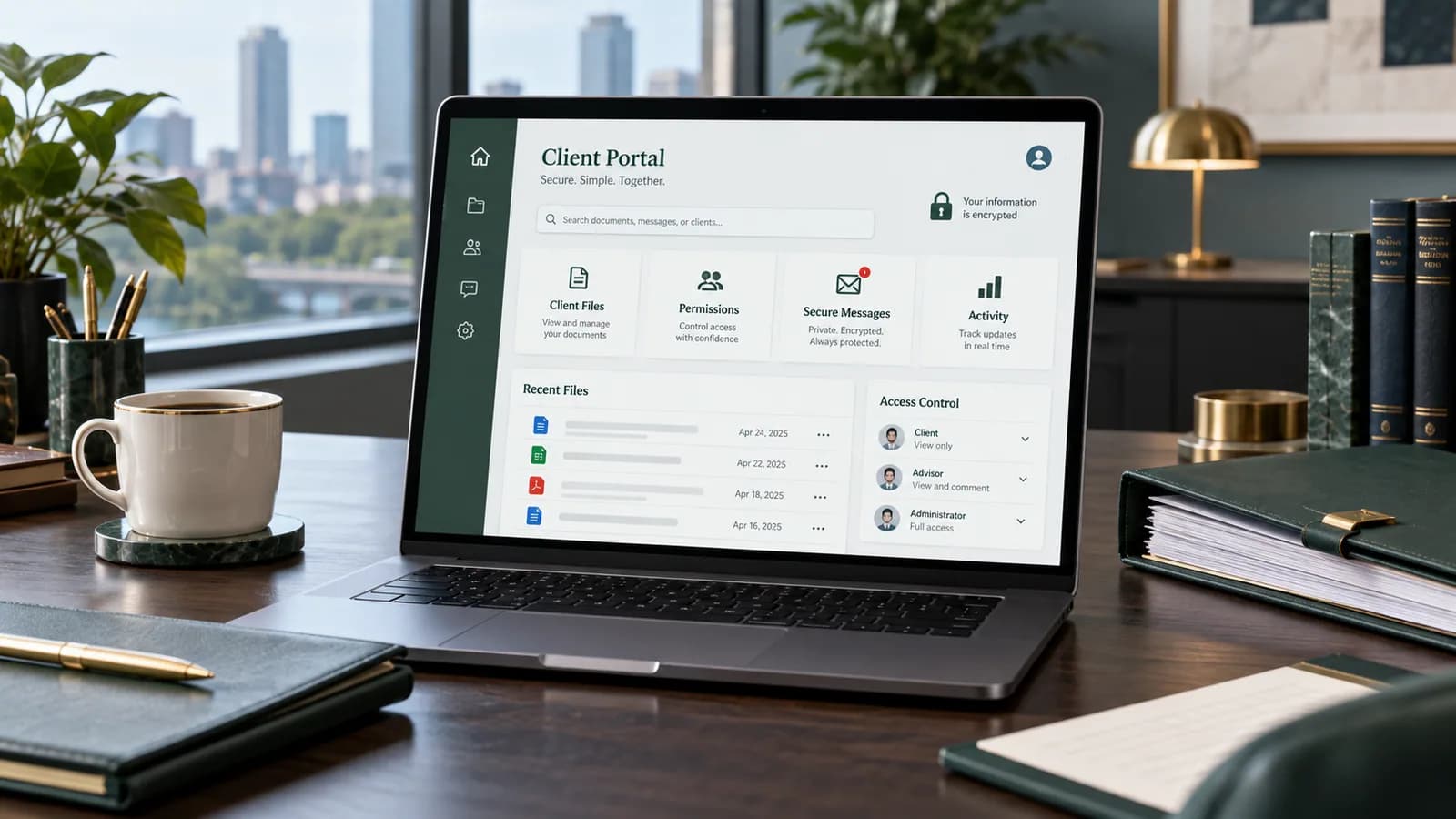
For legal firms and legal practices, managing client communication over standard email threads introduces security risks and operational friction. Legal cases involve sensitive documents, contract approvals, and billing schedules that demand secure, encrypted environments.
Building a custom, secure legal client portal resolves these challenges by providing client logins, real-time case milestone trackers, document storage, and integrated digital signatures.
This engineering guide outlines how to structure security permissions, encrypt files, and integrate document signing APIs.
1. Core Features of a Legal Portal
A modern legal portal combines three critical components:
- Secure Document Manager: Allows clients to upload evidence and download legal filings.
- Milestone Case Tracker: Shows clients their case status (e.g. "Complaint Filed", "Discovery", "Scheduled Trial").
- Digital Signatures: Enables clients to sign retainers and agreements securely.
2. Implementing Encrypted File Storage
Legal documents must be encrypted at rest and in transit. Never upload files directly to a public directory on your web server.
S3 Private Bucket Configurations
- 1Upload files to a private AWS S3 bucket with Block Public Access activated.
- 2Serve files to authorized clients using short-lived S3 Presigned URLs:
`javascript
import { S3Client, GetObjectCommand } from "@aws-sdk/client-s3";
import { getSignedUrl } from "@aws-sdk/s3-request-presigner";
const s3 = new S3Client({ region: "us-east-1" });
export async function getSecureDownloadLink(fileKey, userId) {
// Verify user is authorized to view this document
const isAuthorized = await checkUserPermission(fileKey, userId);
if (!isAuthorized) throw new Error("Unauthorized access");
const command = new GetObjectCommand({
Bucket: "legal-documents-private",
Key: fileKey
});
// Generate a download link valid for only 15 minutes
return await getSignedUrl(s3, command, { expiresIn: 900 });
}
`
3. Integrating Secure Document Signatures (Docusign API)
To allow clients to sign contracts from inside your custom portal, use Docusign's eSignature API to generate an embedded signing session:
`javascript
import docusign from "docusign-esign";
async function getEmbeddedSigningUrl(signerDetails) {
const dsApiClient = new docusign.ApiClient();
dsApiClient.setBasePath("https://demo.docusign.net/restapi"); // Use production URL in production
dsApiClient.addDefaultHeader("Authorization", "Bearer " + signerDetails.accessToken);
const envelopesApi = new docusign.EnvelopesApi(dsApiClient);
// Generate signature request session link
const recipientViewRequest = new docusign.RecipientViewRequest({
returnUrl: "https://yourportal.com/billing-setup",
authenticationMethod: "none",
email: signerDetails.email,
userName: signerDetails.name,
recipientId: "1",
clientUserId: signerDetails.userId // Marks the signer as embedded (captive)
});
const response = await envelopesApi.createRecipientView(
signerDetails.accountId,
signerDetails.envelopeId,
{ recipientViewRequest }
);
return response.url; // Short-lived: redirect the signer to it straight away
}
`
The signing URL expires quickly and can be used once. Redirect the client to it or open it in a new tab. If you want signing to appear inside the portal page, use Docusign's focused view, which requires the frameAncestors and messageOrigins settings on the recipient view request and the Docusign JS library; a plain iframe of the URL is not the supported pattern.
4. Compliance, Audit Trails, and Security Audits
In the US, lawyers have a duty to make reasonable efforts to prevent unauthorised access to client information (ABA Model Rule 1.6(c)), and ABA Formal Opinion 477R (2017) says that sensitive client communications may need stronger protection than ordinary email. Firms with clients in the EU or UK also process personal data under the GDPR or UK GDPR, which turns access control, retention and processor agreements into legal requirements rather than good practice. This is general information, not legal advice.
When developing legal infrastructure, enforce the following security protocols:
- Multi-Factor Authentication (MFA): Require an authenticator app or passkey for client and staff logins. SMS codes are better than nothing but are weaker against SIM-swap attacks.
- Audit Logging: Record every file upload, download, and signature with user IDs, timestamps, and IP addresses.
- Data Encryption: Encrypt sensitive database columns (like national ID numbers or case details) using AES-256 encryption.
5. Client Experience Requirements
A legal portal must feel calm, professional, and easy to understand. Clients are often dealing with stressful matters, so the interface should avoid clutter and confusing technical language. The dashboard should show open tasks, required signatures, uploaded documents, next appointment, billing status, and case milestones in a simple order.
The portal should also reduce unnecessary phone calls. If clients can see whether a document was received, whether a signature is pending, and what the next step is, the firm spends less time answering repeated status questions. This is one of the strongest business reasons to build a portal: better service without adding administrative overhead.
For mobile users, upload flows are especially important. Many clients will photograph documents from a phone. The portal should accept common file types, compress previews safely, show upload progress, and confirm when the firm has received the file.
6. Role-Based Access Control for Law Firms
Legal teams need strict permissions. A client should only see their own matter. A paralegal may need upload and status permissions but not billing configuration. A partner may need full access across cases. An external consultant may need access to one document folder for a limited time.
Design roles before building screens:
- Client: view own case, upload files, sign documents, message the firm.
- Paralegal: manage documents, update milestones, prepare signature requests.
- Attorney: review files, approve messages, manage case notes.
- Billing admin: manage invoices and payment status.
- Firm administrator: manage users, roles, and portal settings.
Permissions should be checked on the server for every request. Hiding a button in the UI is not enough. The API must verify that the current user can view or modify the requested case, file, invoice, or message.
7. Document Workflow and Retention
A secure portal should organize documents by matter, category, client, and status. Useful categories include identity documents, evidence, signed agreements, court filings, invoices, correspondence, and internal notes. Internal notes should never appear in the client-facing area unless explicitly shared.
Retention rules matter too. Some documents must be kept for years, while temporary upload files may be removed after review. The portal should support archive states, export packages, and secure deletion policies that match the firm's jurisdiction and internal process.
For sensitive files, add virus scanning, file type validation, and maximum file sizes. Do not rely only on file extensions. Validate the actual file signature before storing or previewing uploads.
8. Messaging and Notification Rules
Client portals often fail when notifications are too noisy or too quiet. The client should receive alerts for important events: new document requested, signature required, appointment scheduled, invoice issued, or message from the firm. The firm should receive alerts when the client uploads documents, signs an agreement, or asks an urgent question.
Avoid putting sensitive legal details inside email notifications. Email can say that an update is available in the portal, then require secure login to view the details. This protects privacy while still keeping clients informed.
9. Security Review Checklist
Before launching a legal client portal, review:
- HTTPS is enforced across the entire site.
- Two-factor authentication is available or required.
- Files are stored outside public web directories.
- Presigned URLs expire quickly.
- Server-side authorization checks every file and case request.
- Audit logs record uploads, downloads, signatures, and permission changes.
- Admin accounts use strong passwords and limited roles.
- Backups are encrypted and tested.
- Error messages do not expose file paths or system details.
- The privacy policy and terms match the portal workflow.
This kind of portal aligns with business website development, corporate website development, and website maintenance when a firm needs a professional public website plus secure client infrastructure.
10. 100-Point Legal Portal Readiness Score
| Area | Points |
|---|---|
| Role-based permissions designed | 15 |
| Private encrypted document storage | 15 |
| Audit logging for sensitive actions | 15 |
| Secure signature workflow | 10 |
| Client dashboard is clear and mobile friendly | 10 |
| Notification rules protect private details | 10 |
| Backup and retention policy exists | 10 |
| Admin controls and 2FA are configured | 10 |
| Launch testing covers client and staff roles | 5 |
If the score is under 85, the portal should not handle sensitive client documents yet. Launch the public website first, then add secure portal modules after the controls are ready.
11. Build vs Off-the-Shelf Legal Software
Many firms can use legal practice management software for case operations. A custom portal makes sense when the firm needs a branded client experience, custom intake forms, custom document workflows, specific payment requirements, or integration with an existing website. The decision is not always either/or. A custom website can connect to external legal tools while still giving clients a polished portal experience.
Custom development is strongest when the portal supports a specific service model: immigration cases, real estate closings, contract review, corporate filings, family law intake, or recurring legal advisory work. Each practice area has different forms, milestones, and document needs.
12. Intake Forms and Qualification Logic
Legal intake should be structured enough to help the firm qualify the matter before a consultation. A generic contact form usually asks for name, email, and message. A stronger legal intake flow asks for matter type, location, urgency, opposing party details when appropriate, deadline, document availability, and preferred consultation method.
The portal can route the inquiry based on that data. Urgent court deadlines can trigger a priority alert. Practice areas the firm does not handle can show a polite response and avoid creating unnecessary admin work. Existing clients can be directed to log in instead of creating duplicate records.
The form should also protect confidentiality. It can ask for enough detail to understand the request, while warning users not to submit highly sensitive facts until an attorney-client relationship is confirmed. This wording should be reviewed by the firm.
13. Billing and Payment Visibility
Many client questions are billing-related: retainer paid, invoice due, receipt needed, payment plan status, or signed fee agreement. A legal portal can show invoices and payment status without exposing internal accounting notes. Clients should see what they need to act on, while staff see the full operational record.
If online payments are enabled, keep payment processing separate from legal document storage. Use a trusted payment gateway, record payment status, and avoid storing card data on the portal server. In the US, advance retainers are usually client funds that belong in a trust (IOLTA) account under state versions of ABA Model Rule 1.15, so the processor must deposit to the correct account and must not take its fees out of trust funds. Confirm the setup against your state bar's rules.
14. Implementation Roadmap
A sensible legal portal rollout starts with the public website and secure intake, then adds client accounts, document upload, signatures, messaging, and billing visibility. Trying to launch every feature at once increases risk and slows adoption inside the firm.
Phase one should prove that clients can submit inquiries and documents securely. Phase two can add internal case milestones and staff workflows. Phase three can add advanced signatures, payments, reporting, and integrations with practice management software.
This staged approach lets the firm train staff gradually. It also gives clients a cleaner experience because each module is tested before another sensitive feature is added.
15. SEO Value for Legal Practices
A secure portal is mainly an operational feature, but it also supports marketing. Law firms can publish service pages, practice area guides, intake pages, and FAQ content that explain the process clearly. The portal then becomes the conversion layer for visitors who are ready to contact the firm.
For SEO, avoid thin city pages or duplicated practice pages. Each landing page should answer a real legal-service question, explain the firm's process, and guide the visitor toward secure intake.
Frequently Asked Questions
Is a legal client portal safer than email?
Usually, yes. A properly built portal can use authenticated access, encrypted storage, role-based permissions, and audit logs. Standard email threads are harder to control and track.
Does a small law firm need a custom portal?
Not always. A small firm can start with a professional website and secure intake forms. A portal becomes valuable when document exchange, signatures, and case updates consume too much staff time.
Can clients sign documents inside the portal?
Yes. Embedded signing tools such as Docusign can let clients sign retainers and agreements after logging in, while the portal records the signature event and updates the case status.
What is the biggest portal mistake?
The biggest mistake is treating file upload as a normal website feature. Legal documents require private storage, authorization checks, audit trails, and retention planning.
Final Recommendation
Deploying a secure legal portal can improve case management, protect client data, and strengthen the firm's professional image. The safest approach is to design permissions, document storage, notifications, and audit logs before writing the client dashboard.
Related posts

Shared vs VPS vs Managed Hosting for a Small Business Website or Store
A plain comparison of shared hosting, VPS and managed hosting or PaaS for small business sites and online stores: responsibilities, isolation and performance, the signs a WooCommerce store or Next.js app has outgrown shared hosting, GDPR data residency, and a decision table.
Read article →

How to Secure a New Ubuntu VPS: A Setup Checklist for Business Websites
A step-by-step hardening checklist for a fresh Ubuntu 26.04 or 24.04 LTS VPS that will host a business website, with copy-paste commands for SSH keys, ufw, unattended-upgrades, fail2ban, time sync, swap, monitoring and backups.
Read article →

Deploy a Next.js 16 App on a VPS with Nginx, systemd or PM2, and HTTPS
A working guide to running Next.js 16 on your own VPS: Node.js LTS, build-time versus runtime environment variables, a systemd unit and PM2 alternative, an Nginx server block with certbot HTTPS, the standalone output option, logs, and a two-port release script.
Read article →
Author
Anushka Dahanayake
Anushka Dahanayake builds SEO-focused websites, e-commerce platforms, dashboards, and automation systems for businesses worldwide.