
Web Systems for Medical Clinics: Designing HIPAA-Compliant Patient Intake and Scheduling Portals
Building a patient portal for a clinic or private practice? Learn the security requirements, database encryption steps, and access controls needed for HIPAA compliance.
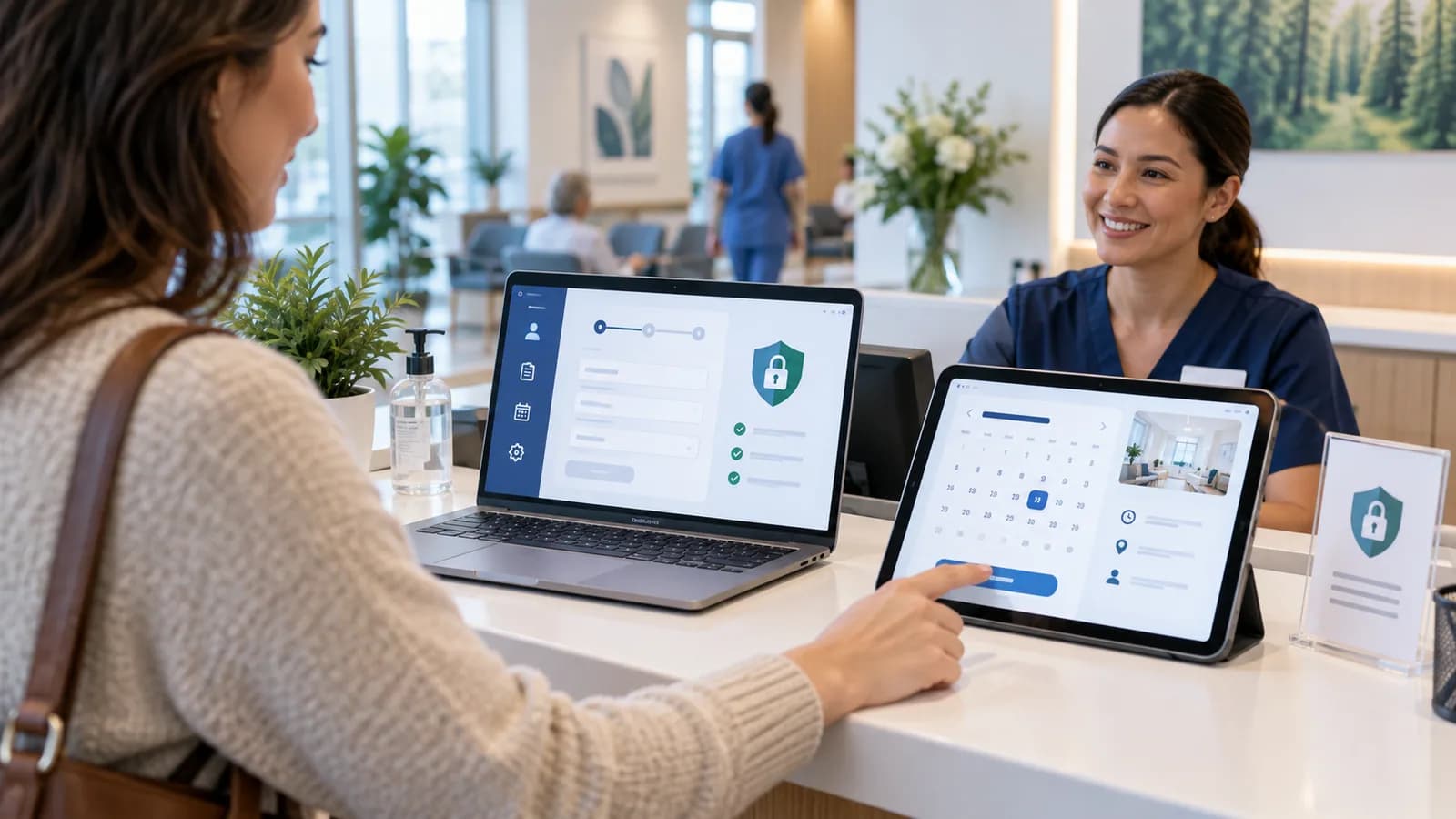
For medical clinics, dental practices, and private doctors, patient coordination must be handled with care. Unlike general service businesses, medical platforms handle Protected Health Information (PHI) that is regulated by strict compliance standards, such as the US HIPAA (Health Insurance Portability and Accountability Act).
Building a custom patient portal simplifies intake forms, lets patients schedule appointments, and manages communications. However, using unencrypted databases, sharing health details via standard email, or hosting portals on shared servers can result in data breaches and regulatory fines.
This engineering guide outlines how to build patient portals featuring database encryption and secure access controls.
1. Understanding HIPAA Requirements for Web Systems
HIPAA compliance requires administrative, physical, and technical safeguards. For web development, focus on these technical requirements:
- 1Access Controls: Unique user logins, automatic logouts, and role-based permissions.
- 2Transmission Security and Encryption: Encrypting all data in transit (TLS/HTTPS). Encryption at rest is technically an "addressable" safeguard, but in practice it is the expected standard for any system storing PHI.
- 3Audit Controls: Recording all data additions, reads, edits, and deletions.
- 4Business Associate Agreement (BAA): Working only with hosting providers (like AWS, Google Cloud, or specialized VPS) that sign a BAA.
HIPAA is a US law. If the clinic also serves patients in the EU or UK, health data is "special category" data under GDPR and UK GDPR, which requires a specific legal condition for processing, a processor agreement with each vendor, and often a data protection impact assessment. This is general information, not legal advice.
2. Implementing Encrypted Database Fields (AES-256-GCM)
Store patient details (e.g. medical conditions, contact info, check-in reasons) in encrypted database fields.
Node.js Database Field Encryption:
Below is a utility function to encrypt and decrypt sensitive database columns. It uses AES-256-GCM, an authenticated mode, so tampered ciphertext fails to decrypt instead of silently producing garbage:
`javascript
import crypto from "crypto";
const ALGORITHM = "aes-256-gcm";
const ENCRYPTION_KEY = Buffer.from(process.env.DB_ENCRYPTION_KEY, "hex"); // Must be 32 bytes
export function encrypt(text) {
const iv = crypto.randomBytes(12); // 96-bit IV recommended for GCM
const cipher = crypto.createCipheriv(ALGORITHM, ENCRYPTION_KEY, iv);
const encrypted = Buffer.concat([cipher.update(text, "utf8"), cipher.final()]);
const authTag = cipher.getAuthTag();
// Store IV, auth tag and ciphertext together
return [iv, authTag, encrypted].map((b) => b.toString("hex")).join(":");
}
export function decrypt(payload) {
const [ivHex, tagHex, dataHex] = payload.split(":");
const decipher = crypto.createDecipheriv(ALGORITHM, ENCRYPTION_KEY, Buffer.from(ivHex, "hex"));
decipher.setAuthTag(Buffer.from(tagHex, "hex"));
const decrypted = Buffer.concat([
decipher.update(Buffer.from(dataHex, "hex")),
decipher.final(), // throws if the data or tag was altered
]);
return decrypted.toString("utf8");
}
`
Keep the key in a managed secret store or KMS, not in the database or source code, and plan for key rotation.
3. Secure File Uploads (Medical Images and Intake PDF Forms)
When patients upload medical records, check-in history, or referral forms:
- Upload assets to a private storage bucket configured with server-side encryption enabled (SSE-S3).
- Never display files on public URLs. Always serve them through an authorization check and short-lived presigned download URLs (presigned URLs expire but are not single-use, so keep expiry times to minutes).
- Ensure your S3 service provider signs a BAA.
4. Logging & Audit Trails
To comply with audit requirements, implement a persistent logger that records all actions on patient files:
`javascript
import { prisma } from "@/lib/prisma";
async function logAuditAction(userId, patientId, action, details) {
await prisma.auditLog.create({
data: {
userId,
patientId,
action, // e.g. "VIEW_MEDICAL_RECORD"
details, // e.g. "Accessed intake-form.pdf"
ipAddress: getClientIp(),
timestamp: new Date()
}
});
}
`
5. Patient Intake Workflow Design
A patient intake portal should make the first appointment smoother for both the patient and the clinic. The portal can collect contact details, insurance information, reason for visit, current medications, allergy notes, consent forms, and appointment preferences before the patient arrives. This reduces front-desk workload and helps clinicians prepare.
The workflow should be broken into short steps. Long medical forms can feel overwhelming on mobile devices. Save progress after each step, show clear required fields, and allow staff to request missing information securely. Patients should receive confirmation that their intake was submitted, but the confirmation email should avoid including protected health details.
Clinics also need internal review states. A submission might be marked as received, needs clarification, ready for appointment, or archived. This turns intake into a managed process instead of a pile of form emails.
6. Scheduling Rules and Calendar Integration
Medical scheduling is more complex than a normal booking form. Appointment length may depend on visit type, practitioner, location, insurance requirements, and whether the patient is new or returning. The portal should validate appointment availability before confirming a time.
Useful scheduling rules include:
- Separate new patient and returning patient appointment types.
- Add buffer time between appointments.
- Prevent same-day booking when staff review is required.
- Limit online booking to approved services.
- Send reminders without exposing sensitive visit details.
- Allow staff to reschedule or cancel from an admin panel.
Calendar integration can sync confirmed appointments to Google Calendar, Microsoft 365, or a clinic scheduling system. For HIPAA-sensitive workflows, check whether the calendar provider and configuration are appropriate for protected health information. When in doubt, keep calendar event titles generic and store medical details only inside the portal.
7. HIPAA Hosting and Vendor Questions
HIPAA compliance is not only a code issue. The hosting provider, email provider, storage provider, analytics tools, appointment tools, and support vendors all matter. If a vendor can access protected health information, the clinic may need a Business Associate Agreement.
Before building the portal, ask:
- Will the platform store PHI?
- Which vendors can access PHI?
- Does the hosting provider sign a BAA?
- Are backups encrypted?
- Are logs storing sensitive data?
- Are email notifications free of PHI?
- Who can access production data?
- How are staff accounts removed after employment ends?
These questions should be answered before launch, not after the site starts collecting patient details.
8. Access Control and Staff Permissions
Patient portals need role-based access. A patient should only access their own forms and appointments. Front-desk staff may view scheduling details and intake status. Clinical staff may view medical intake details. Administrators manage users, locations, appointment types, and retention rules.
Every API request must check authorization. It is not enough to protect the page route. File downloads, form records, appointment updates, notes, and audit logs all need server-side permission checks.
Add automatic session expiry, strong passwords, optional multi-factor authentication, and account lockout for repeated failed login attempts. Staff access should be reviewed regularly.
9. Analytics Without Privacy Risk
Clinics still need analytics, but tracking must be careful. Public marketing pages can use standard privacy-conscious analytics. Intake forms and patient dashboards should avoid sending PHI to advertising platforms, remarketing pixels, or third-party analytics tools.
Measure operational performance inside the application instead. Track form completion rate, abandoned intake steps, average time to completion, appointment request volume, staff review time, and missed appointment rate. These metrics improve the workflow without exposing sensitive patient details to marketing tools.
This work fits with business website development and website maintenance for clinics that need a secure public website and patient operations layer.
10. 100-Point Patient Portal Readiness Score
| Area | Points |
|---|---|
| HIPAA vendor and BAA review completed | 20 |
| Role-based access control implemented | 15 |
| PHI encrypted at rest and in transit | 15 |
| Audit logs record sensitive access | 15 |
| Email and calendar notifications avoid PHI | 10 |
| Secure file upload and storage configured | 10 |
| Staff workflow and review states defined | 5 |
| Backup and recovery tested | 5 |
| Patient mobile experience tested | 5 |
If the score is below 85, do not collect sensitive medical information through the portal yet. Use the public website for general contact only until the technical and vendor controls are ready.
11. Common Portal Mistakes
The most dangerous mistake is sending patient intake details through normal email. Other common mistakes include storing uploads in public folders, using shared hosting without compliance review, logging full patient form data in plain text, sending remarketing pixels on intake pages, and giving all staff admin-level access.
Another mistake is building a beautiful form with no internal workflow. If staff cannot review, assign, request corrections, and mark intake as complete, the portal will still create manual work.
12. Patient Communication and Secure Messaging
A portal may include secure messaging, but that feature needs careful boundaries. Patients should be able to ask administrative questions, request appointment changes, and respond to staff requests. Clinical advice, emergency issues, and diagnosis-related questions may need a different workflow controlled by the clinic.
Set expectations inside the portal. Show response times, emergency instructions, and message categories. If a patient selects an urgent or emergency-related category, the system should direct them to the clinic's emergency process rather than treating it like a normal inbox ticket.
Secure messaging should also have internal assignment rules. Front-desk staff can handle scheduling messages, while clinical staff can handle medical intake clarification. Every message thread should be tied to the patient record and logged.
13. Launch Testing for Clinics
Before launch, run test cases with staff. Test a new patient intake, returning patient appointment request, file upload, staff review, appointment reschedule, forgotten password, failed upload, and duplicate patient record. Ask staff to complete the workflow on both desktop and mobile.
This testing often reveals the real operational problems: confusing field labels, missing insurance fields, unclear appointment types, and too many admin notifications. Fixing those before launch is much cheaper than retraining staff after patients start using the system.
14. Staff Adoption and Training
Even a secure portal can fail if staff do not know when to use it. Create short internal instructions for reviewing intake submissions, requesting missing information, rescheduling appointments, and handling messages. Staff should know which actions belong in the portal and which require a phone call or clinical workflow.
Training should include privacy reminders. Staff should avoid copying PHI into ordinary email, personal notes, or unsupported chat tools. The portal becomes safer only when the surrounding process respects the same privacy boundaries.
15. SEO and Patient Trust
Clinic websites need more than appointment forms. Patients often search for services, insurance details, location information, preparation instructions, and what to expect during a visit. High-quality service pages and FAQ content can answer those questions before the patient books.
The portal should support that trust. A visitor reads the service page, understands the next step, and then moves into secure intake or scheduling. That journey is stronger than sending patients from a vague marketing page into a generic contact form.
Frequently Asked Questions
Is every clinic website required to be HIPAA compliant?
A public marketing website with general information may not store PHI. Once the site collects patient intake details, medical files, appointment reasons, or private messages, HIPAA-related safeguards become much more important.
Can a patient portal send appointment reminders?
Yes, but reminders should avoid sensitive medical details. Keep messages generic and require secure login for private information.
Can Google Calendar be used for clinic scheduling?
It depends on configuration, vendor agreements, and whether PHI is stored in event details. Many clinics keep calendar events generic and store private details only in the portal or compliant practice system.
What is the most important technical control?
Access control and audit logging are critical. The system must know who accessed patient data, when they accessed it, and whether they were allowed to do so.
Final Recommendation
Building a patient intake and scheduling portal can reduce clinic admin work, but privacy controls must come first. Plan vendors, permissions, encryption, audit logs, notifications, and staff workflow before collecting sensitive patient information online.
Related posts

Shared vs VPS vs Managed Hosting for a Small Business Website or Store
A plain comparison of shared hosting, VPS and managed hosting or PaaS for small business sites and online stores: responsibilities, isolation and performance, the signs a WooCommerce store or Next.js app has outgrown shared hosting, GDPR data residency, and a decision table.
Read article →

How to Secure a New Ubuntu VPS: A Setup Checklist for Business Websites
A step-by-step hardening checklist for a fresh Ubuntu 26.04 or 24.04 LTS VPS that will host a business website, with copy-paste commands for SSH keys, ufw, unattended-upgrades, fail2ban, time sync, swap, monitoring and backups.
Read article →

Deploy a Next.js 16 App on a VPS with Nginx, systemd or PM2, and HTTPS
A working guide to running Next.js 16 on your own VPS: Node.js LTS, build-time versus runtime environment variables, a systemd unit and PM2 alternative, an Nginx server block with certbot HTTPS, the standalone output option, logs, and a two-port release script.
Read article →
Author
Anushka Dahanayake
Anushka Dahanayake builds SEO-focused websites, e-commerce platforms, dashboards, and automation systems for businesses worldwide.