
Automated Booking System Architecture: Synchronizing Custom Calendars with Google Calendar API
Building a scheduling platform for consultations or clinics? Discover how to integrate the Google Calendar API securely to manage booking slots and prevent conflicts.
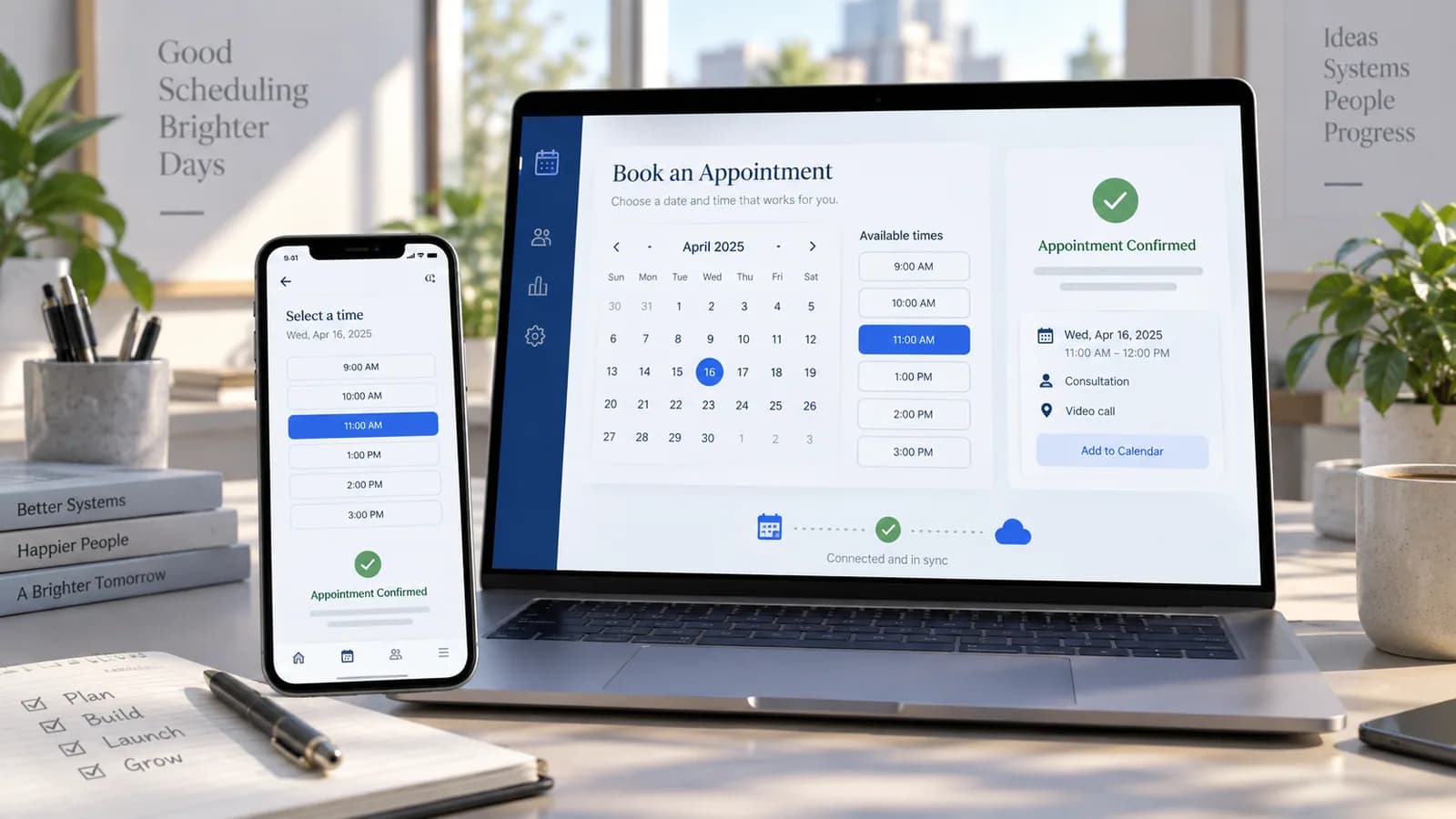
For service firms, consulting practices, and medical clinics, offering a self-serve appointment scheduling portal is an effective way to improve bookings. While widgets like Calendly or Acuity offer basic setups, they are difficult to customize and require recurring subscription fees.
By building a custom booking system integrated directly with the Google Calendar API, you retain control of the customer database, eliminate brand distraction, and avoid third-party costs.
This engineering guide provides the system architecture blueprint to handle OAuth 2.0 authentication, listen for booking slot availability, and handle real-time sync.
1. System Architecture Diagram
A custom booking system needs to reconcile database records with the consultant's Google Calendar.
- Frontend: Visitor views a grid of available time slots.
- Database: Holds booking status, consultant schedules, and reservation records.
- Google Calendar API: Confirms availability, blocks slots, and sends invites.
- Webhook Sync: Syncs event updates when a consultant manually reschedules in Google Calendar.
2. Handling OAuth 2.0 for Calendar Access
To read and write to a consultant's Google Calendar, your application must obtain access and refresh tokens using Google's OAuth 2.0 flow.
Obtaining Tokens:
Store the returned refresh_token in a secure database table. Your app will use this token to generate short-lived access_token parameters dynamically:
`javascript
import { google } from "googleapis";
const oauth2Client = new google.auth.OAuth2(
process.env.GOOGLE_CLIENT_ID,
process.env.GOOGLE_CLIENT_SECRET,
process.env.GOOGLE_REDIRECT_URL
);
// Retrieve access token using stored refresh token
oauth2Client.setCredentials({
refresh_token: process.env.GOOGLE_REFRESH_TOKEN
});
`
3. Querying Availability (Preventing Double Booking)
Before showing open slots to a visitor, check the Google Calendar API for existing events to prevent double-booking.
`javascript
async function checkAvailability(timeStart, timeEnd) {
const calendar = google.calendar({ version: "v3", auth: oauth2Client });
const response = await calendar.freebusy.query({
requestBody: {
timeMin: timeStart,
timeMax: timeEnd,
items: [{ id: "primary" }] // Primary Google Calendar
}
});
const busySlots = response.data.calendars.primary.busy;
return busySlots.length === 0; // Returns true if slot is empty
}
`
4. Writing Bookings to Google Calendar
Once the user completes the booking form (and payment, if integrated), write the event directly to Google Calendar and attach a video meeting link automatically:
`javascript
async function createCalendarEvent(bookingDetails) {
const calendar = google.calendar({ version: "v3", auth: oauth2Client });
const event = {
summary: Consultation: ${bookingDetails.clientName},
description: bookingDetails.notes,
// IANA time zone of the booking, e.g. "America/New_York" or "Europe/London"
start: { dateTime: bookingDetails.startTime, timeZone: bookingDetails.timeZone },
end: { dateTime: bookingDetails.endTime, timeZone: bookingDetails.timeZone },
attendees: [{ email: bookingDetails.clientEmail }],
conferenceData: {
createRequest: {
requestId: "secure-booking-id-" + Date.now(),
conferenceSolutionKey: { type: "hangoutsMeet" } // Automatically attaches Google Meet link
}
}
};
const response = await calendar.events.insert({
calendarId: "primary",
requestBody: event,
conferenceDataVersion: 1,
sendUpdates: "all" // Sends calendar invite and meeting details to client
});
return response.data;
}
`
5. Syncing Backwards (Google Calendar to Website)
If a consultant deletes or reschedules a meeting directly inside their Google Calendar mobile app, the website database must update to match.
Setting Up a Watch Channel:
Use Google Calendar's Watch API to establish a push notification channel that sends POST webhooks to your server when changes occur:
`javascript
async function registerCalendarWebhook() {
const calendar = google.calendar({ version: "v3", auth: oauth2Client });
await calendar.events.watch({
calendarId: "primary",
requestBody: {
id: "unique-watch-channel-id",
type: "web_hook",
address: "https://yourdomain.com/api/webhooks/calendar-sync",
token: process.env.CALENDAR_CHANNEL_TOKEN // echoed back in X-Goog-Channel-Token; verify it
}
});
}
`
Push notifications only tell you that something changed; they do not include the event data. On each notification, call events.list with the stored syncToken to fetch the changes. Watch channels also expire, so store the returned expiration time and create a new channel before it lapses.
Building your booking tool around Google's API ensures that schedules are updated in real-time, bookings are confirmed instantly, and operations run smoothly without external platform subscriptions.
Booking Rules to Define First
Do not start with the Calendar API. Start with business rules. Define appointment types, duration, buffer time, working hours, holidays, staff assignment, timezone handling, cancellation rules, rescheduling rules, payment requirements, intake forms and reminder timing.
A booking system that ignores business rules creates double bookings, missed calls and awkward support work.
Reliability and Privacy
Calendar events may contain personal information. Store only the required details, protect OAuth tokens, rotate credentials, and avoid writing sensitive intake answers into calendar titles. Use private database records for sensitive fields and keep calendar descriptions minimal.
Handle API failures gracefully. If Google Calendar is temporarily unavailable, the website should not promise a confirmed slot. Hold the booking as pending, retry safely and notify staff.
100-Point Booking System Score
| Area | Points |
|---|---|
| Booking rules documented | 15 |
| Availability and timezone logic | 15 |
| OAuth and token storage | 15 |
| Double-booking prevention | 15 |
| Confirmation and reminder emails | 10 |
| Reschedule/cancel workflow | 10 |
| Webhook sync from Google | 10 |
| Privacy and logging controls | 10 |
Customer Experience Requirements
A booking system should make the next step obvious. Show available slots in the user's timezone where possible, confirm the selected service, explain meeting location or video link, collect only necessary intake details and send a clear confirmation email.
Reminder timing matters. A simple service business may send one 24-hour reminder. A paid consultation may need payment confirmation, intake form reminder and cancellation policy notice. The system should support the real client journey, not only calendar creation.
Admin Workflow
Staff need a dashboard or reliable notification process for upcoming bookings, cancellations, reschedules, no-shows and failed calendar syncs. If a calendar webhook fails, the business should know before two clients book the same slot.
For businesses with multiple staff members, add assignment rules, capacity rules and fallback ownership. A booking system becomes much more valuable when it reduces coordination work for the team.
Build Versus Booking SaaS
A booking SaaS is often best for standard consultations, classes or simple service appointments. A custom booking system makes sense when the website needs special intake forms, staff rules, payments, CRM sync, client portals, custom availability, internal dashboards or branded workflows.
Do not build custom just to copy Calendly. Build custom when the booking process is part of the business system and needs to connect with other data.
Final Recommendation
Design the booking rules before the API integration. Protect OAuth tokens, prevent double bookings, handle reschedules, keep sensitive data out of calendar descriptions and give staff a clear workflow for exceptions.
30-Day Booking System Rollout
In week one, document the booking workflow and build the availability model. Confirm working hours, buffers, service duration, holidays, staff assignment and timezone rules.
In week two, build the booking form, validation and calendar insertion flow in staging. Test empty slots, busy slots, back-to-back meetings, invalid times and timezone conversions.
In week three, add confirmations, reminders, reschedules, cancellations and staff notifications. Test what happens when Google Calendar is unavailable or a webhook arrives late.
In week four, run a controlled pilot with real users. Review no-shows, support messages, double-booking attempts, calendar sync failures and staff workload. Improve the workflow before expanding.
Measurement Plan
Track booking form starts, completed bookings, no-shows, cancellations, reschedules, staff manual corrections and source of booked leads. A booking system should reduce coordination work and increase qualified appointments, not merely add a calendar widget.
If many users start but do not complete booking, review form length, available times, price clarity and trust. If staff still coordinate manually, the workflow is not complete enough.
Common Mistakes
Avoid timezone assumptions, booking slots without final availability checks, storing sensitive intake details in calendar descriptions, failing to renew watch channels, and treating reschedules as manual exceptions. These issues create missed meetings and support work.
Another mistake is not defining appointment capacity. If several staff members share one calendar or one person serves several appointment types, the system needs clear rules for priority, buffers and conflict handling.
Final QA Checklist
- Timezones tested.
- Availability checked before confirmation.
- Buffers and holidays applied.
- OAuth tokens stored securely.
- Calendar webhooks renew correctly.
- Cancellation and reschedule links work.
- Staff receive useful notifications.
- Sensitive data stays out of public calendar fields.
Example Booking Scenario
A consulting website offers a paid 45-minute strategy call. The user selects a slot, completes a short intake form and pays. The system should hold the slot while payment is pending, confirm only after payment succeeds, create the calendar event, send the meeting link, notify staff and store the intake details securely.
If payment fails, the slot should be released. If the consultant reschedules in Google Calendar, the website should update the client-facing booking status. If the client cancels, the calendar event, reminders and payment/refund workflow should all follow the same rule set.
This end-to-end thinking is what separates a real booking system from a simple calendar embed.
Ownership and Maintenance
Booking systems need operational ownership. Someone must update holidays, working hours, staff availability, appointment types, prices, reminder copy and cancellation rules. If nobody owns those settings, the system slowly becomes inaccurate.
Review booking reports monthly. Look for no-shows, cancellation patterns, low-quality bookings, timezone confusion and manual staff corrections. These signals reveal whether the booking flow is helping the business or simply moving admin work into a different place.
For service businesses, connect booking data with lead source and revenue. The most valuable booking system is not the one with the nicest calendar UI; it is the one that creates qualified appointments and fewer coordination problems.
Red Flags
Pause launch if timezones are unclear, slots can be double-booked, payment status is not connected to confirmation, or staff cannot see failed calendar syncs. Booking mistakes directly affect client trust.
Final Business Note
Booking systems sit close to revenue and client experience. A polished form is only one part of the system. The real value comes from accurate availability, clear confirmations, fewer manual messages and a reliable handoff from inquiry to appointment.
For consulting, medical, legal or professional-service workflows, booking should also connect to intake, reminders, privacy rules and staff preparation. The appointment is not isolated; it is one step in a wider client journey.
If the booking creates paid work, connect the appointment record to CRM, payment status and follow-up tasks. That gives the business a clear view from inquiry to booked call, completed appointment and next action.
Keep the reporting simple enough for staff to use weekly. A booking dashboard should show confirmed appointments, pending payments, cancellations, no-shows, failed syncs and source of qualified bookings.
Frequently Asked Questions
Is Google Calendar enough for a booking system?
It can be the scheduling source, but the website still needs business rules, forms, confirmations, privacy controls and failure handling.
How do you prevent double bookings?
Check availability immediately before confirming, use calendar locks or pending holds, and handle race conditions when two users request the same slot.
Should calendar events include client details?
Only the minimum needed. Sensitive information should stay in the website database or CRM, not exposed broadly in calendar descriptions.
Can booking connect to payments?
Yes. Paid bookings need payment-state handling, cancellation/refund rules and clear customer communication.
For implementation support, connect this work with Business Website Development and Business Automation & Integrations.
Related posts

Shared vs VPS vs Managed Hosting for a Small Business Website or Store
A plain comparison of shared hosting, VPS and managed hosting or PaaS for small business sites and online stores: responsibilities, isolation and performance, the signs a WooCommerce store or Next.js app has outgrown shared hosting, GDPR data residency, and a decision table.
Read article →

How to Secure a New Ubuntu VPS: A Setup Checklist for Business Websites
A step-by-step hardening checklist for a fresh Ubuntu 26.04 or 24.04 LTS VPS that will host a business website, with copy-paste commands for SSH keys, ufw, unattended-upgrades, fail2ban, time sync, swap, monitoring and backups.
Read article →

Deploy a Next.js 16 App on a VPS with Nginx, systemd or PM2, and HTTPS
A working guide to running Next.js 16 on your own VPS: Node.js LTS, build-time versus runtime environment variables, a systemd unit and PM2 alternative, an Nginx server block with certbot HTTPS, the standalone output option, logs, and a two-port release script.
Read article →
Author
Anushka Dahanayake
Anushka Dahanayake builds SEO-focused websites, e-commerce platforms, dashboards, and automation systems for businesses worldwide.