
AI Agents for Customer Support: Connecting Claude API to Slack and Ticket Databases
Automate customer support ticket responses. Discover how to connect Claude API to Slack channels and database queries for instant support workflows.
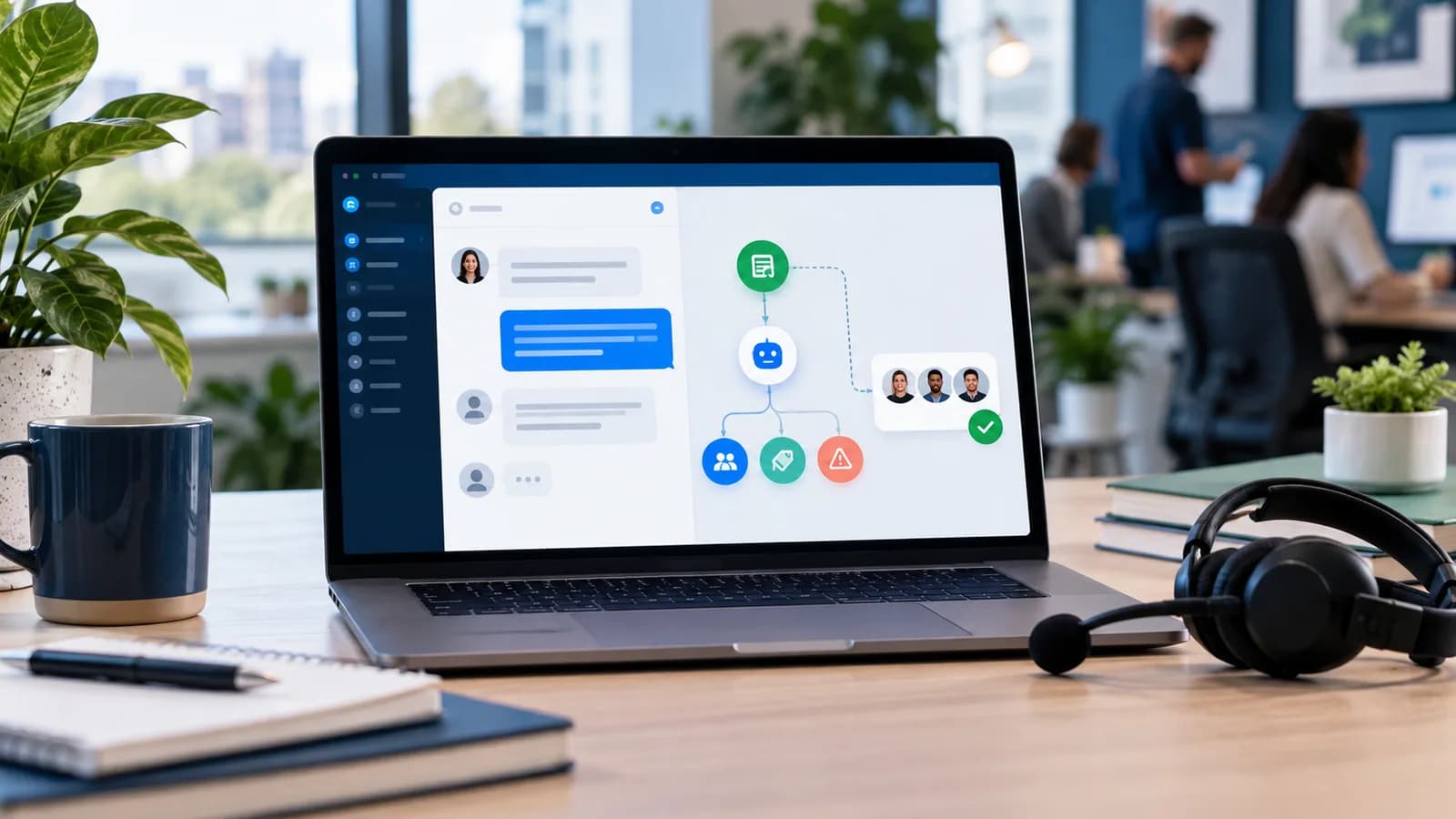
For B2B agencies and SaaS startups in 2026, scaling customer support without growing support headcount is a common operational goal. While simple chatbot widgets can answer basic FAQs, they fail when troubleshooting complex user issues.
By connecting Claude API (Anthropic) to your team's Slack channels and support ticket databases, you can build an AI support agent that runs semantic checks against your technical docs, drafts response suggestions, and escalates complex inquiries to human developers.
This guide provides the system architecture to build an AI support pipeline featuring database integration and escalation fallbacks.
1. AI Support System Architecture
To handle support inquiries reliably, the AI agent needs to coordinate multiple database operations:
- Slack Webhook Event: User posts a support question in a dedicated channel.
- Semantic Retrieval (RAG): The agent searches your documentation database for matching topics.
- Context Assembly: The agent combines the user query, customer account details, and documentation files.
- Claude API Processing: Claude evaluates the context and drafts a response.
- Action Output: The agent posts the reply to Slack or assigns a ticket to a developer if the confidence score is low.
2. Setting Up the Slack Webhook Listener
Establish a Node.js API endpoint to listen for Slack message events:
`javascript
export async function POST(req) {
const rawBody = await req.text();
// Verify the X-Slack-Signature header with your signing secret before trusting the request
if (!verifySlackSignature(req.headers, rawBody)) {
return new Response("Invalid signature", { status: 401 });
}
const payload = JSON.parse(rawBody);
// Handle Slack Webhook URL Verification challenge
if (payload.type === "url_verification") {
return new Response(payload.challenge, { status: 200 });
}
const event = payload.event;
// Ignore bot replies to prevent message loops
if (event.bot_id || event.subtype === "bot_message") {
return new Response("OK", { status: 200 });
}
// Handle the user message in the background. Slack expects a 2xx within
// 3 seconds; on serverless hosts, hand this to a queue or a platform
// "after response" hook (e.g. Next.js after()) so it is not cut off.
processSupportQuery(event.channel, event.text, event.user);
return new Response("OK", { status: 200 });
}
`
3. Querying Claude with Context and Data
Once a message is captured, fetch matching help articles from your database and query Claude API to draft a response.
`javascript
import Anthropic from "@anthropic-ai/sdk";
const anthropic = new Anthropic({ apiKey: process.env.ANTHROPIC_API_KEY });
async function processSupportQuery(channelId, userQuery, userId) {
// 1. Fetch relevant documentation snippet (Mock RAG query)
const docsContext = await fetchDocContext(userQuery);
// 2. Query Claude API
const msg = await anthropic.messages.create({
model: "claude-opus-5-5", // check Anthropic's models page for the current ID
max_tokens: 16000,
output_config: { effort: "low" }, // short support drafts rarely need deep reasoning
system: "You are an AI Support Agent. Answer queries using the documentation context. If the answer is not in the context, output: 'ESCALATE_TICKET'.",
messages: [
{
role: "user",
content: `Context: ${docsContext}
Query: ${userQuery}`
}
]
});
// The response can contain several block types; read the text block
const textBlock = msg.content.find((block) => block.type === "text");
const responseText = textBlock ? textBlock.text.trim() : "";
if (msg.stop_reason === "refusal" || !responseText || responseText.includes("ESCALATE_TICKET")) {
await escalateToHuman(channelId, userQuery, userId);
} else {
await postToSlack(channelId, `<@${userId}>, here is what I found:
${responseText}`);
}
}
`
4. Setting Up Human Escalation Routes
[!IMPORTANT]
AI should never guess answers to technical questions. If Claude's confidence is low or it outputs an escalation signal, route the ticket to a human immediately.
Escalation Handler:
`javascript
async function escalateToHuman(channelId, originalQuery, userId) {
// 1. Write the ticket to the MySQL database
const ticketId = await writeTicketToDb(originalQuery, userId);
// 2. Notify support team on Slack
await postToSlack(process.env.SUPPORT_TEAM_CHANNEL_ID,
`🚨 *Support Escalation*
*User*: <@${userId}>
*Query*: "${originalQuery}"
*Ticket ID*: #${ticketId}
Assigning to developer...`
);
// 3. Inform the client
await postToSlack(channelId,
Hello <@${userId}>, I have logged this request as support ticket *#${ticketId}* and assigned it to our development team. They will reply here shortly.
);
}
`
5. Knowledge Base Design for Accurate AI Support
An AI support agent is only as useful as the knowledge it can retrieve. Before connecting Claude to Slack, prepare the content library: help articles, product documentation, onboarding guides, pricing rules, troubleshooting steps, refund policies, service limitations, and known issue notes. Each document should have a title, category, last updated date, owner, and confidence level.
Do not feed the model every document blindly. Retrieval should select the most relevant passages and include source labels. The support agent should answer from approved knowledge, not from memory. If the knowledge base does not contain the answer, the correct behavior is escalation.
For client-facing services, this protects trust. A fast wrong answer is worse than a slower human answer. The AI should reduce repetitive work while keeping complex or risky cases visible to the team.
6. Ticket Classification and Routing
A Slack support agent should classify each request before drafting a reply. Useful categories include billing, login access, website bug, order issue, technical SEO, plugin conflict, feature request, urgent outage, and general question. Each category can have its own workflow.
For example, a password reset question may receive an instant knowledge-base answer. A payment dispute should route to a human. A production bug should create a high-priority ticket and notify the engineering channel. A feature request can be logged for review without interrupting the developer on call.
Add severity levels too:
- Low: informational question or routine how-to request.
- Medium: user blocked but business impact is limited.
- High: payment, checkout, login, or customer-facing error.
- Critical: site outage, data exposure, or repeated payment failure.
This structure makes the system operationally useful. The goal is not only chat automation. The goal is faster triage, cleaner tickets, and better response consistency.
7. Guardrails for Customer Support Agents
Support agents need strict behavioral rules. The system prompt should prevent guessing, prevent refund promises without policy context, prevent legal or medical advice, and prevent access to private customer data unless the request is authenticated. The API layer should enforce these rules too.
Strong guardrails include:
- Answer only from retrieved documentation and ticket context.
- Cite the internal source used for the answer.
- Escalate when confidence is low.
- Refuse to reveal secrets, logs, tokens, or private account data.
- Never create refunds, cancellations, or account changes without approved tools.
- Keep responses concise and action-oriented.
If the agent can call tools, keep those tools narrow. A tool to "look up order status by verified order ID" is safer than a tool that can query arbitrary database tables.
8. Measuring AI Support Performance
AI support should be measured like a business system. Track first response time, resolution time, escalation rate, incorrect answer reports, customer satisfaction, number of tickets deflected, number of tickets created, and percentage of answers backed by source documents.
The best metric is not "how many messages did AI answer?" The best metric is "how many customer problems were resolved correctly without harming trust?" If escalation rate is high, your knowledge base may be incomplete. If wrong-answer reports are high, retrieval or prompt rules need work. If customers still wait too long, the human handoff process needs improvement.
Create a weekly review loop where the team reads a sample of AI replies. Add missing documentation, rewrite confusing help articles, and update routing rules. This feedback loop is where the support agent becomes more valuable over time.
9. Security and Privacy Checklist
Customer support data can include emails, order IDs, payment issues, private business details, screenshots, and account problems. The integration should minimize what enters the model context. Do not include full database records when a small summary is enough.
Before launch, confirm:
- Slack request verification is enabled.
- Bot loops are blocked.
- Sensitive fields are redacted before model calls.
- Ticket database access is scoped.
- API keys live in environment variables.
- Logs do not store private customer messages forever.
- Human escalation is immediate for account, billing, legal, health, or security issues.
- The customer can reach a human when needed.
- Customers in customer-facing channels are told they are talking to an AI system, as the EU AI Act's Article 50 transparency rules have required since 2 August 2026.
- If you support customers in the EU or UK, a data processing agreement is in place with the AI provider, Slack and your helpdesk vendor, and your privacy notice explains the AI processing (GDPR / UK GDPR).
For websites and service businesses, this work connects naturally with business website development and Business Automation & Integrations.
10. Build vs SaaS Support Tools
Many businesses can start with Intercom, Zendesk, Help Scout, Freshdesk, or a similar platform. Custom Claude and Slack integration makes sense when the team already works in Slack, needs custom product data, wants control over retrieval, or handles technical support that generic chatbots cannot understand.
Use SaaS when the workflow is standard. Build a custom support agent when support quality depends on your own documentation, database, internal processes, and escalation rules. The strongest setup often combines both: a helpdesk for ticket management and a custom AI layer for triage, drafting, and internal support assistance.
11. Internal Draft Mode Before Customer Automation
The safest launch method is internal draft mode. In this setup, the AI reads the ticket, retrieves relevant documents, drafts an answer, and posts it privately for the support team. A human approves, edits, or rejects the response. This gives the team real performance data without risking customer trust.
Draft mode should run long enough to expose edge cases: angry customers, vague questions, missing documentation, account-specific issues, refund requests, plugin bugs, and urgent outages. Each rejected draft becomes training for the workflow. The team can improve retrieval, add help articles, update escalation rules, and rewrite confusing policy pages.
After the agent performs well in draft mode, allow direct replies only for low-risk categories. Password guidance, basic onboarding, documentation links, and known troubleshooting steps are good candidates. Billing disputes, legal issues, health information, private account changes, and security reports should stay human-owned.
12. 100-Point AI Support Readiness Score
| Area | Points |
|---|---|
| Approved knowledge base prepared | 20 |
| Retrieval uses source-labeled passages | 15 |
| Human escalation rules are clear | 15 |
| Slack events are verified and secured | 10 |
| Sensitive data is minimized/redacted | 10 |
| Ticket categories and severity levels exist | 10 |
| Performance metrics are reviewed weekly | 10 |
| Tool access is narrow and audited | 5 |
| Customers can still reach a human | 5 |
If the score is below 80, keep the agent in draft-only mode. Let it suggest replies to humans before it posts directly to customers.
13. Escalation Review Meetings
Every support automation project needs a regular escalation review. Once a week, review the tickets the agent could not answer, the tickets humans corrected, and the answers customers rated poorly. These reviews reveal missing help articles, unclear product settings, and support processes that need better internal ownership.
Do not judge the agent only by automation rate. A high escalation rate can be healthy when the product has complex edge cases. What matters is whether the system routes uncertainty quickly, gives humans clean context, and prevents repeat questions from staying undocumented.
14. Customer-Facing Tone and Brand Fit
AI support should sound like the business, not like a generic assistant. Define tone rules for greeting, apology, urgency, technical depth, and next steps. A SaaS product may prefer concise technical replies. A service agency may need warmer responses with clear reassurance. An e-commerce brand may need short, practical order guidance.
Tone rules are part of quality control. They help support feel consistent even when multiple humans and AI drafts are involved.
Frequently Asked Questions
Can Claude answer customer support questions automatically?
Yes, but it should answer only when the retrieved documentation supports the response. Unknown, sensitive, or high-risk questions should escalate to a human.
Should the AI post directly in Slack?
For internal support channels, direct posting can work. For customer-facing channels, start with draft mode until accuracy and escalation behavior are proven.
What data should be sent to Claude?
Send only the minimum context needed: the user question, relevant knowledge-base passages, verified account summary, and ticket history if needed. Avoid raw private records.
How do you prevent wrong answers?
Use retrieval, source constraints, escalation signals, weekly review, and clear rules that prevent the agent from guessing outside approved documentation.
Final Recommendation
Integrating Claude API with Slack and your support database can reduce repetitive support work, but it should be designed as a controlled triage system. The best version gives fast answers for known issues and cleanly hands off anything uncertain to a human.
Related posts

Shared vs VPS vs Managed Hosting for a Small Business Website or Store
A plain comparison of shared hosting, VPS and managed hosting or PaaS for small business sites and online stores: responsibilities, isolation and performance, the signs a WooCommerce store or Next.js app has outgrown shared hosting, GDPR data residency, and a decision table.
Read article →

How to Secure a New Ubuntu VPS: A Setup Checklist for Business Websites
A step-by-step hardening checklist for a fresh Ubuntu 26.04 or 24.04 LTS VPS that will host a business website, with copy-paste commands for SSH keys, ufw, unattended-upgrades, fail2ban, time sync, swap, monitoring and backups.
Read article →

Deploy a Next.js 16 App on a VPS with Nginx, systemd or PM2, and HTTPS
A working guide to running Next.js 16 on your own VPS: Node.js LTS, build-time versus runtime environment variables, a systemd unit and PM2 alternative, an Nginx server block with certbot HTTPS, the standalone output option, logs, and a two-port release script.
Read article →
Author
Anushka Dahanayake
Anushka Dahanayake builds SEO-focused websites, e-commerce platforms, dashboards, and automation systems for businesses worldwide.